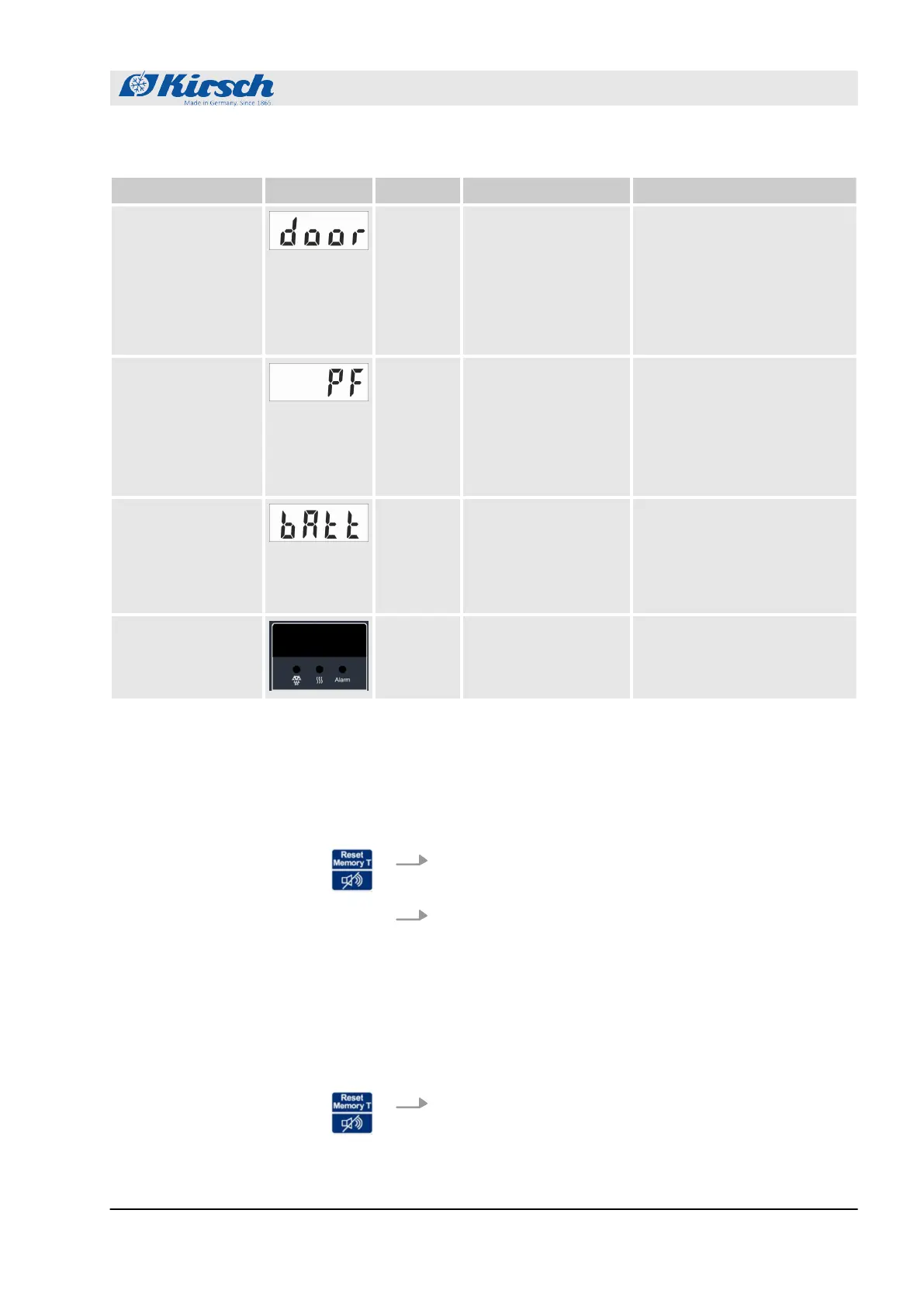
Alarm function Display Buzzer Cause Measure
Door-open alarm
3
n The door is open
for more than 60
seconds.
n The door-open
alarm is not for-
warded via the
remote warning
contact.
n Deactivate buzzer.
n Close door.
Power failure
warning
3
n The power supply
of the unit has
failed.
n The remote
warning contact
has been trig-
gered.
n Deactivate buzzer.
n Determine cause of power
failure and rectify.
n The monitoring unit
remains in operation for
approx. 72 hours.
n Acknowledge alarm.
Alarm in case of
defective battery
3
n The power supply
for the tempera-
ture documenta-
tion has failed.
n The alarm function
has failed.
n Inform the service depart-
ment.
n Replace the battery
Ä
“Service contact”
on page 4.
Alarm in case of
defective display
and control unit
3
n The display and
control unit is
defective.
n Unplug power plug.
n Inform the service depart-
ment
Ä
“Service contact”
on page 4.
10.2 Handling alarms
The buzzer sounds.
1. Press button [Reset].
ð
The buzzer is deactivated.
2. Determine cause of the alarm and rectify.
Otherwise the buzzer will sound again every 30 minutes.
The buzzer is deactivated, the alarm cause has been rectified, but
the alarm continues to appear on the display.
Press button [Reset].
ð
The alarm has been acknowledged. The display shows
the temperature of the chilled goods.
Deactivating the buzzer
Acknowledging the alarm
Alarms
Handling alarms
18.12.2018 Refrigerator/freezer BL series 63









 To Next Page