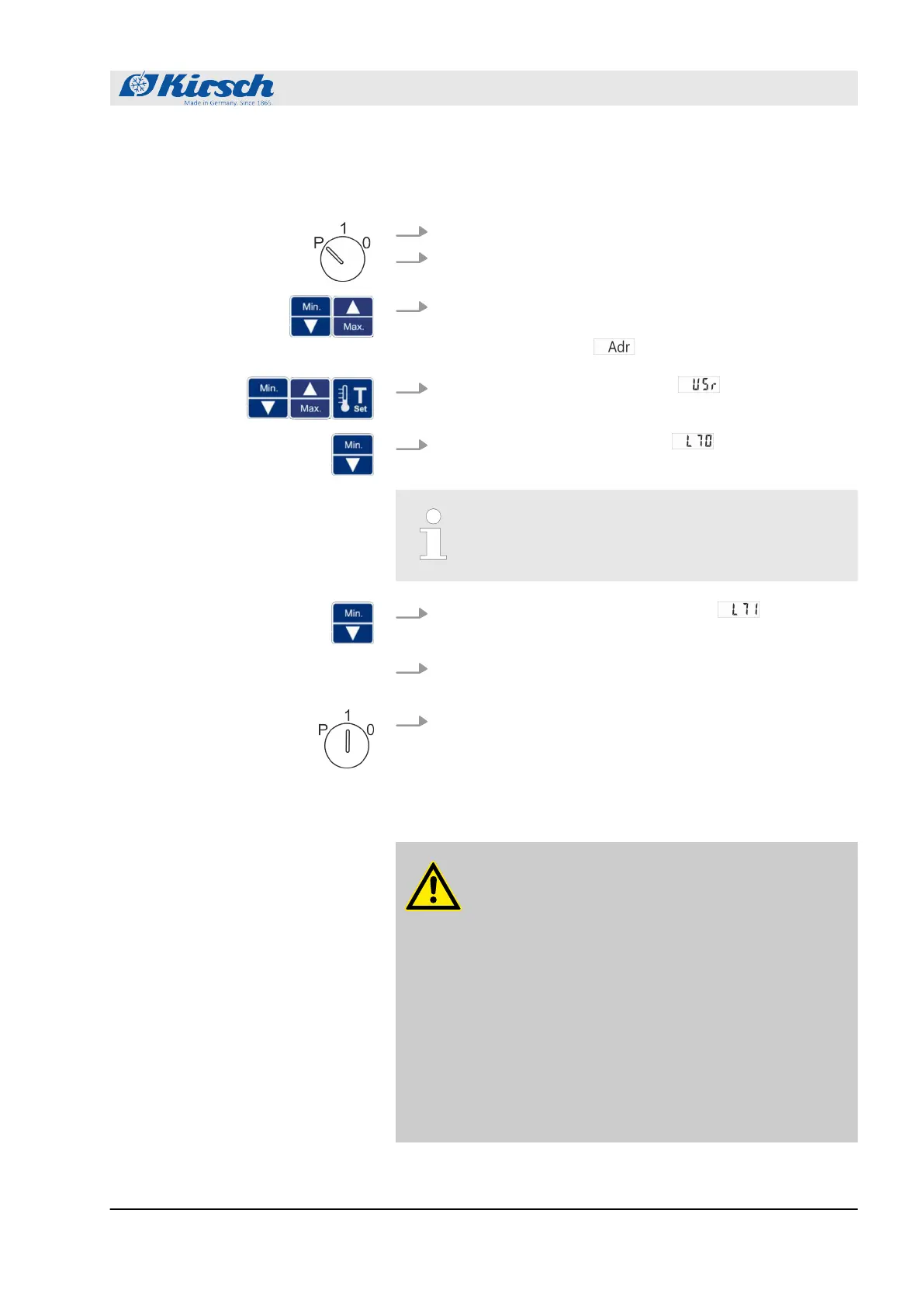
1. Insert unit key in key switch.
2. Set unit key to “P”.
3. Press and hold [Max.] and [Min.] simultaneously for four sec-
onds.
ð
The display shows .
4.
Use [Max.] and [Min.] to go to level and confirm with
Set.
5.
Use [Min.] to select the parameter .
ð
The first digits of the MAC address are displayed.
The first two displayed digits “00” are not part of
the MAC address.
6.
Press [Min.] to select the next parameter .
ð
The next digits of the MAC address are displayed.
7. At levels L72 to L75, repeat step 5 until the MAC address has
been completely read out.
8. Set key switch to “1” to complete your input.
ð
The MAC address has been read out.
7.5 Stocking the unit
CAUTION!
Danger of damage due to interrupted cooling
chain during stock transfer!
If the cooling chain of the chilled goods is inter-
rupted by a stock transfer, the prescribed storage
conditions are no longer met. This can damage the
chilled goods.
– Do not subject chilled goods to light during the
stock transfer.
– Do not place chilled goods near radiators
during the stock transfer.
– Make sure that chilled goods are stored in the
replacement unit according to the specifica-
tions of the relevant manufacturer.
Reading out the MAC IP address on
the unit
Operation
Stocking the unit
18.12.2018 Refrigerator/freezer BL series 53









 To Next Page