13
PRODUCT USAGE
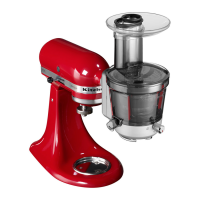
KitchenAid offers a wide range of optional attachments such as food grinders or pasta
makers. They may be attached to the Stand Mixer attachment power shaft, as shown
here.
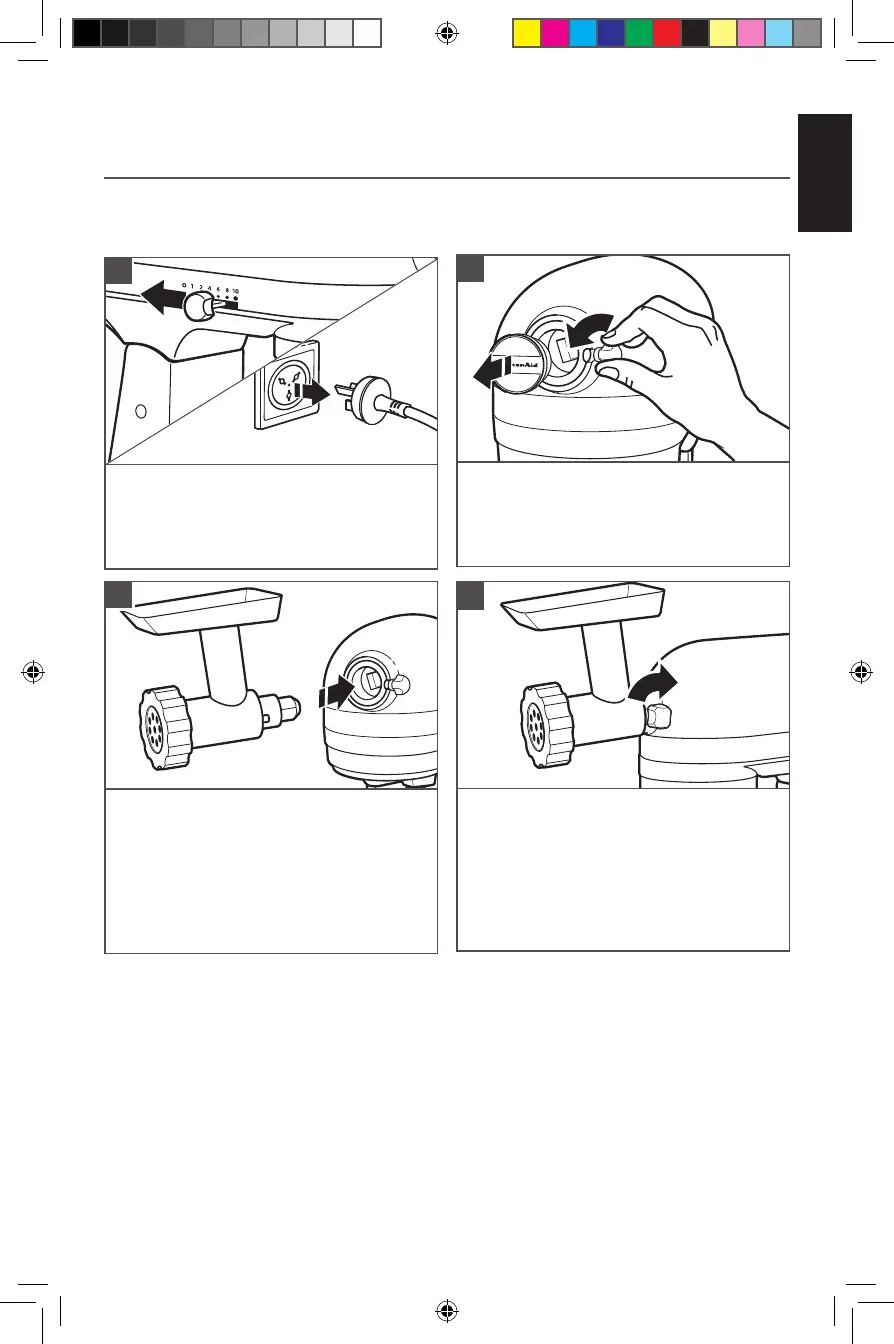
To attach: Turn Speed Control Lever to off (0).
Unplug Stand Mixer.
1
Loosen attachment knob by turning it
counterclockwise. Remove Attachment Hub
cover.
2
Tighten Attachment Knob by turning
clockwise until attachment is
completely secured to Stand Mixer.
4
Insert attachment shaft housing into
Attachment Hub, making certain that attach-
ment power shaft fits into square Attachment
Hub socket. It may be necessary to rotate
attachment back and forth. When attachment
is in proper
position, the pin on the attachment will fit into
the notch on the hub rim.
3
OPTIONAL ATTACHMENTS
W11658773A.indb 13W11658773A.indb 13 4/13/2023 4:56:09 PM4/13/2023 4:56:09 PM





 To Next Page