4-11
4. To remove the oven temperature sen-
sor:
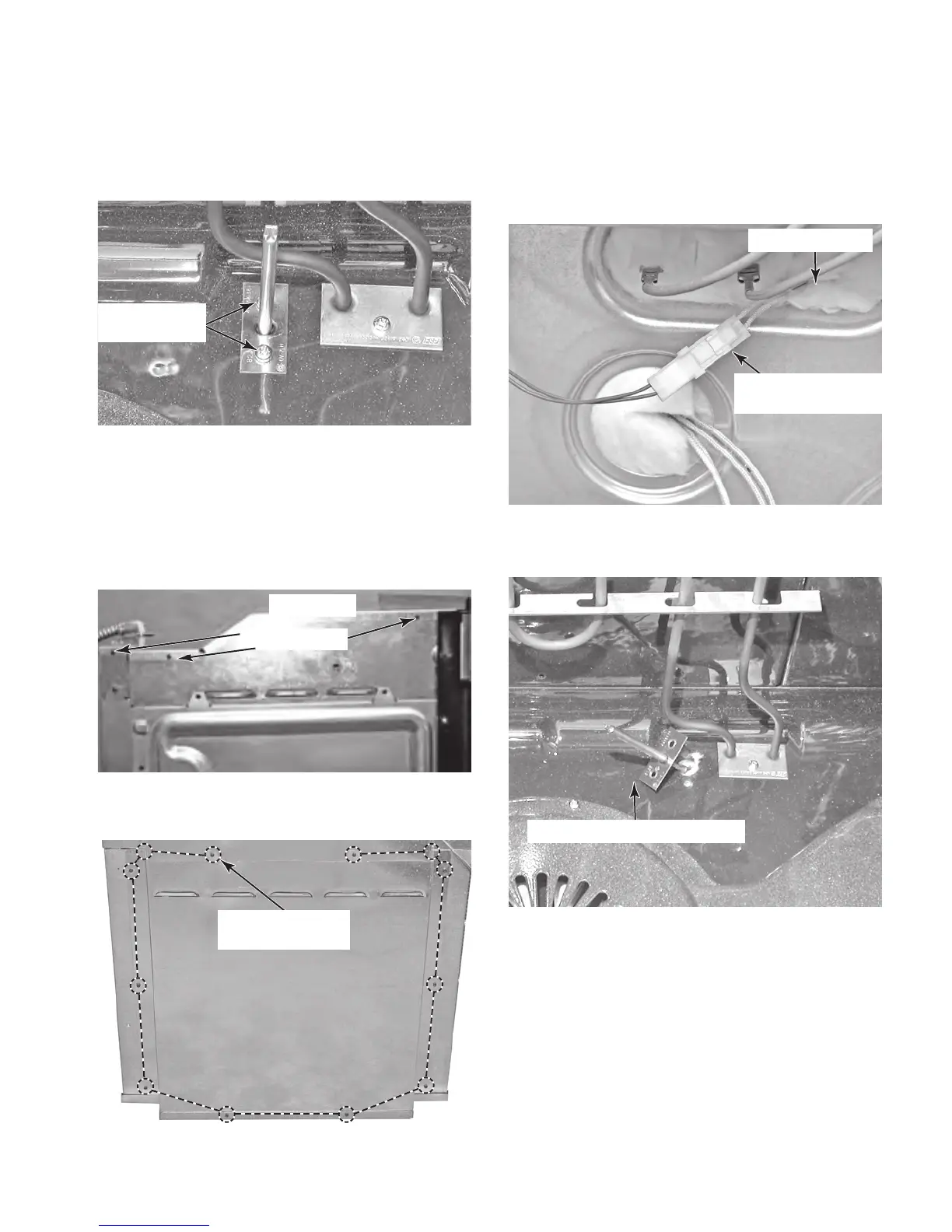
a) Remove the screws from the sensor
bracket.
e) Disconnect the sensor wire connector
from the wiring harness.
f) Push the sensor wire connector through
the oven liner hole from the rear of the
oven.
Temperature
Sensor Screws
b) Remove the oven from its mounting
location (see “Installation Information”
in Section 2) and pull it forward so that
you can access the top cover.
c) Remove the six screws from the top
cover and remove the cover.
Rear Cover
(12 Screws)
Temperature Sensor
Connector
g) Pull the temperature sensor connector
out of the hole and remove the sensor.
Oven Liner Hole
Remove Temperature Sensor
d) Remove the twelve screws from the rear
cover and remove the cover.
Top Cover
Screws (3 of 6)



 To Next Page