4-13
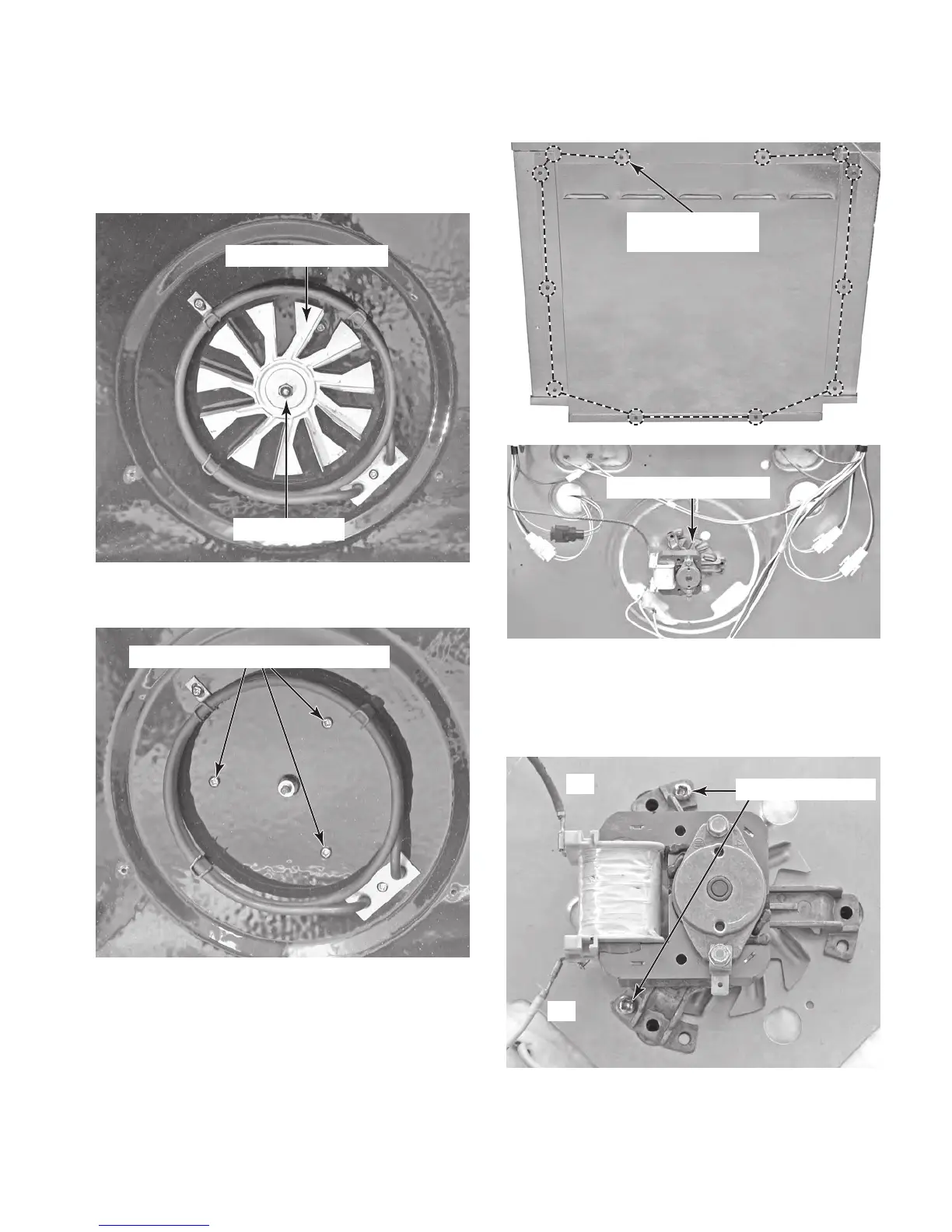
5. To remove the convection fan motor:
a) Remove the 10mm hex nut from the
convection fan blade (counter clockwise
rotation) and remove the blade from the
motor shaft.
Convection Fan Blade
Fan Blade Nut
b) Remove the three front screws from
the convection fan motor.
Front Convection Fan Motor Screws
d) Remove the twelve screws from the rear
cover and remove the cover.
Rear Cover
(12 Screws)
Convection Fan Motor
e) D i s c o n n e c t t h e r e d a n d y e l l o w w i r e s f r o m
the convection fan motor terminals.
f) Remove the two screws from the fan
motor and remove the motor.
c) Remove the oven from its mounting
location (see “Installation Information”
in Section 2) and pull it forward so that
you can access the rear covers.
RD
YL
Rear Motor Screws



 To Next Page