Automatic Time Cooking
Automatic time cooking allows you to
turn the oven on and off automatically.
The starting time can be set for now
or later in the day. On double oven
models, both the upper and lower
oven can be set for Automatic Time
Cooking at the same time. They will
have the same start and stop times.
The Temperature Controls may be
set at different temperatures.
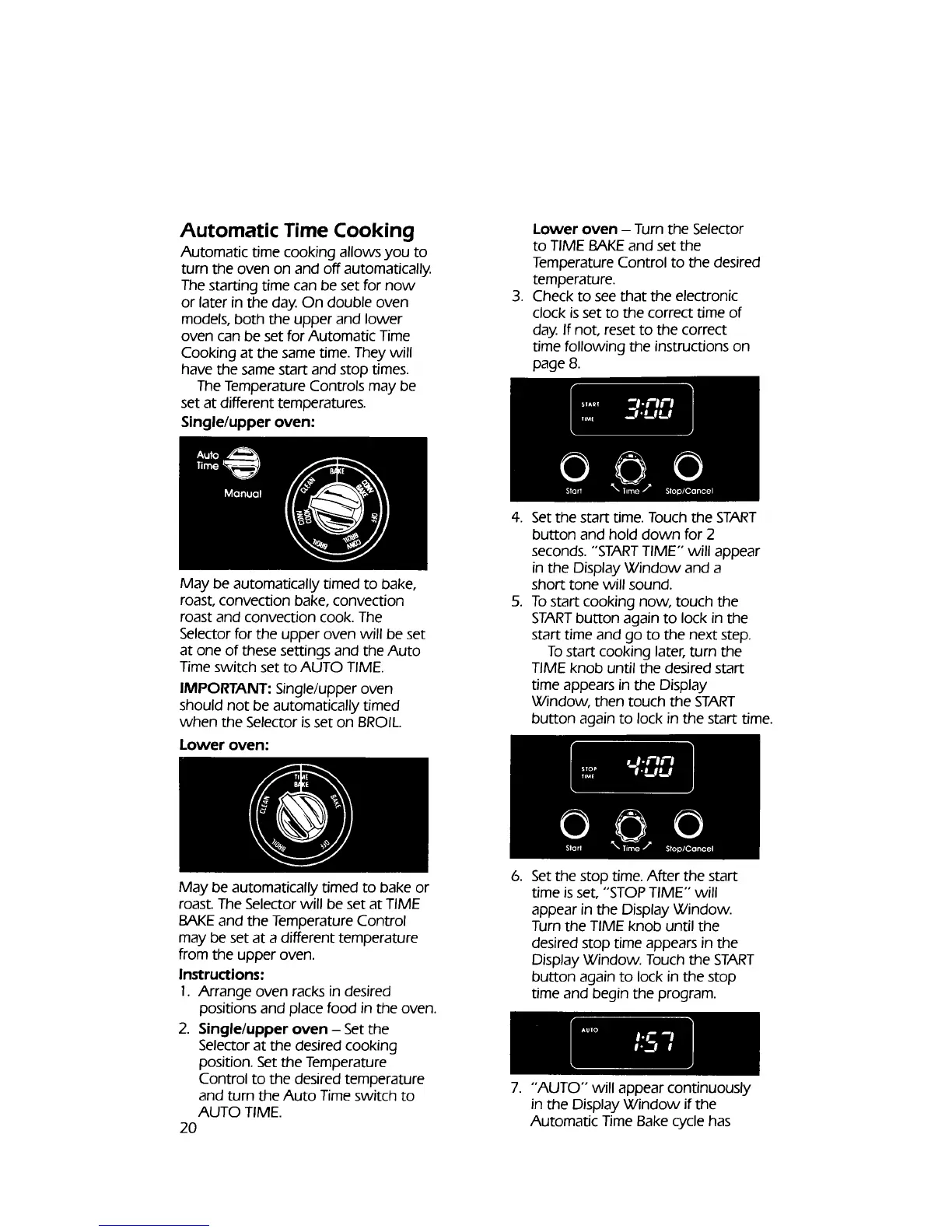
Single/upper oven:
.
Lower oven - Turn the Selector
to TIME BAKE and set the
Temperature Control to the desired
temperature.
Check to see that the electronic
clock is set to the correct time of
day. If not, reset to the correct
time following the instructions on
page 8.
May be automatically timed to bake,
roast, convection bake, convection
roast and convection cook. The
Selector for the upper oven will be set
at one of these settings and the Auto
Time switch set to AUTO TIME.
IMPORTANT: Single/upper oven
should not be automatically timed
when the Selector is set on BROIL.
Lower oven:
.
.
Set the start time. Touch the START
button and hold down for 2
seconds. "START TIME" will appear
in the Display Window and a
short tone will sound.
To start cooking now, touch the
START button again to lock in the
start time and go to the next step.
To start cooking later, turn the
TIME knob until the desired start
time appears in the Display
Window, then touch the START
button again to lock in the start time.
May be automatically timed to bake or
roast. The Selector will be set at TIME
BAKEand the Temperature Control
may be set at a different temperature
from the upper oven.
Instructions:
1. Arrange oven racks in desired
positions and place food in the oven.
2. Single/upper oven - Set the
Selector at the desired cooking
position. Setthe Temperature
Control to the desired temperature
and turn the Auto Time switch to
AUTO TIME.
2O
.
Setthe stop time. After the start
time is set, "STOP TIME" will
appear in the Display Window.
Turn the TIME knob until the
desired stop time appears in the
Display Window. Touch the START
button again to lock in the stop
time and begin the program.
7. "AUTO" will appear continuously
in the Display Window if the
Automatic Time Bake cycle has



 To Next Page