Startingtheautomatic
self-cleancycle:
I. Follow steps under "Before starting
a self-clean cycle.'"
2. Check to see that the electronic
clock is set to the correct time of
day If not, reset to the correct time
following the instructions on page 8.
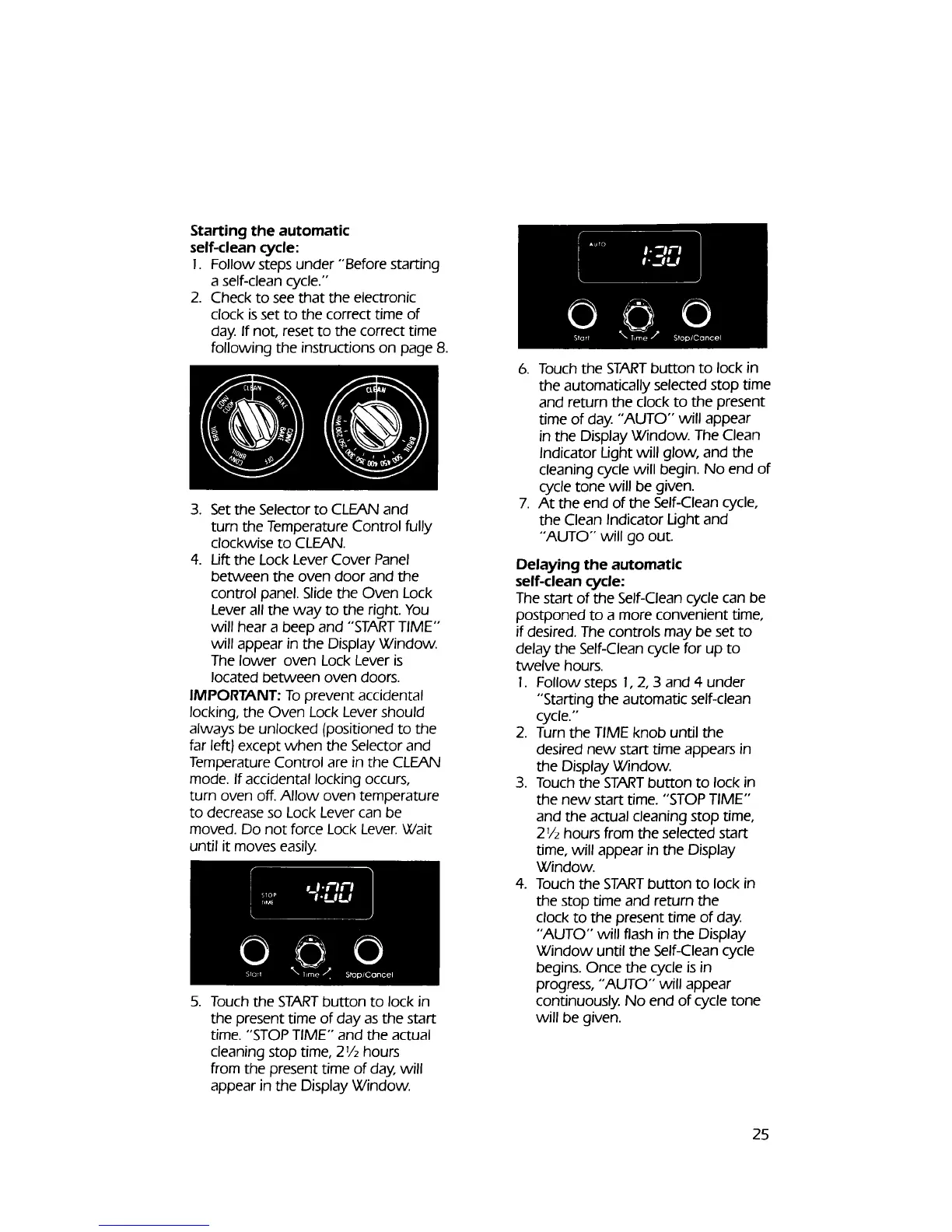
3. Set the Selector to CLEAN and
turn the Temperature Control fully
clockwise to CLEAN.
4. Lift the Lock Lever Cover Panel
between the oven door and the
control panel. Slide the Oven Lock
Lever all the way to the right. You
will hear a beep and "'START TIME'"
will appear in the Display Window.
The lower oven Lock Lever is
located between oven doors.
IMPORTANT: To prevent accidental
locking, the Oven Lock Lever should
always be unlocked (positioned to the
far left) except when the Selector and
Temperature Control are in the CLEAN
mode. If accidental locking occurs,
turn oven off. Allow oven temperature
to decrease so Lock Lever can be
moved. Do not force Lock Lever. Wait
until it moves easily.
5. Touch the STARTbutton to lock in
the present time of day asthe start
time. "'STOPTIME" and the actual
cleaning stop time, 27/2hours
from the present time of day, will
appear in the Display Window.
6. Touch the STARTbutton to lock in
the automatically selected stop time
and return the clock to the present
time of day. "AUTO" will appear
in the Display Window. The Clean
Indicator Light will glow, and the
cleaning cycle will begin. No end of
cycle tone will be given.
7. At the end of the Self-Clean cycle,
the Clean Indicator Light and
"'AUTO" will go out.
Delaying the automatic
self-clean cycle:
The start of the Self-Clean cycle can be
postponed to a more convenient time,
if desired. The controls may be set to
delay the Self-Clean cycle for up to
twelve hours.
1. Follow steps 1,2, 3 and 4 under
"Starting the automatic self-clean
cycle.'"
2. Turn the TIME knob until the
desired new start time appears in
the Display Window.
3. Touch the STARTbutton to lock in
the new start time. "'STOPTIME"
and the actual cleaning stop time,
21/2hours from the selected start
time, will appear in the Display
Window.
4. Touch the STARTbutton to lock in
the stop time and return the
clock to the present time of day.
"AUTO" will flash in the Display
Window until the Self-Clean cycle
begins. Once the cycle isin
progress, "'AUTO" will appear
continuously No end of cycle tone
will be given.
25



 To Next Page