14
CONVECTION
This function will allow to keep warm the fresh cooked food.
KEEP WARM
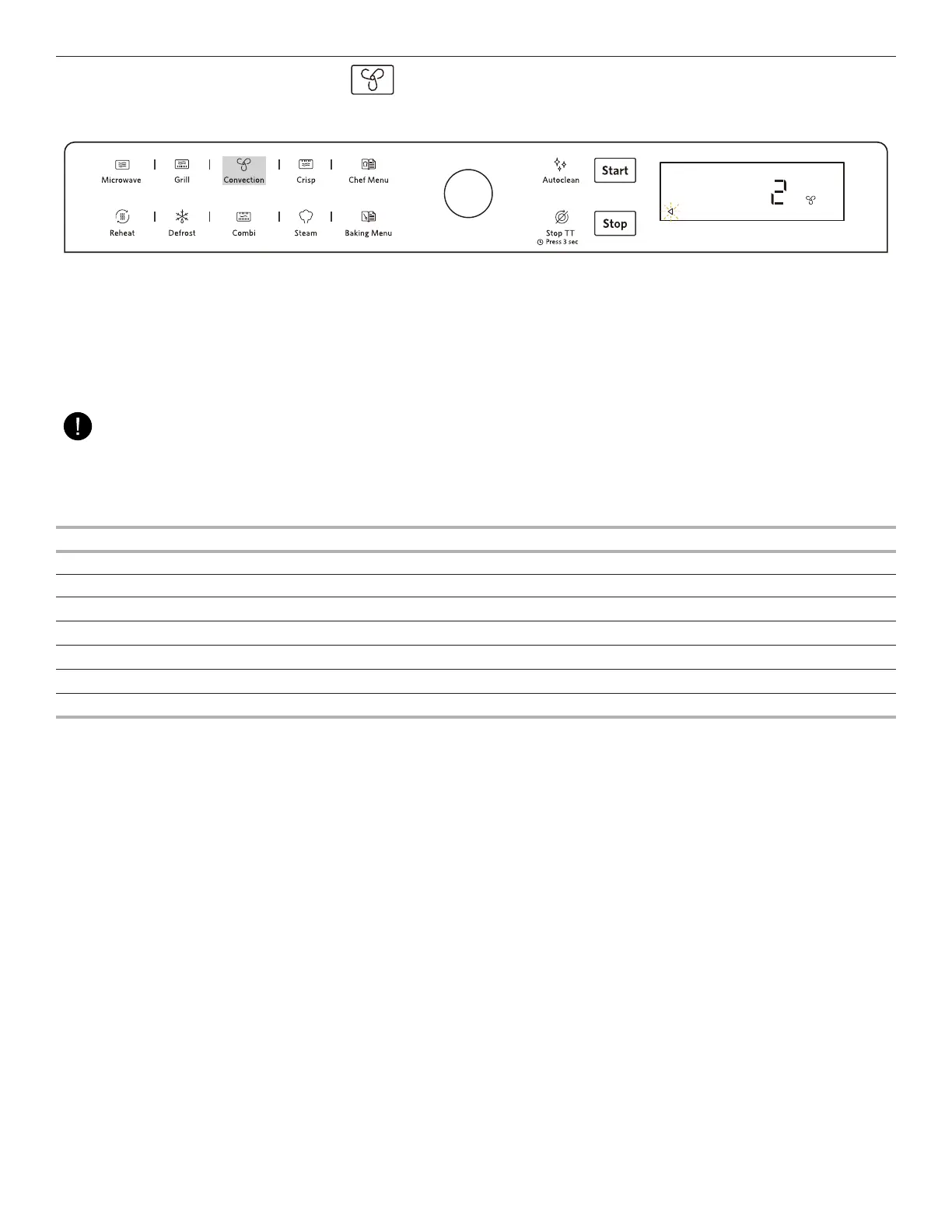
1. Press the Convection button.
2. Rotate the Knob to select number “2” and press the Confirmation button / Start button to enter into Keep Warm mode.
3. Rotate the Knob to adjust the temperature range from 60℃ to 80℃, and press the Confirmation button / Start button to confirm (
please see the table below for recommended recipes ).
4. The cooking cycle will start with 30mins count down and press the Confirmation button / Start button to start the cooking cycle.
(The oven may ask you to check if the vessels used are correct, if correct, press the Confirmation button / Start button to start the
cooking cycle.)
NOTE:
Once the cooking process has been started:
Open the door to pause the keep warm cycle, and close the door to continue the cycle with remaining time.
Press the Stop button to stop the whole keep warm cycle.
FOOD CATEGORY WEIGHT TEMP TIME CONTAINER
Pizza
300 - 800g 80℃ 30min Crisp Plate
Roasted meat 800 - 1500g 80℃ 30min Oven proof dish
Bread 100 - 500g 60℃ 30min Crisp Plate
Mun 336g(28g*12pcs) 60℃ 30min Crisp Plate
Casserole/Stew 1500 - 2000g 70℃ 30min Oven proof dish
Plates 220-620g 70℃ 30min Oven proof dish
Ceramic dishes
250-850g 70℃ 30min Oven proof dish



 To Next Page