35
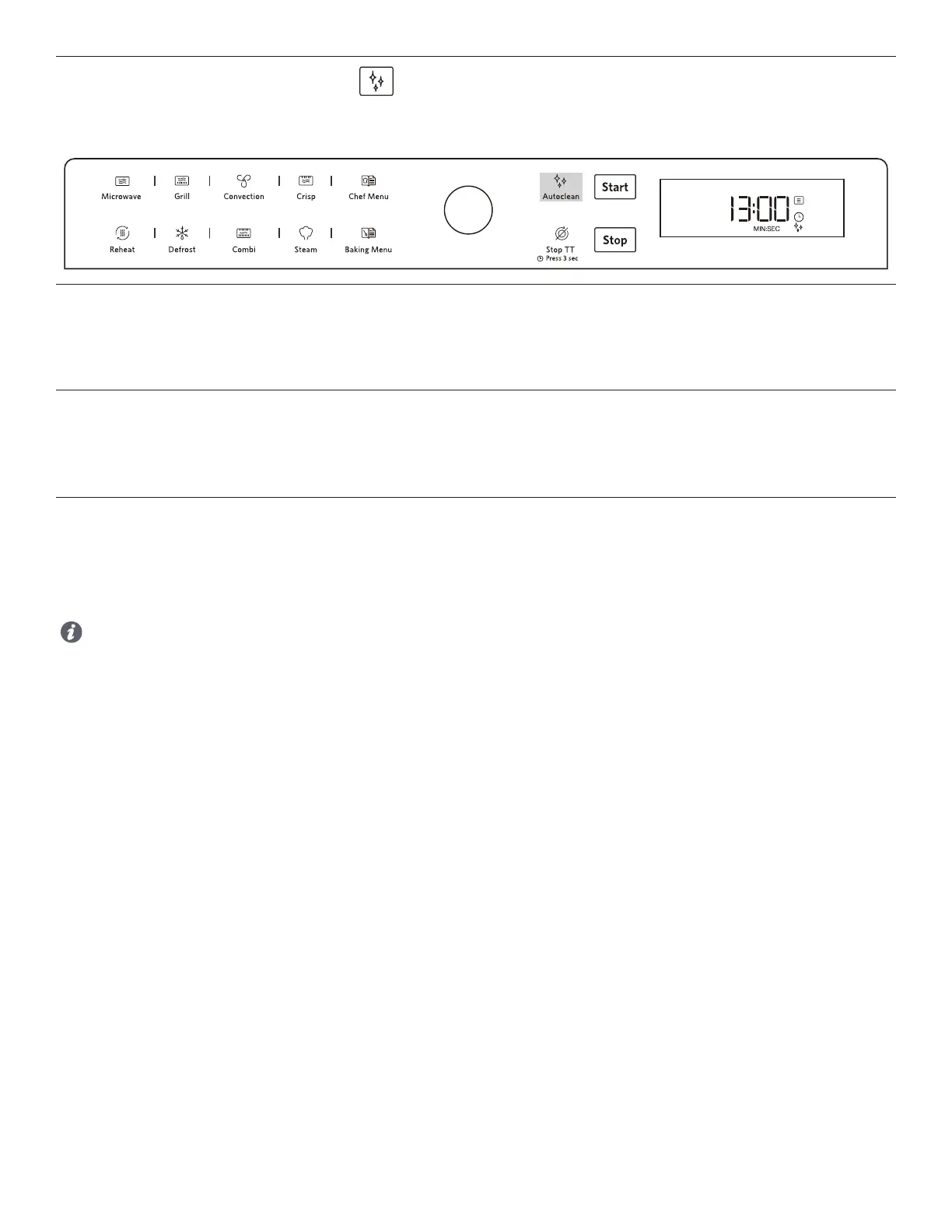
This automatic cleaning cycle will help you to to clean the microwave oven cavity and to remove unpleasant odors.
AUTO CLEAN
AUTO CLEAN
BEFORE STARTING THE CYCLE:
1. Put 250 ml room temperature water into microwave safe container(see our recommendations in the below section “Tips and
suggestions”).
2. Place the container directly on the glass turntable .
TO START THE CYCLE:
1. Press the Auto Clean button, the cleaning cycle duration will be visible on the display.
2. Press the Confirmation button / Start button to start the function. (The oven may ask you to check if the vessels used are correct, if
correct, press the Confirmation button / Start button to start the cooking cycle.)
WHEN THE CYCLE IS FINISHED:
1. Press the Stop button.
2. Remove the container.
3. Use a soft cloth or a paper towel with mild detergent to clean the interior surfaces.
Tips and suggestions:
■ For a better cleaning result, it is recommended to use a container with a diameter of 17-20cm, and a height that is lower
than 6.5cm. For the models that have steamer as accessory, just use the steamer bottom to start this function.
■ As the container will be hot after the cleaning cycle is complete, it is recommended to use a heat resistant glove when
removing the container from the microwave.
■ For a better cleaning eect and removal of unpleasant odors, add some lemon juice to the water.
■ The Grill element does not need cleaning since the intense heat will burn o any splashes, but the ceiling beneath it may
need regular cleaning. This should be done with a soft and damp cloth with mild detergent.



 To Next Page