23
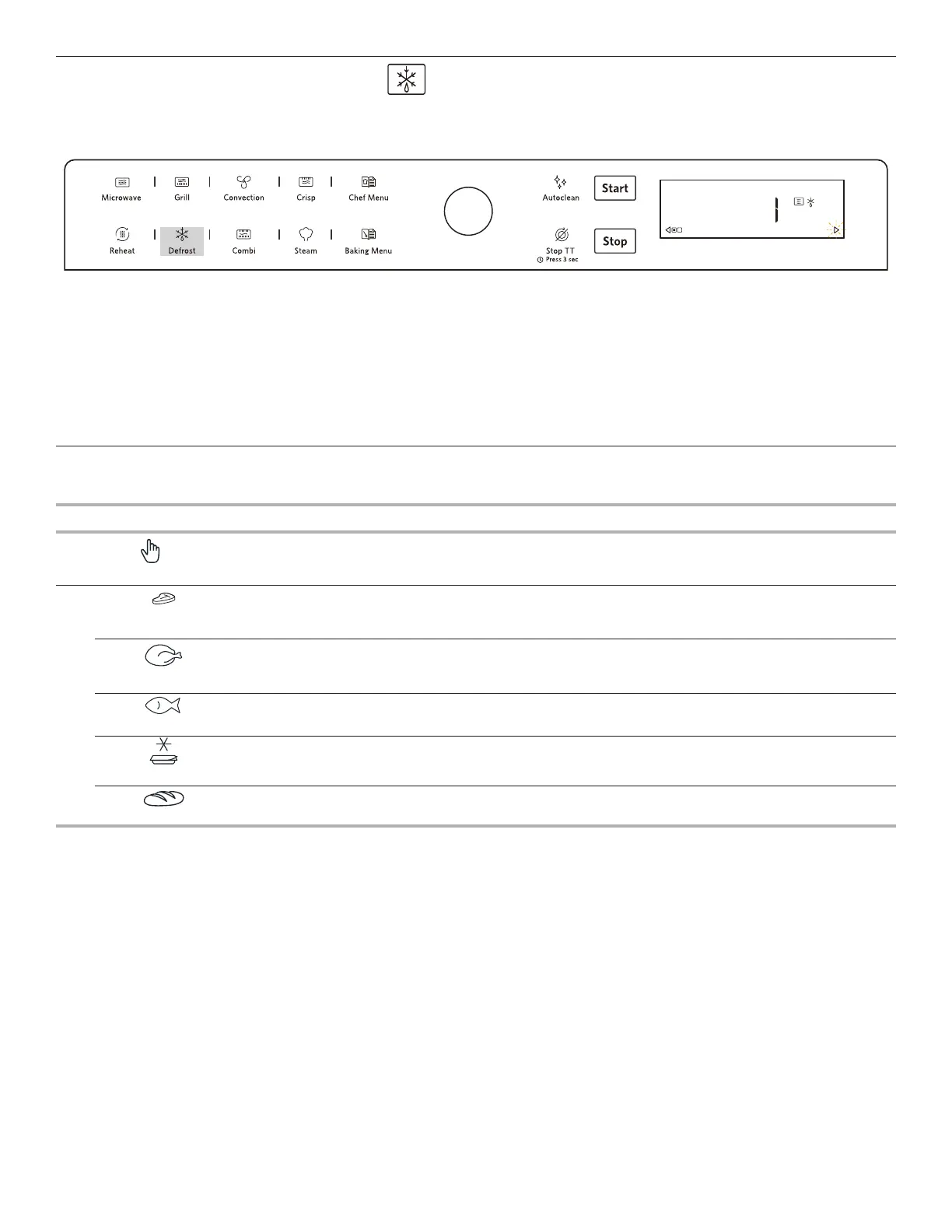
DEFROST
This function allows you to quickly defrost food.
Use this function to defrost Meat, Poultry, Fish, Vegetables or Bread.
FOOD CATEGORY WEIGHT OR TIME HINT
1
Defrost manual
Set duration
Choose manual defrost to select your own defrost time.
2
P1
Meat
100 - 2000g/50g
Suitable for Minced meat, cutlets, steaks and roasts. For best results, once defrost
function has nished, allow meat to stand for 5 mins.
P2
Chicken
100 - 2000g/50g
Suitable for whole chickens, pieces and llets. For best results, once defrost function
has nished, allow chicken to stand for 5-10 mins.
P3
Fish
100 - 1500g/50g
Suitable for whole sh, pieces and llets. For best results, once defrost function has
nished, allow sh to stand meat for 5 mins.
P4
Frozen Meal
300 - 1000g/50g
Suitable for home made and store bought casseroles, stews and pasta meals. Once
defrosted, use a reheat function to warm food to serving temperatures.
P5
Bread
50 - 600g/50g
Suitable for all frozen rolls, loaves, baguettes & croissants. For best results, once
defrost function has nished, allow bread to stand for 3 mins.
1. Press the Defrost button.
2. Rotate the Knob to select the food category (See the table below).
3. When choose the 1 (Manual defrost) press the Confirmation button / Start button to confirm and rotate the Knob to set the cooking
time.
4. When choose 2 (Auto defrost), confirm and rotate the Knob to choose the recipe, press the confirmation button / Start button to
confirm and rotate the Knob to adjust the weight value.
5. Press the Confirmation button / Start button to start the cooking cycle. (The oven may ask you to check if the vessels used are
correct, if correct, press the Confirmation button / Start button to start the cooking cycle.)
MANUAL DEFROST
DEFROST



 To Next Page