SaunaP
UR
PAGE 11
5070178/07.02
5. Operation
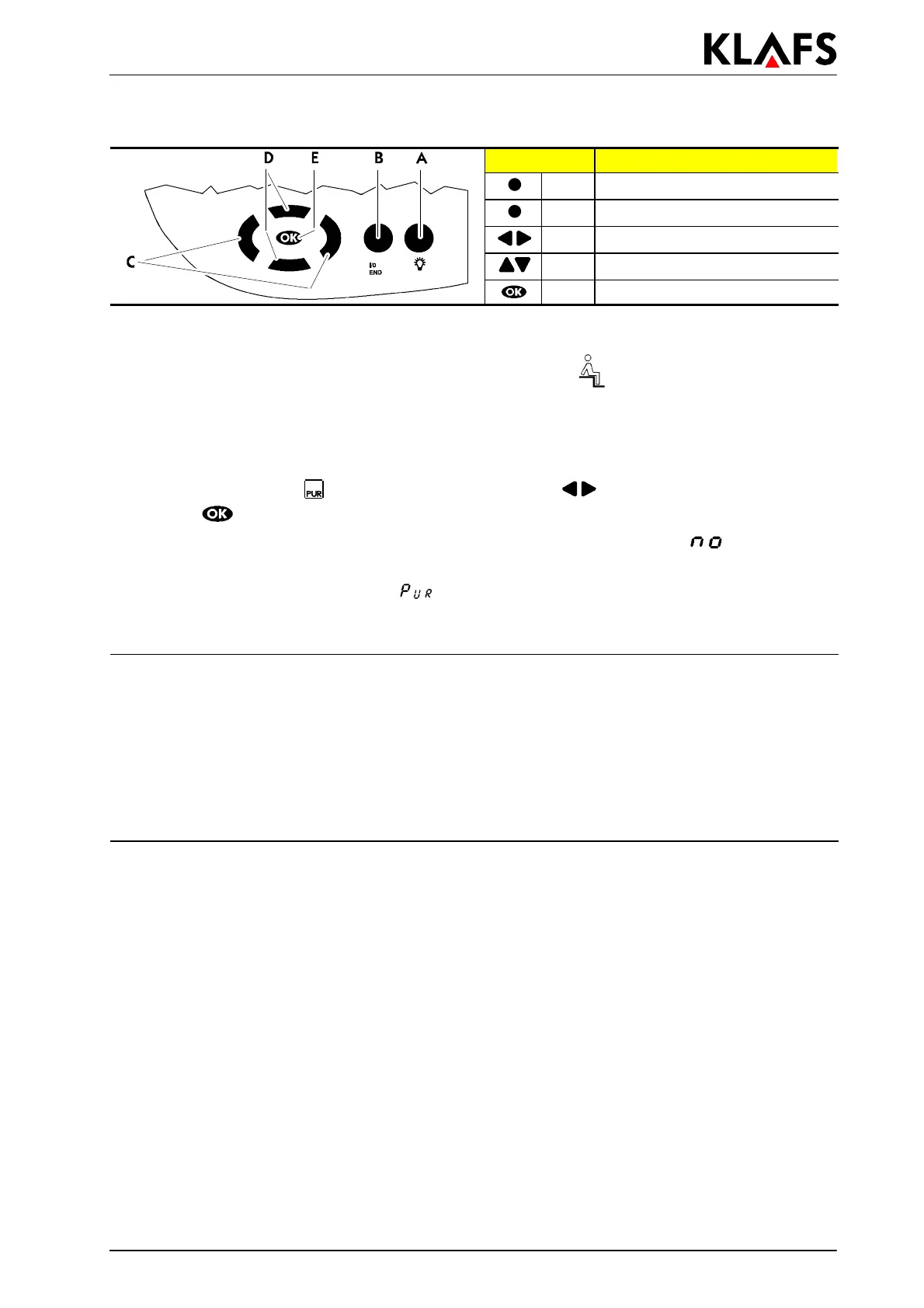
Button: Description:
A Light button
B I/0 button
C Left/Right buttons
D Up/Down buttons
E OK button
5.5. Starting the SaunaP
UR
form of bathing
. Requirement: The setpoint temperature must be reached. The symbol must appear in the
display.
' Start sauna operation if required, see Chapter 5.4.
. It is possible to start the SaunaP
UR
form of bathing on the control unit or on the internal display
using the SaunaP
UR
- button (optional).
1. To select the SaunaP
UR
form of bathing, use the left/right buttons on the control unit
2. Use the
button to start the form of bathing.
. If the temperature for the SaunaP
UR
form of bathing has not yet been reached, appears in the
control unit display.
. During the SaunaP
UR
form of bathing appears in the control unit display.
. After approx. 20 minutes or a temperature drop of approx. 15 Kelvin in the sauna cabin, the
SaunaP
UR
form of bathing ends automatically. The sauna heater starts heating again.
5.6. Ending a program
Bathing or preselection mode (Sauna) can be ended during the ongoing program.
1. The program is automatically ended at the end of the bathing duration or
2. press the B button until END appears in the display.
3. The program will be ended if none of the buttons are pressed within 3 seconds.
. The control unit automatically goes into stand-by mode. The time appears in the display.


 To Next Page