SaunaP
UR
PAGE 13
5070178/07.02
5. Operation
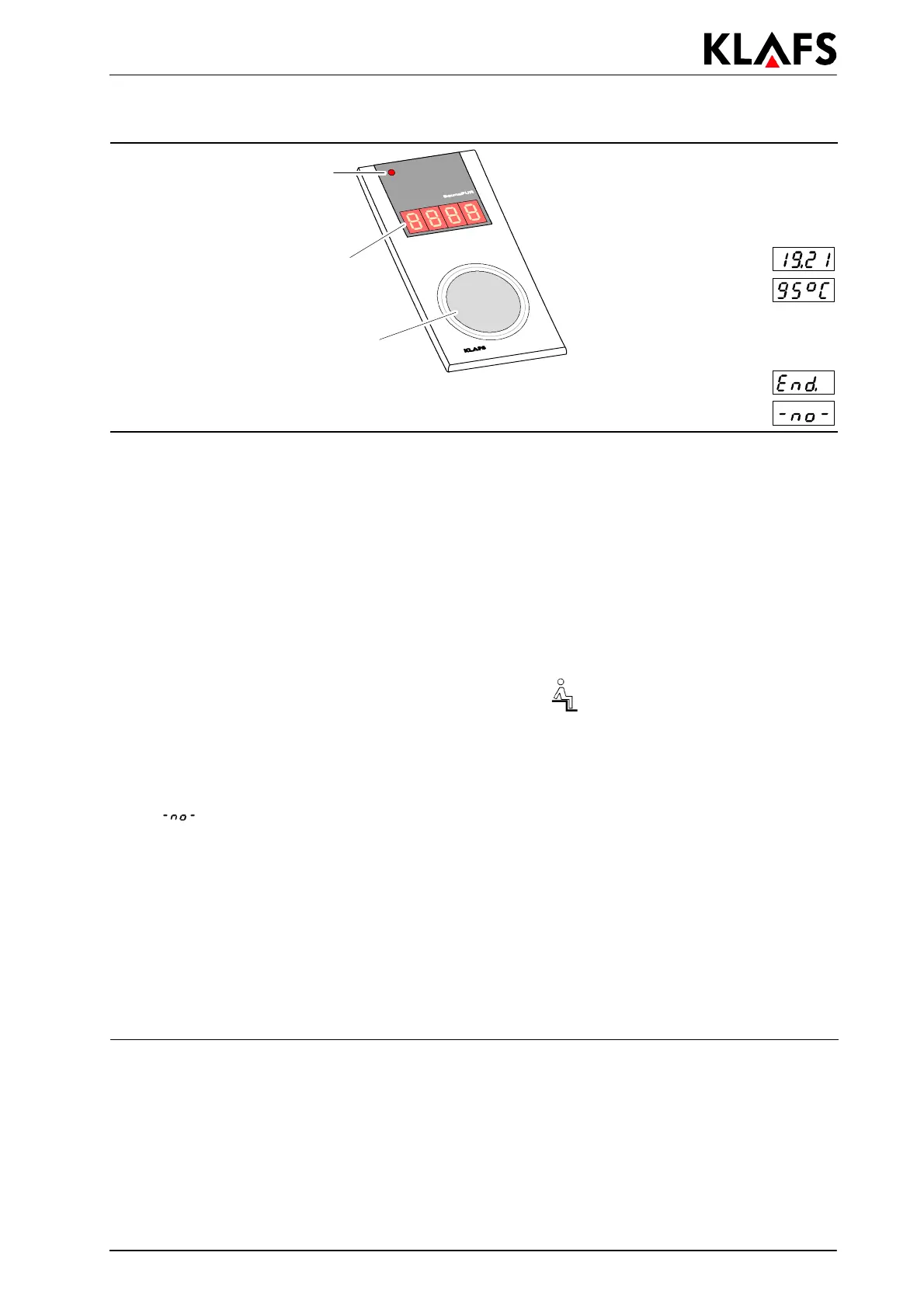
Program end
LED SaunaP
UR
bathing
operation
activated/deactivated
SaunaP
UR
button.
Starting/ending the form of bathing
77 segment display
Sauna time
Sauna actual temperature
The four digit 7 segment display
shows the following information
alternately:
Temperature for the SaunaP
UR
form of bathing not reached yet
5.8. Internal display with SaunaP
UR
button (optional)
The internal display with SaunaP
UR
button can be delivered as an optional feature. Refer to the delivery
papers for the items included in delivery.
Function
The internal display with SaunaP
UR
button is used for
d showing the SaunaP
UR
operating mode
d showing the operating values during sauna operation
d starting/ending the SaunaP
UR
form of bathing.
Starting the SaunaP
UR
form of bathing
. Requirement: Setpoint temperature must be reached. The
symbol must appear in the display.
' Start sauna operation if required, see chapter 5.4.
. It is possible to start the SaunaP
UR
form of bathing on the control unit or on the internal
display (optional).
1.
Press the SaunaP
UR
button
.
. If
appears in the 7 segment display, wait until the temperature for the SaunaP
UR
form of
bathing is reached. Then try again.
. During the SaunaP
UR
form of bathing the
SaunaP
UR
operating mode LED shines.
. After approx. 20 minutes or when the temperature falls below the set temperature difference of
approx. 15K, the SaunaP
UR
form of bathing ends automatically. The sauna heater starts heating
again.
Ending the SaunaP
UR
form of bathing
1.
Press the SaunaP
UR
button
.
. The
SaunaP
UR
operating mode LED goes out. The sauna heater starts heating again.


 To Next Page