31
Product Description
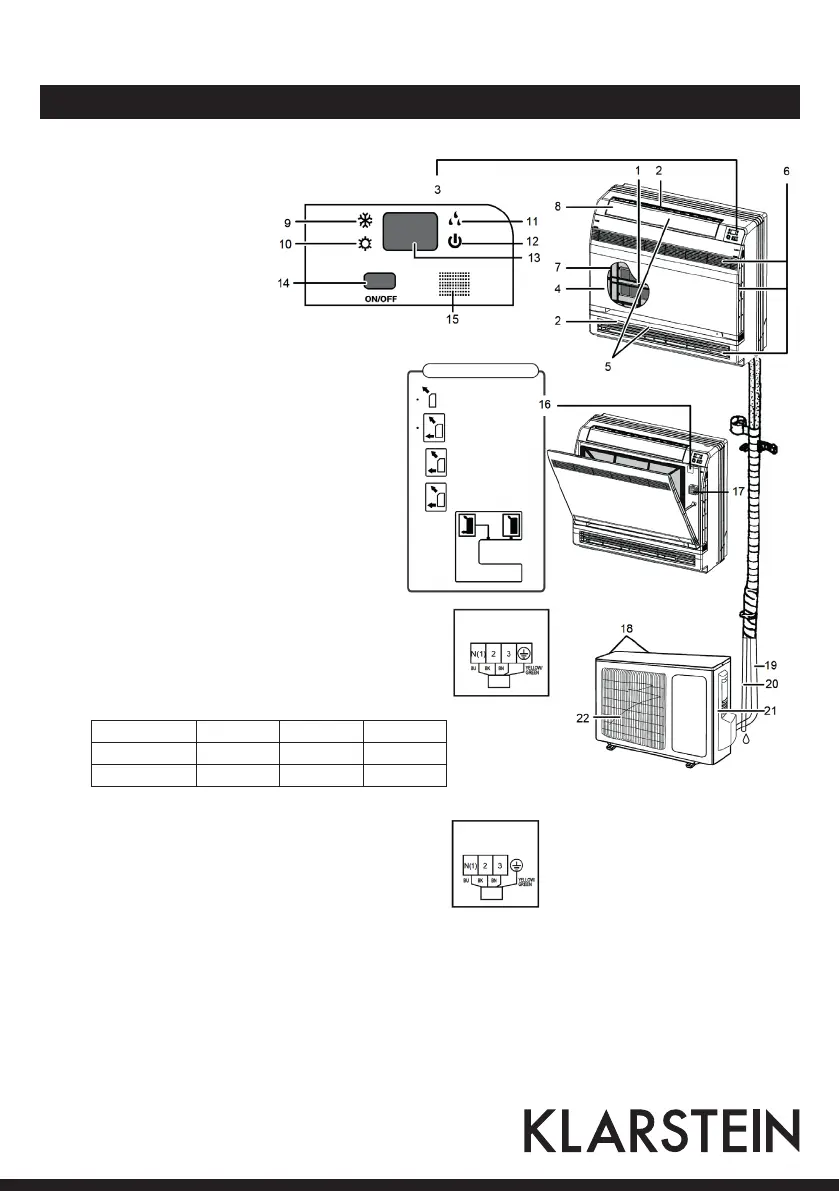
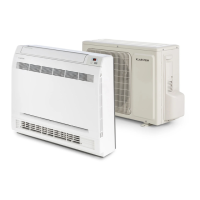
Indoor unit
NOTE: Before opening the
front panel, be sure to stop
the operation and turn the
breaker OFF. Do not touch
the metal parts on the inside
of the indoor unit, as it may
result in injury.
1 Titanium Apatite Photocatalytic
Air-Purifying Filter
2 Air outlet
3 Display
4 Front panel
5 Louvers (vertical blades)
6 Air inlet
7 Air filter
8 Flap (horizontal blade)
9 Cool mode lamp
10 Heat mode lamp
11 Dry mode lamp
12 Run lamp
13 LED Display
14 Indoor Unit ON/OFF switch:
Push this switch once to start operation. Push once
again to stop it. The operation mode refers to the
following table
Model Mode Temp Air flow
Cooling only COOL 25 °C AUTO
Heat pump HEAT 25 °C AUTO
15 Signal receiver (remote control)
16 Air outlet selection switch
17 Room temperature sensor
Outdoor unit
18 Air inlet (back and side)
19 Refrigerant piping and inter-unit cable
20 Drain hose
21 Earth terminal
22 Air outlet
Outdoor unit
wiring terminal
Indoor unit
wiring terminal
Blows air from
upper outlet only
Aetting automa-
tically decides a
blow pattern
This setting is
recommended
The unit is shipped
from the factory
with this setting



 To Next Page