7
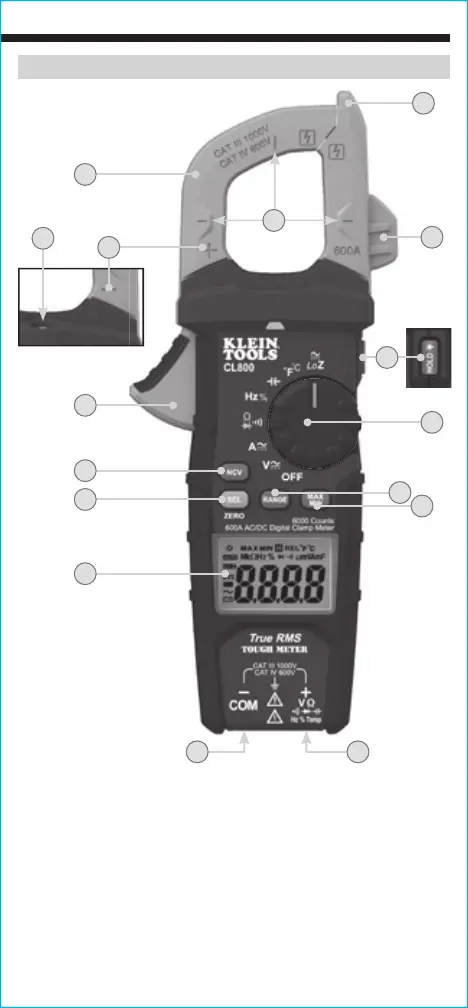
FEATURE DETAILS
1.
6000 count LCD display
8.
"MAX/MIN" button
2.
Function selector switch
9.
"SEL" (select) button
3.
Clamp
10.
Clamp trigger (press to open clamp)
4.
"COM" jack
11.
Arrow markings
5.
"VΩ" jack
12.
N
on-Contact Voltage Testing Button
6.
Data Hold / Backlight /
Worklight button
13.
Test lead holder for test probe
14.
Non-Contact Voltage Testing Sensor
7.
"RANGE" button
15.
Polarity markings (for DC current)
16.
Worklight
1
9
2
3
10
13
14
12
5
8
7
4
11
6
(back of meter)
15
16
NOTE: There are no user-serviceable parts inside meter.





 To Next Page