29
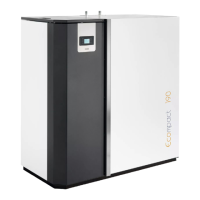
PELLET-BURNING BOILER ECOMPACT 150-190-250-290
EN - Rev 1.1
Pellet loading and connection to the mains power supply
Perform the following operations:
- Connect the appliance to the electrical system by using the provided cable;
- Set the “power ON/OFF switch” on the front of the appliance to “׀” (on);
- Fill the pellet tank; for the first ever ignition, to avoid wasting the time required for filling the entire screw feed channel
(this should be done every time the appliance runs out of pellets), we recommend you follow the instructions in
the “Menu 08 – Initial load”;
- Switch the appliance on by using the ignition button on the display (button 4). See the instructions below. Warning:
before switching on the device make sure that there are no pellets in the brazier; otherwise it is necessary to
empty and clean the brazier.
We recommend that you use high quality pellets so as not to impair the operation of the appliance. Damage
caused by poor-quality pellets shall not be covered by the warranty.
Do not pour pellets directly into the brazier.
Ignition cycle
Pressing button 4 (ON/OFF) for a few seconds allows you to start the ignition cycle. After a while, the display shows
“START”, and the flue gas intake device and ignition plug switch on. After a few seconds, the appliance enters a pre-
load phase “PELLET P-LOAD” during which a continuous supply of pellets is loaded. After the pre-loading phase the
appliance switches to the “WAITING FLAME” phase where the pellets are loaded into the brazier at regular intervals.
When the flame is lit, the display shows the message “FIRE”. This step is used to allow the fire to spread evenly across
the brazier and burn all the unburned pellets from the previous phases. After these phases, the appliance enters the
work mode at the pre-set power value.
If the ignition fails, the display will show the alarm “NO IGNITION”. The alarm may also occur if the brazier is dirty; in
this case, clean the brazier and re-start.
Summary:
The ignition cycle can last 20/25 minutes max. and is divided into five steps:
Step 1 - START = Ignition of the flue gas extractor.
Step 2 - WAITING PREHEATING = Waiting for the plug preheating. (Not as standard settings).
Step 3 - PELLET P-LOAD = Pellet pre-load (initial continuous load) and plug ignition.
Step 4 - WAITING FLAME = Loading pellets (intermittent load) and plug operating.
Step 5 - FIRE = Plug switch-off and flame stabilisation.
The appliance switches into working mode after ignition phase at the power output set during ignition via buttons 1 and
2.
Warning: during the ignition phase and normal operation of the appliance, maintain the necessary safety
distance and do not stand in front of it.
Switch-off cycle
The appliance switches off if you press button 4 (ON/OFF) during normal operation. The display will show “FINAL
CLEANING”. The pellet loading stops and the flue gas extractor speed increases to maximum and then switches off after
the cooling of the appliance, displaying "OFF”.
If button 4 (ON/OFF) is pressed during the ignition cycle, the appliance switches to “WAITING OFF” and the appliance
will be tutned off only at the end of the entire cycle; if, however, button 4 (ON/OFF) is pressed by mistake during this
phase, you only need to press it again to delete “WAITING OFF”: the appliance will return to normal operation at the end
of the entire ignition cycle.



 To Next Page