6 Setup of the Smartline Pump 1000
Setup of the Smartline Pump 1000
Unpacking
Unpack the instrument and check the pump and accessories for any
damage due to shipping. Make any claims for shipping damage to the
transportation company responsible for shipping.
Please check that the Smartline Pump 1000 is complete, using the
“Packing List” as a guide at page 44. Should any article be missing,
please contact our service department.
Pump head identification
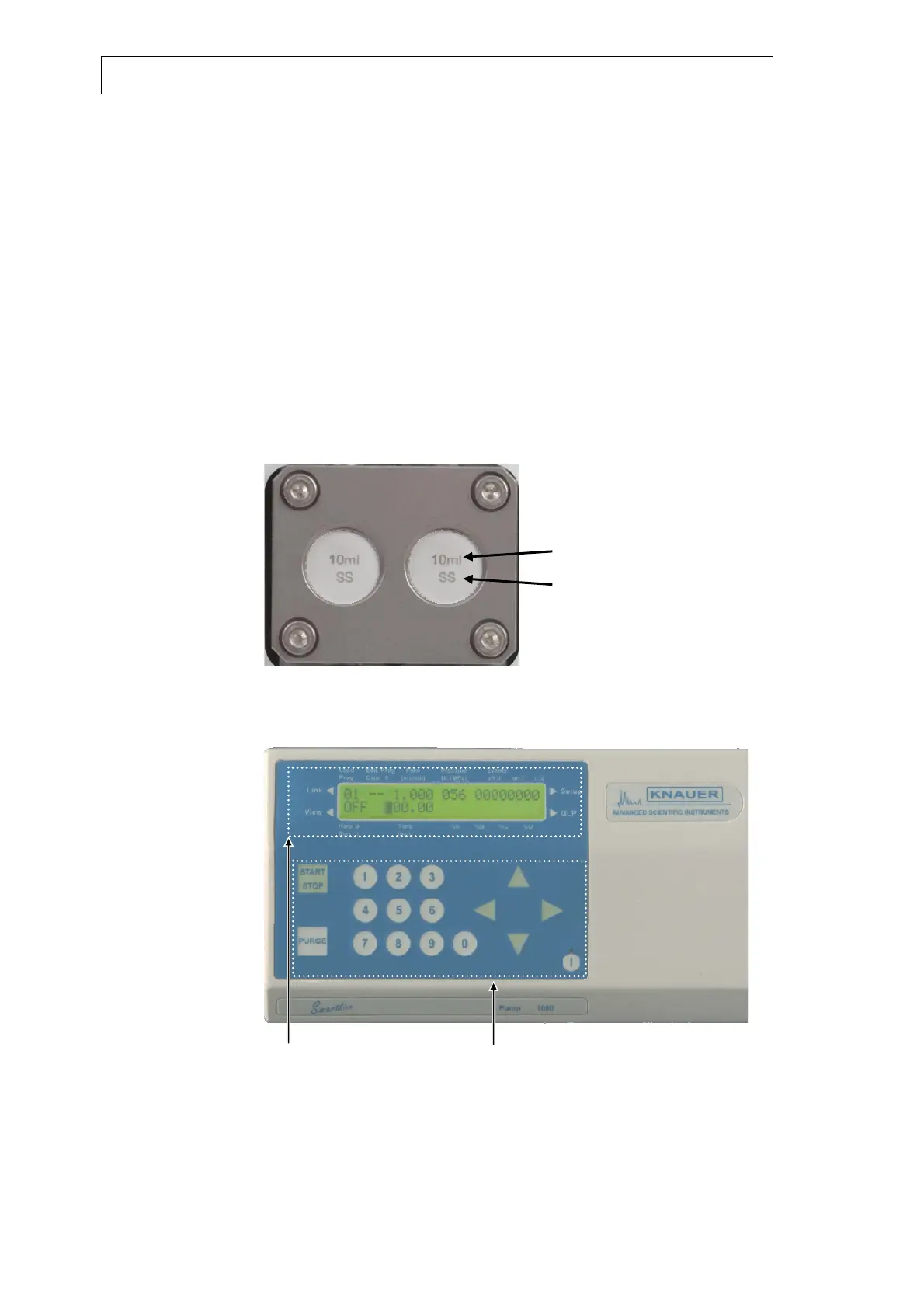
The pump head is located behind the door. The pump head inlays are
labeled with the size (10 ml or 50 ml) and with material information (ss for
stainless steel, ti for titanium, c for ceramics). The size information is valid
for the whole pump head not for the individual inlay.
size (10ml, 50ml)
material (ss,ti,c)
Fig. 1 Identification of pump head type
Front View of the Smartline Pump 1000
Display information Key pad
Fig. 2 Front view of the Smartline Pump 1000


 To Next Page