EasyManua.ls Logo

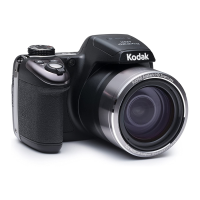
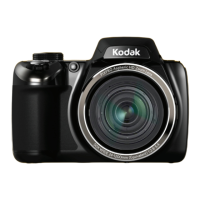
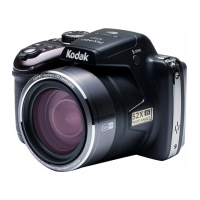
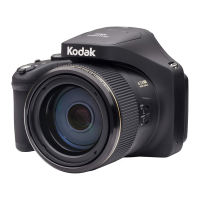
Kodak PIXPRO AZ652 - User Manual

Kodak PIXPRO AZ652
140 pages
Print Icon
To Next Page IconTo Next Page
Loading...
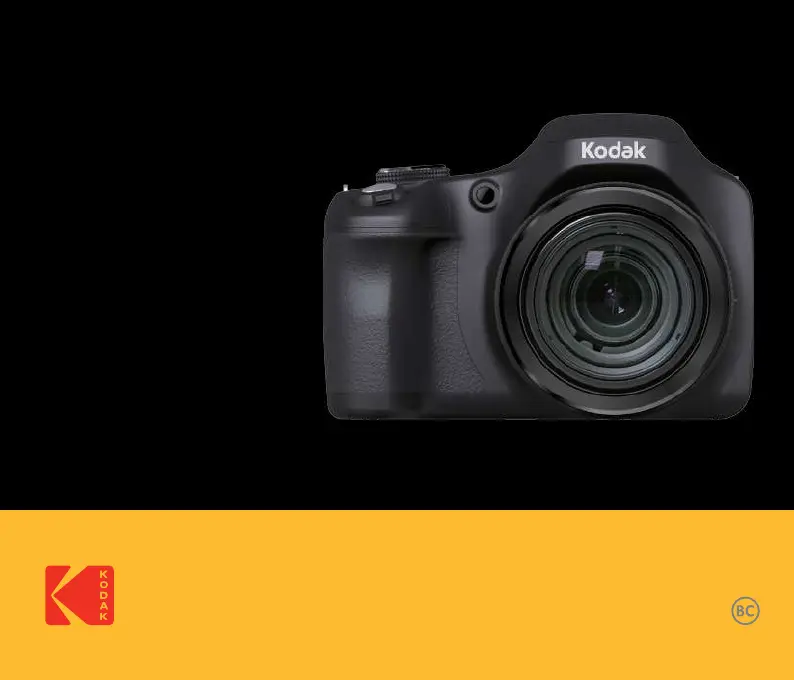
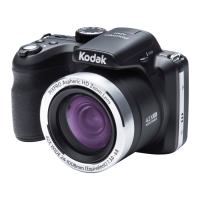
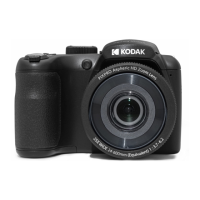
KODAK PIXPRO AZ652
DIGITAL CAMERA
User Manual

Table of Contents

Questions and Answers

  • B
    Barbara ZimmermanAug 13, 2025
    How to fix a Kodak PIXPRO AZ652 that won't turn on?
    • T
      Tyler CisnerosAug 14, 2025
      If your Kodak Digital Camera isn't turning on, it could be due to a depleted battery. Replace the battery. Alternatively, the battery might not be installed correctly, so correctly reinstall the batteries.
  • J
    James MirandaAug 17, 2025
    Why does my Kodak PIXPRO AZ652 Digital Camera turn off suddenly?
    • T
      Tara BrooksAug 17, 2025
      If your Kodak Digital Camera turns off suddenly during operation, the batteries may be depleted. Replace the battery.
  • M
    Margaret RhodesAug 21, 2025
    Why can't I write to the memory card on my Kodak PIXPRO AZ652 Digital Camera?
    • M
      Michelle MeyerAug 21, 2025
      If you cannot write to the memory card on your Kodak Digital Camera, the memory card may be locked. Release the write lock of the memory card or replace it with another card.
  • C
    Carl JonesAug 25, 2025
    Why are my Kodak PIXPRO AZ652 Digital Camera pictures blurry?
    • M
      Mathew KimAug 26, 2025
      If your Kodak Digital Camera pictures are blurry, it may be due to camera shake. If so, turn on the OIS (Optical Image Stabilization) feature. If you are holding the camera, be sure to use both hands. For high magnification (above 15X) optical zoom, consider using a tripod.
  • T
    Terry StevensonAug 28, 2025
    What to do if my Kodak PIXPRO AZ652 won't save images and videos?
    • O
      Oscar BowersAug 28, 2025
      If your Kodak Digital Camera isn't saving images and videos, it could be due to a full or locked memory card. Try using another memory card or deleting unnecessary files. Also, ensure that the memory card is unlocked.
  • A
    Alejandro MartinSep 1, 2025
    What to do if Kodak Digital Camera images won't print?
    • D
      Daniel GreeneSep 1, 2025
      If your Kodak Digital Camera images won't print, first check the connection between the camera and the printer. Ensure you are using a PictBridge compatible printer. Also, make sure the printer has paper and ink, and that there is no paper jammed in the printer. Load paper into the printer or replace the ink cartridge in the printer. Remove the jammed paper.
  • J
    Judith JohnsonSep 5, 2025
    How to improve slow saving to memory card on Kodak PIXPRO AZ652 Digital Camera?
    • H
      Hayley DillonSep 5, 2025
      If saving data to the memory card on your Kodak Digital Camera is slow, using a memory card below Class 4 may result in slower recording times. Use a memory card with write Class 4 or higher to improve performance.
  • R
    Rebecca PattonSep 8, 2025
    What to do if my Kodak Digital Camera has too many movies to process?
    • J
      Jonathan RiceSep 8, 2025
      If your Kodak Digital Camera has too many movies to process, the number of pictures or folders in the memory card exceed the specifications, so the playback of data folder can not be displayed. Delete unwanted files.

Summary

Before You Start

Safety Notes

Safety Notes for this Camera

General precautions for camera operation, handling, and environmental exposure.

Safety Notes for Battery

Precautions for battery usage, charging, care, and disposal.

Safety Notes for Memory Card

Guidelines for proper handling and use of memory cards.

Getting Ready

Installing Battery and Memory Card

Step-by-step guide for inserting battery and memory card.

Charging the Battery

Procedure for charging the camera's battery.

Turning Camera On and Off

Instructions for powering the camera on and off.

Set your Language, Date;Time

Initial camera setup for language and date/time preferences.

Mode Overview

How to Take Pictures

Basic steps for capturing photographs.

Using the Mode Dial

Explanation of different shooting modes accessible via the mode dial.

Wi-Fi Mode

Connecting and operating the camera wirelessly.

Custom Settings (CS)

Saving and recalling custom camera configurations.

Basic Operation

Using the Zoom Function

How to operate optical and digital zoom.

Playback

Using the Menus

Playback Menu

Connection Settings

Appendices

Troubleshooting

Solutions for common camera problems and issues.

Kodak PIXPRO AZ652 Specifications

General IconGeneral
Sensor TypeBSI CMOS
Optical Zoom65x
Image StabilizationOptical
Camera TypeBridge Camera
Digital Zoom4x
LCD Resolution460, 000 dots
Lens Focal Length4.3 to 279.5mm (35mm Equivalent: 24 to 1560mm)
ISO Sensitivity100-3200
Display Size3.0 inches
Video Resolution1920 x 1080 (Full HD)
Battery TypeLi-ion
Image Sensor Size1/2.3 inch
ConnectivityUSB, HDMI
Shutter Speed1/2000 - 30 Seconds
Storage MediaSD/SDHC/SDXC
Effective Pixels20.68 megapixels

Videos

How To Power On and Off KODAK PIXPRO AZ652

Related product manuals