
 To Next Page
J
Jeanette SnyderSep 12, 2025
Why does my Koldfront PAC802W make a gurgling sound?
- BBrian JordanSep 12, 2025
The gurgling sound from your Koldfront Air Conditioner is normal. It's caused by the flow of refrigerant inside the unit.

Why does my Koldfront PAC802W make a gurgling sound?
The gurgling sound from your Koldfront Air Conditioner is normal. It's caused by the flow of refrigerant inside the unit.
Why no air comes out of the left side of the Koldfront Air Conditioner vent?
The Koldfront Air Conditioner is designed to blow air from the right side. Therefore, no air coming from the left side of the air vent is normal operation.
Safety guidelines for electrical connections and usage.
General safety rules for unit operation, child safety, and placement.
Instructions for testing the Leakage-Current Detection and Interruption (LCDI) plug.
Section to record model, serial number, and date of purchase for warranty.
Diagram and labels identifying front-facing unit components.
Diagram and labels identifying rear-facing unit components.
Steps to prepare for window kit installation, including parts and location check.
List and images of all parts included in the window kit.
Guidelines for choosing a suitable location, considering clearance and surface.
Instructions on how to prepare and assemble the window slider kit.
Attaching foam seal to window sill and frame.
Attaching and adjusting the window slider kit to the window.
Sealing the gap between window sashes with foam seal.
Securing the window sash with a security bracket.
Attaching foam seal to window sill and frame for sliding windows.
Attaching and adjusting the window slider kit for sliding windows.
Sealing the gap between window sashes with foam seal.
Securing the window sash with a security bracket.
Connecting adapters to the exhaust hose.
Placing the unit in the installation location with proper clearance.
Connecting the exhaust hose to the unit's air outlet.
Connecting the exhaust hose adapter to the window kit.
Recommendations for exhaust hose length, avoiding kinks, and not extending the hose.
Guidance on when the exhaust hose is required for Cooling, Dehumidify, and Fan modes.
Instructions for setting up continuous drainage for dehumidifying mode.
Procedure for manually draining the unit when the water reservoir is full.
Explanation of each button on the control panel and its function.
Description of the indicator lights for different operating modes.
Explanation of what the LED display shows in different modes and for errors.
Details on selecting and using Auto, Cool, Dry, and Fan modes.
How to operate the unit in cooling mode, including temperature and fan speed.
How to use the unit in dehumidify mode, noting limitations.
How the unit operates automatically in AUTO mode based on ambient temperature.
How to use the unit in fan-only mode and select fan speed.
How to turn the unit on/off and information about auto-restart.
How to use the swing feature for air direction.
Instructions for setting auto-on and auto-off timer programs.
How to activate and use the Sleep/ECO operation for energy saving.
How to adjust temperature and timer settings using the increase/decrease buttons.
Explanation of fan speed indicator lights.
Visual representation of the remote control and its buttons.
How to use the remote control to operate the air conditioner's functions.
Detailed explanation of each button on the remote control.
Instructions for installing or replacing batteries in the remote control.
List of error codes displayed on the unit and their meanings.
Explanation of protection codes, specifically 'P1' for a full water reservoir.
Instructions on how to clean the exterior of the air conditioner.
Step-by-step guide on how to clean the unit's pre-filter.
Steps to follow when preparing the unit for long-term storage.
Tips and recommendations for efficient operation and energy savings.
A guide to common problems, their possible causes, and solutions.
Troubleshooting specific problems related to cooling performance and air flow.
Technical specifications for the PAC802W and PAC1202W models.
Details on what parts and labor are covered by the warranty.
Limitations and exclusions from the product warranty coverage.
Instructions on how to contact EdgeStar for warranty service and support.
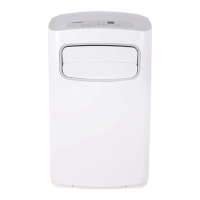
This document describes the Koldfront Portable Air Conditioner models PAC802W and PAC1202W, providing an owner's manual with important safety information, operation instructions, technical specifications, and maintenance guidelines.
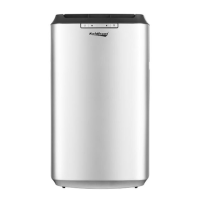
The Koldfront Portable Air Conditioner is designed for indoor use to provide cooling, dehumidification, and fan-only operation. It is equipped with a Leakage-Current Detection and Interruption (LCDI) safety plug to reduce the risk of fire due to arcing faults in the power supply cord. The unit is portable, featuring casters for easy movement, and requires venting to the outside when operating in cooling mode. It exhausts condensed water, in either gaseous or droplet form, out of the exhaust port. In very humid conditions, an internal reservoir may fill, causing the unit to turn off and require manual draining.
 General
| Brand | Koldfront |
|---|---|
| Model | PAC802W |
| Category | Air Conditioner |
| Language | English |