PROCESS UNIT CF5001 Field Service Ver.1.0 Sep 2003
1-46
I DIS./ASSEMBLY
4.15 Replacing the developing
unit
A. Periodically replaced parts/cycle
• Developing unit: Every 600,000 copies
B. Procedure
Note:
• Be careful not to fold the Teflon sheet posted
at the developing sleeve side of the develop-
ing unit upper cover.
• When cleaning the developing unit, be sure to
use Hydro-Wipe which is specified as a CE
tool. Using paper or cloth other than Hydro-
Wipe will cause the developing regulation
plate in the developing unit to be stuck with
dust and lint of the paper or cloth, thus result-
ing in white streaks on the images.
• The developing units are provided for the four
colors of yellow, magenta, cyan and black,
and they are all common. However, be sure to
avoid reusing a developing unit that was once
used for a color since it has been stuck with
the toner of that color.
1. Open the toner supply section. (See "5.1 Open-
ing and closing the toner supply section.")
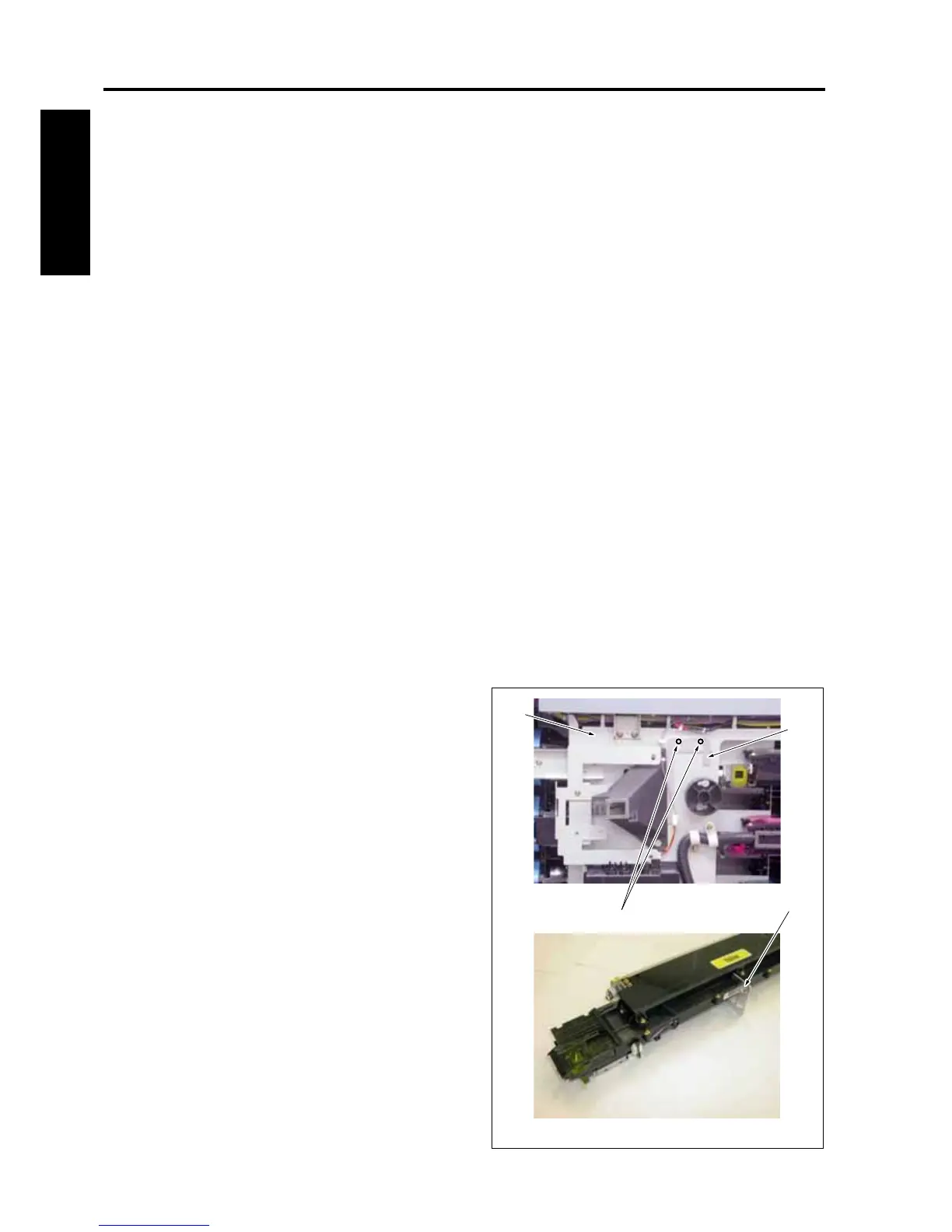
2. Remove 2 screws [1] and then remove 4 devel-
oping support legs [3] provided inside the toner
supply unit [2].
Note:
• When placing the developing unit by itself, be
sure to set the developing support legs to the
body of the developing unit as a seat to pre-
vent the toner bristles section from getting in
touch with other sections.
3. Pull out the process unit. (See "4.4 Pulling out
the process unit.")
[2]
[3]
[3]
[1]
8050ma3062









 To Next Page