6867
Measurement
2
Delete All Data (Target)
Delete all the color dierence target data that have been set.
Notes
When the data is protected, “Delete all data” cannot be selected on the <Data management> screen.
Operating Procedure
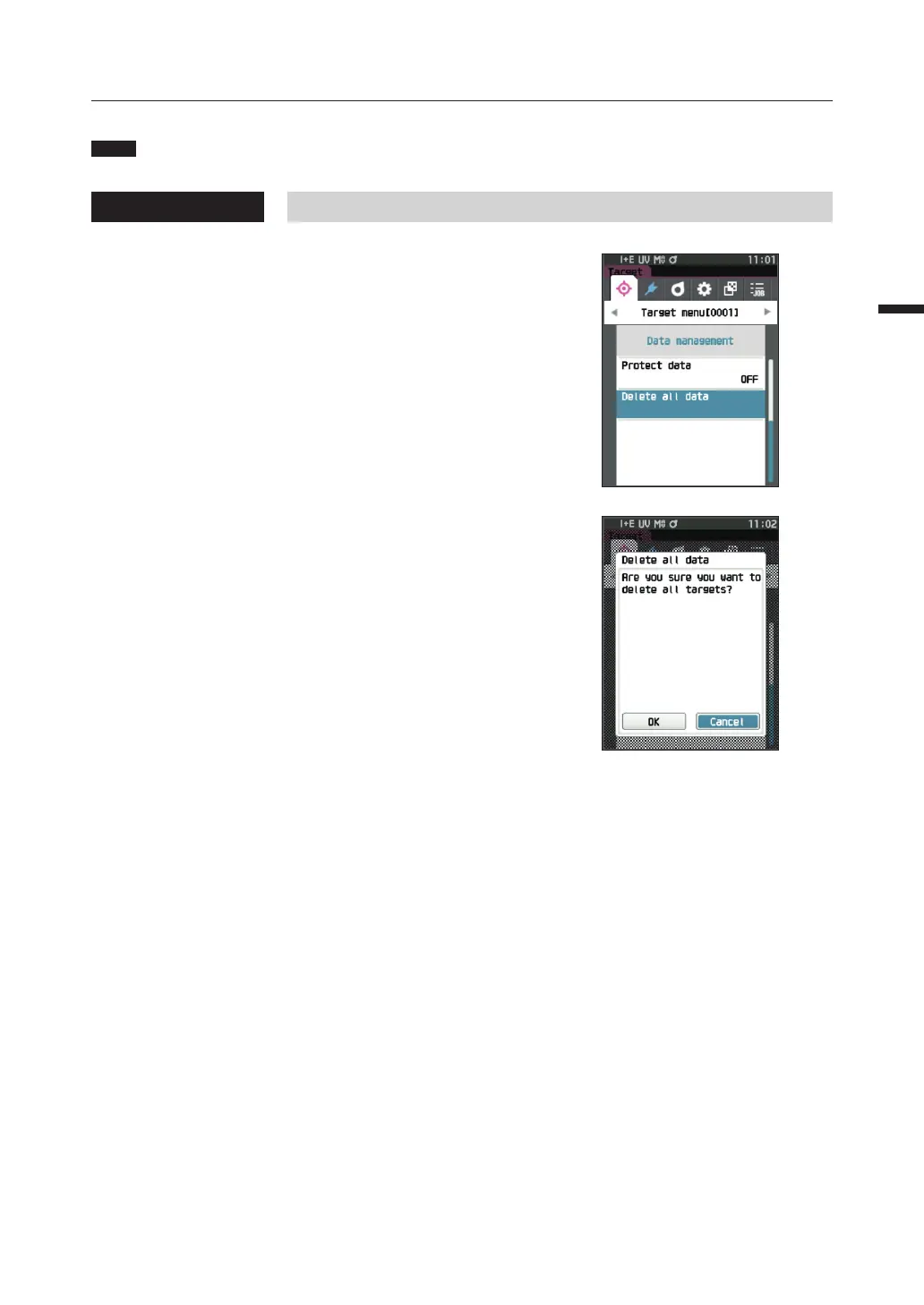
Start the procedure from the <Target menu> - <Data management> screen.
1
Use [▲] or [▼] to move the cursor to “Delete all
data”, and then press the [Confirmation] key.
The <Delete all data> screen is displayed.
2
Use [◀] or [▶] to move the cursor to “OK” and press
the [Confirmation] key to delete all data.
• Whenthedeletioniscomplete,thescreenreturnstothe
<Target> screen.
• Movingthecursorto“Cancel”andpressingthe
[Confirmation] key will cancel the deletion of all data,
and the screen will return to the <Data management>
screen.














 To Next Page