E-4
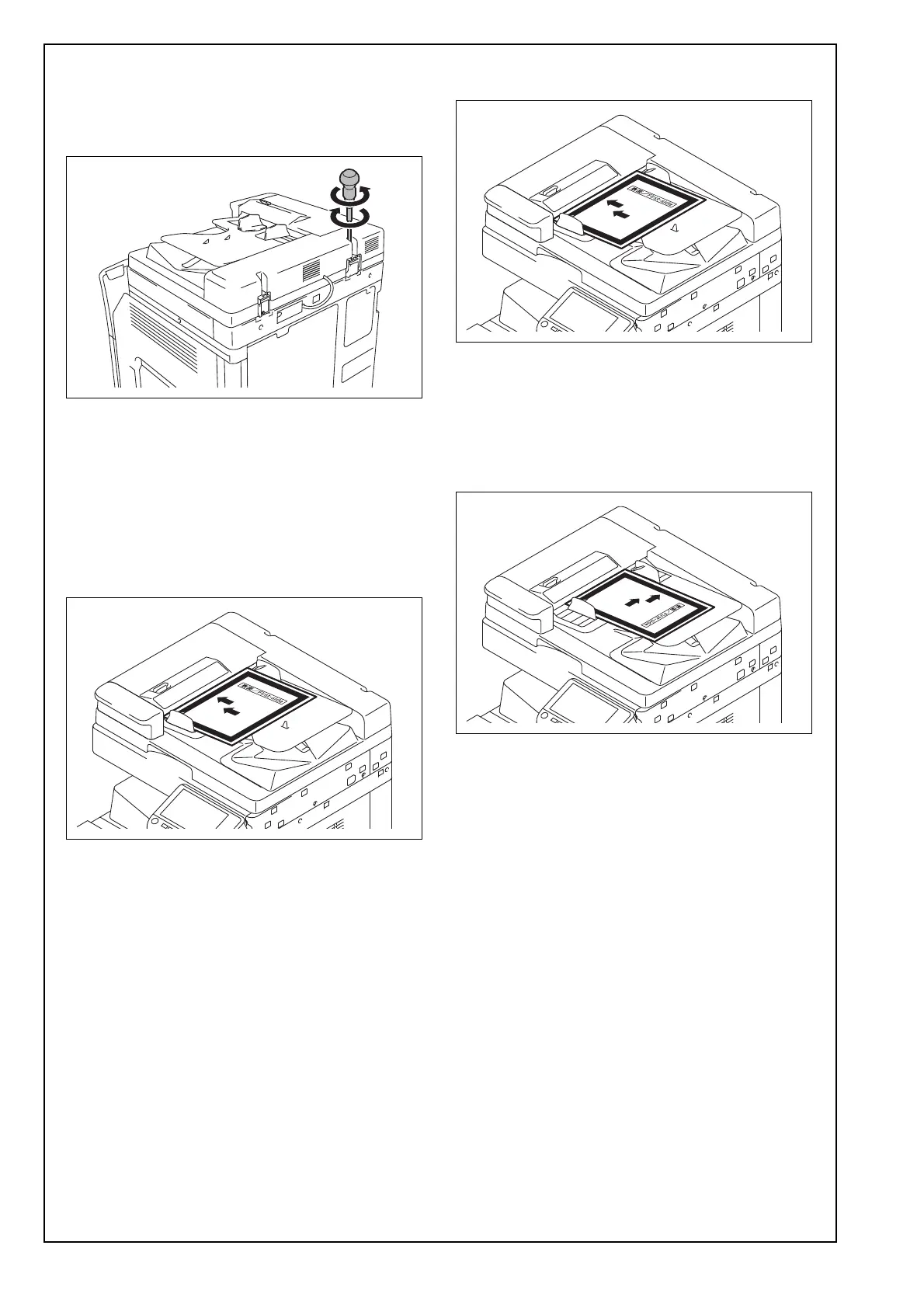
(2) If there is any clearance, adjust the height by
turning the adjustment screw on the right side
viewed from the back.
Clockwise: The rear side will move up.
Counterclockwise: The rear side will move down.
<Zoom ratio adjustment>
(1) Display the Service Mode screen.
(For details of how to display the Service Mode
screen, see the service manual.)
(2) Touch “ADF.”
(3) Touch “Feed Zoom.”
(4) Touch “Auto Adjust.”
(5) Place the chart in the document feeding tray
(with the side having an arrow facing up).
(6) Press the Start key.
(7) Check that “Adjustment Result” is “OK” and then
touch “SET.”
(8) Touch “END.”
(9) Touch “FD-Mag. Adj.(B).”
(10) Touch “Auto Adjust.”
(11) Place the chart in the document feeding tray
(with the side having an arrow facing up).
(12) Press the Start key.
(13) Check that “Adjustment Result” is “OK” and
then touch “SET.”
(14) Touch “END.”
(15) Touch “Mixed original size adjustment.”
(16) Place the chart in the document feeding tray
(lengthwise).
(17) Press the Start key.
(18) Check that “Adjustment Result” is “OK.”
(19) Touch “END.”













 To Next Page