E-5
<Measuring DF skew>
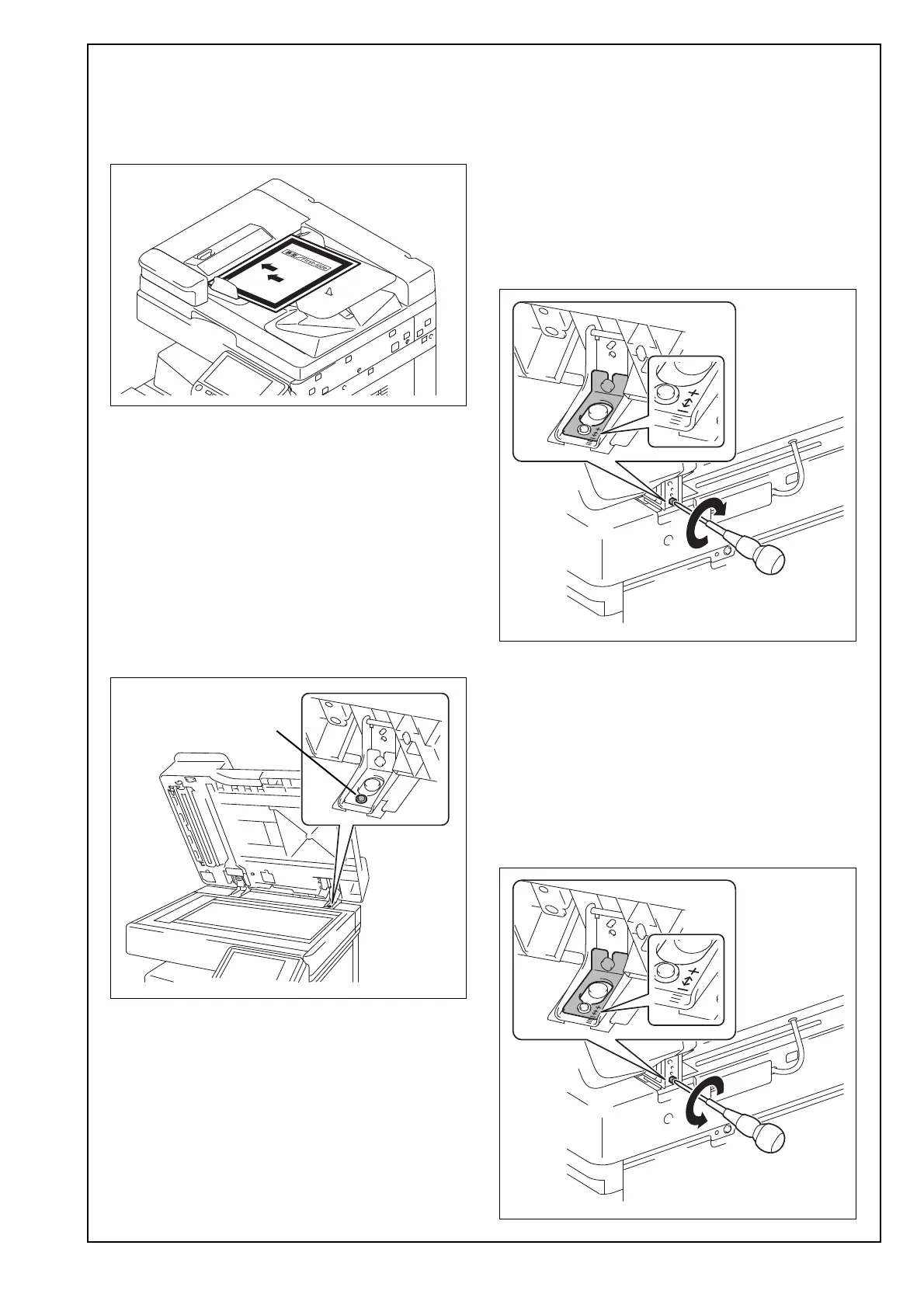
(1) Touch “ADF automatic adjustment.”
(2) Touch “Skew Measurement.”
(3) Place the chart in the document feeding tray
(with the side having an arrow facing up).
(4) Press the start key.
The measurement result will be displayed.
(5) Repeat operations from steps (3) to (4) four more
times. (Five times in total)
(6) Check the value of “Front” “Avg. Value”.
Specifications: ±0.5%
Note:
If the value does not fall within the specified range,
perform the following adjustment.
<Adjusting DF skew>
(1) Loosen the mounting screw on the right hinge
viewed from the front.
(2) Check “Scale” on the screen, and adjust the +
(plus) value by turning the adjusting screw on the
backside clockwise.
Note:
• Adjust the adjusting plate to make the value off-
set in the + (plus) direction by the amount
shown in “Scale.”
• When turning the screw, be sure not to raise the
reverse automatic document feeder until in an
upright position.
To prevent the adjustment screw breakage, be
sure to follow the above instructions.
(3) Adjust the - (minus) value by turning the adjust-
ing screw on the backside counterclockwise.
Note:
• Adjust the adjusting plate to make the value off-
set in the - (minus) direction by the amount
shown in “Scale.”
• When turning the screw, be sure not to raise the
reverse automatic document feeder until in an
upright position.
To prevent the adjustment screw breakage, be
sure to follow the above instructions.













 To Next Page