E-8
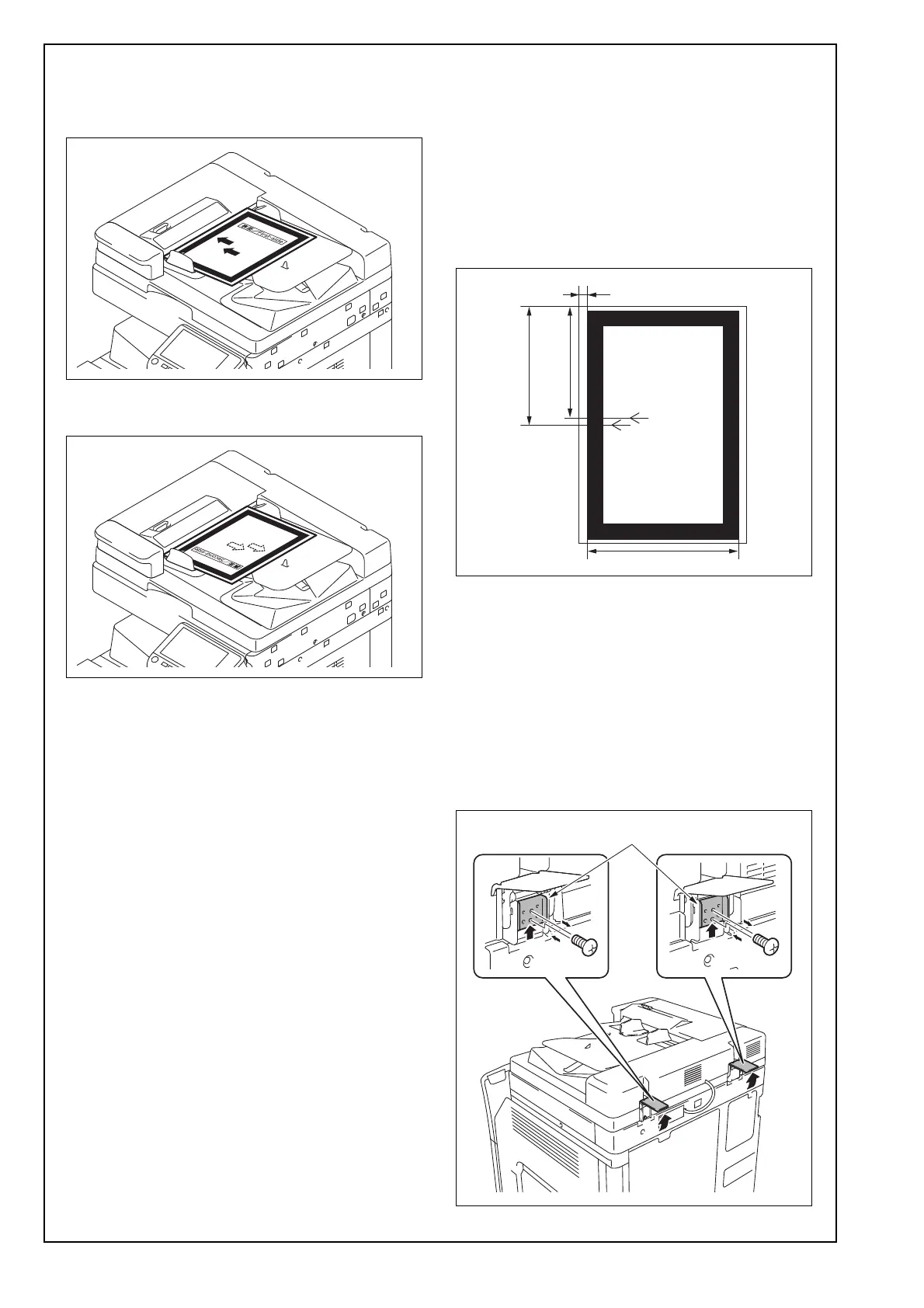
(13) When all the adjustments are completed, set
the chart to the document feed tray (with the
side with an arrow facing up), and take the
sample copy at the same magnification.
(14) Set the chart face down and take the sample
copy (duplex mode).
(15) Measure the values “a”, “b” and “c” of the chart
and the sample copy.
When measuring the value “a”, use the sample
copies which printed in steps (13) and (14).
(16) Check to make sure that the difference of the
chart and the sample copy is within the speci-
fied range.
Specifications a: 0 ± 2.0 mm for the first and the
second page
Specifications b: 0 ± 2.0 mm
Specifications c: 0 ± 1.0 mm
Note:
If difference in the values is out of specifications,
refer to the service manual and make adjustments.
<Changing the stopper position>
(1) Raise the two hinge covers on the back of the
Reverse Automatic Document Feeder and
remove the stopper from the hinge of the
Reverse Automatic Document Feeder.
(2) Change the set position of the stopper to the
upper side and secure it in position.
a
b (When using
the A4 paper)
c
b (When using
the letter paper)













 To Next Page