E-2
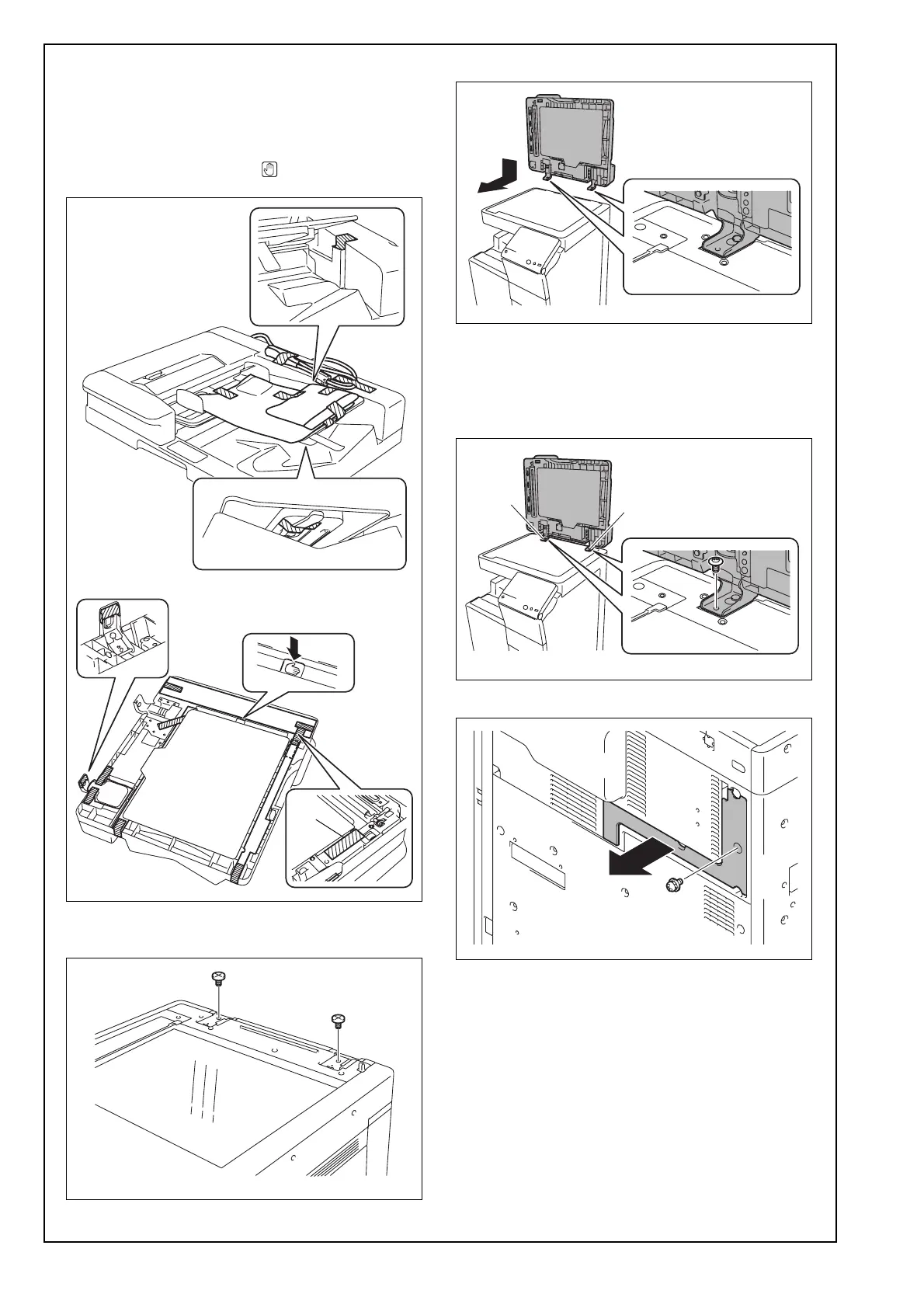
(3) Remove the protective tape and protective mate-
rials and remove the protective plastic bags of
the cable and relay harness.
Note:
After removing protective tape A, be sure to push
the area indicated by the “ ” mark to lock the
guide.
(4) Screw two supplied shoulder screws A into the
holes in the rear.
(5) Place the dual scan document feeder in position.
(6) Using two supplied mounting screws, tighten the
hinges to secure the dual scan document feeder
in position.
Note:
Tighten the mounting screws in order of [1], [2].
(7) Remove the DF cable cover. (One screw)
A
[1]
[2]












 To Next Page