23
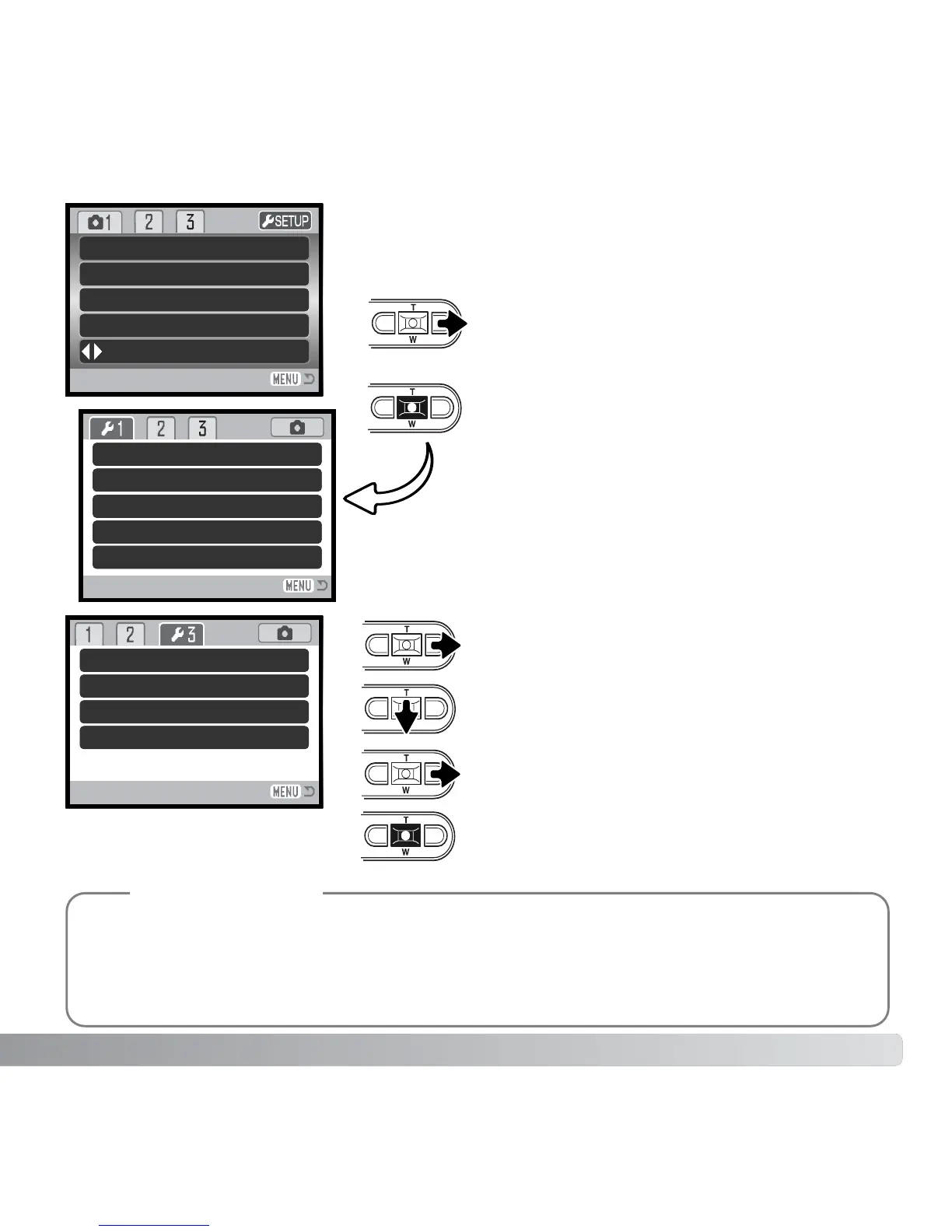
Use the right key to highlight the third tab at
the top of the menu.
Use the down key to highlight the
Date /Time set menu option.
Press the central button to display the
date/ time setting screen.
Press the right key. “Enter” will appear on
the right side of the menu.
Setup menu: section 3
For customers in certain areas, the menu language must also be set. Highlight the language
option in section 1 of the setup menu. Press the right key to display the language settings.
Using the up/down keys, highlight the desired language. Press the central button to set the
highlighted language; the setup menu will be displayed in the selected language.
Camera notes
Reset default
Date/Time set
Date format
Transfer mode
–
–
YYYY/MM/DD
Data storage
Use the right key to highlight “setup” at the
top of the menu.
Press the central button to open the setup
menu.
LCD brightness
Format
File # memory
Folder name
Language
Drive mode
Image size
Quality
White balance
Key func. Off
Auto
Standard
Setup menu
2048x1536
Single
–
–
Off
Std. form
English



 To Next Page
 Loading...









