41
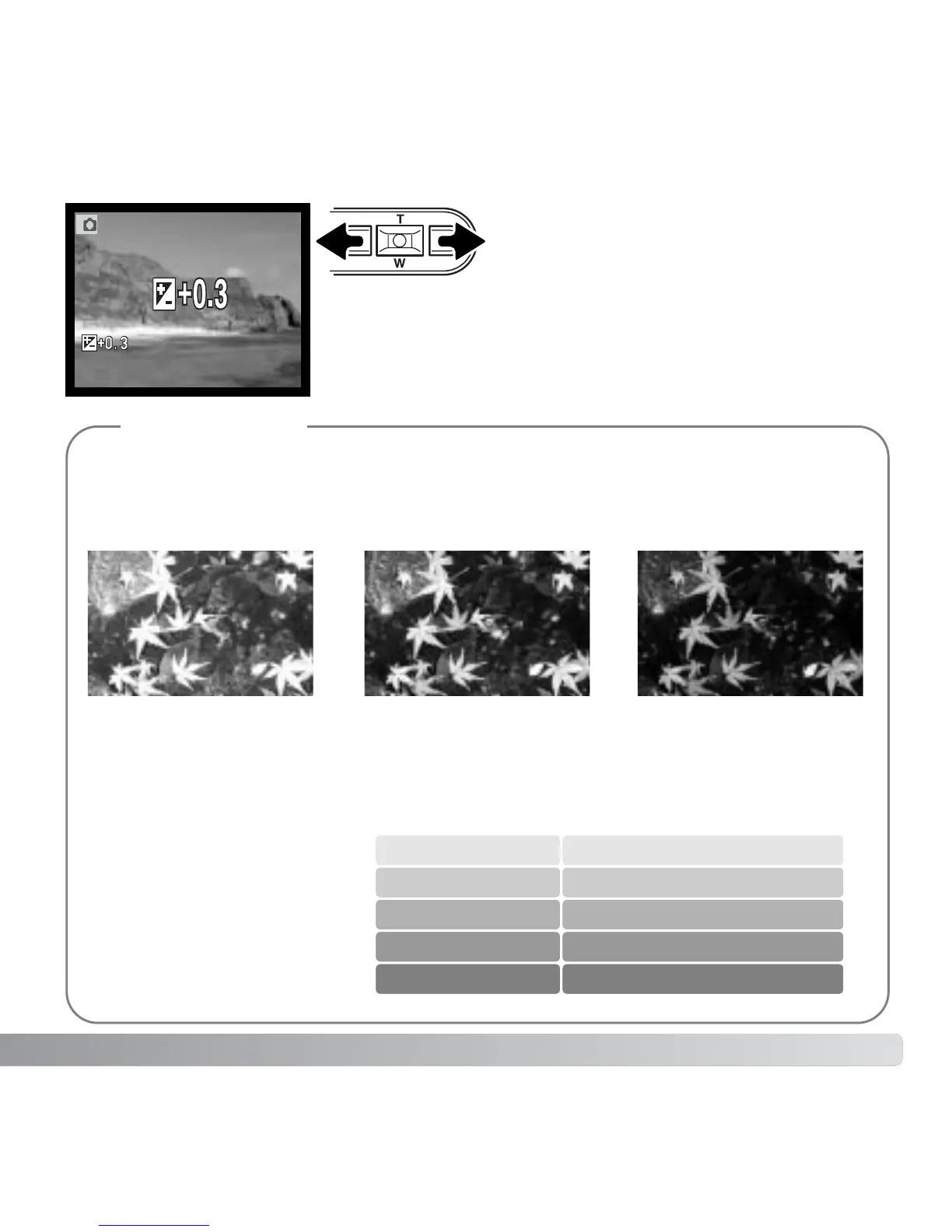
The LCD monitor will display the exposure-compensation
icon and value. The change in exposure is visible in the
monitor image. Exposure compensation is set automatically
after five seconds or when another camera button is pressed.
Use the left/right controller keys to adjust
the exposure-compensation value.
Sometimes the camera’s exposure meter is deceived by certain conditions. Exposure compen-
sation can be used in these situations. For example, a very bright scene, such as a snowy land-
scape or a white sandy beach, can appear too dark in the captured image. Before taking the pic-
ture, adjusting the exposure by +1 or +2 EV will result in an image with normal tonal values.
In the example above, the dark water caused the camera to overexpose the image making it
bright and washed-out. By compensating the exposure, detail is brought out in the leaves, and
the stones and water appear richer.
Ev stands for exposure value. A
change of one Ev will adjust the
exposure calculated by the cam-
era by a factor of two.
Shooting tips
–2.0Ev–1.0EvCalculated camera
exposure
+2.0 Ev
+1.0 Ev
0.0 Ev
–1.0 Ev
–2.0 Ev
4X as much light
2X as much light
1/2 as much light
1/4 as much light
Calculated exposure



 To Next Page
 Loading...









