31
FOCUS SIGNALS
SPECIAL FOCUSING SITUATIONS
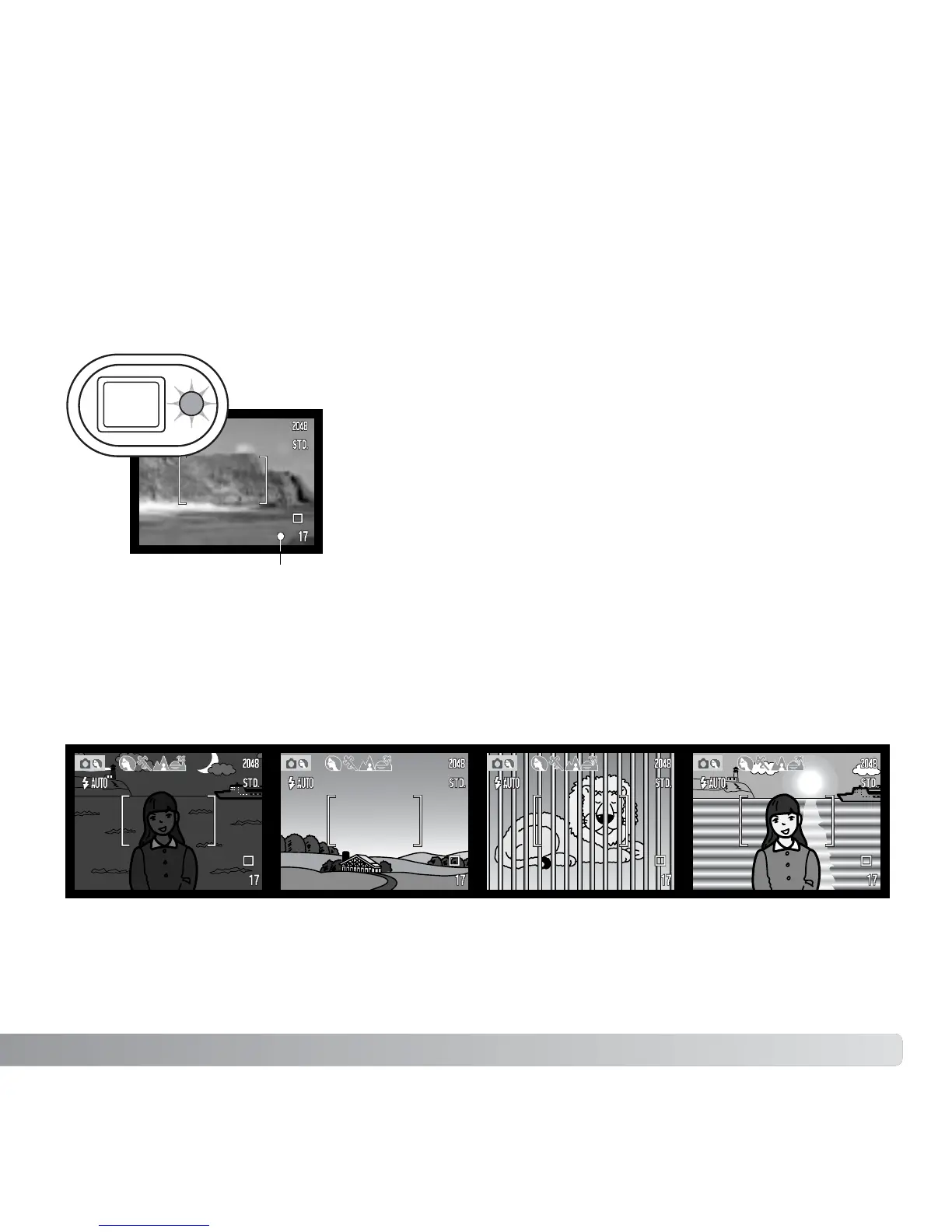
This digital camera has a quick, accurate autofocusing system. The focus signal in the
lower right corner of the LCD monitor and the indicator lamp next to the viewfinder
indicate the focus status. The shutter can be released regardless if the camera can focus
on the subject or not.
The camera may not be able to focus in certain situations. In these situations the focus-
lock function (p. 30) can be used to focus on another object at the same distance as your
main subject, and then the image can be recomposed to take the picture.
The subject in the
focus frame is low in
contrast.
The subject is too dark. Two subjects at differ-
ent distances overlap
in the focus frame.
The subject is near a
very bright object or
area.
Focus confirmed - the LCD monitor focus signal is white,
the viewfinder indicator lamp is green and steady. Focus
is locked.
Cannot focus - the LCD monitor focus signal is red and
the viewfinder indicator lamp is green and blinks rapidly.
Focus signal



 To Next Page
 Loading...









