6
Using the Utility Mode (Fax)
6-46 Fax Kit (FX-3)
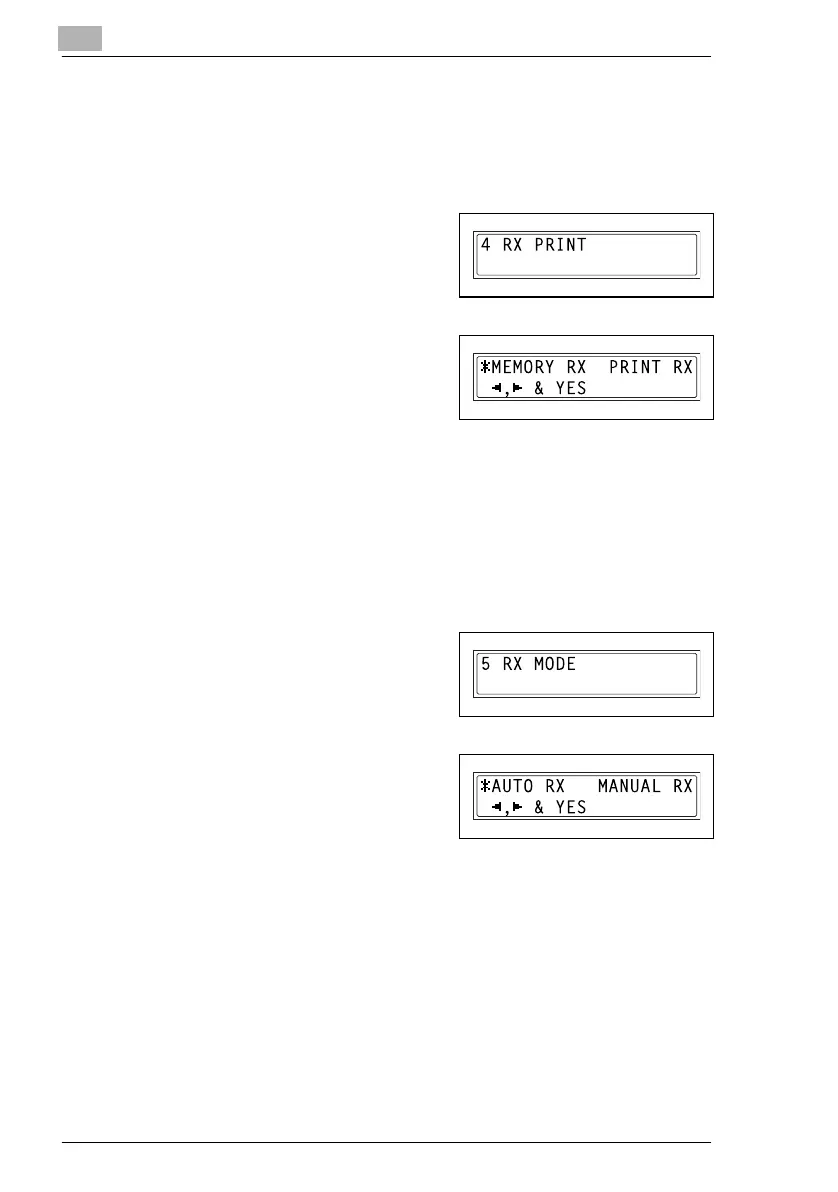
Specifying the Setting for “RX PRINT”
1 Select the “RX OPERATION”.
H Refer to “Selecting the “RX OPERATION” menu” on page 6-42.
2 Press the [4] key from the 10-Key
Pad to select “RX PRINT”.
3 Using the [ ] and [ ] keys, select
either “MEMORY RX” or “PRINT
RX”, and then press the [Yes] key.
The “RX OPERATION” menu
appears again.
Specifying the Setting for “RX MODE”
1 Select the “RX OPERATION”.
H Refer to “Selecting the “RX OPERATION” menu” on page 6-42.
2 Press the [5] key from the 10-Key
Pad to select “RX MODE”.
3 Using the [ ] and [ ] keys, select
either “AUTO RX” or “MANUAL
RX”, and then press the [Yes] key.
The “RX OPERATION” menu
appears again.
Ö
Ö
Ö
Ö






 To Next Page