Using the Utility Mode (Fax)
6
Fax Kit (FX-3) 6-61
Specifying the Setting for “USER NAME”
1 Select the “INITIAL USER DATA”.
H Refer to “Selecting the “INITIAL USER DATA” menu” on
page 6-58.
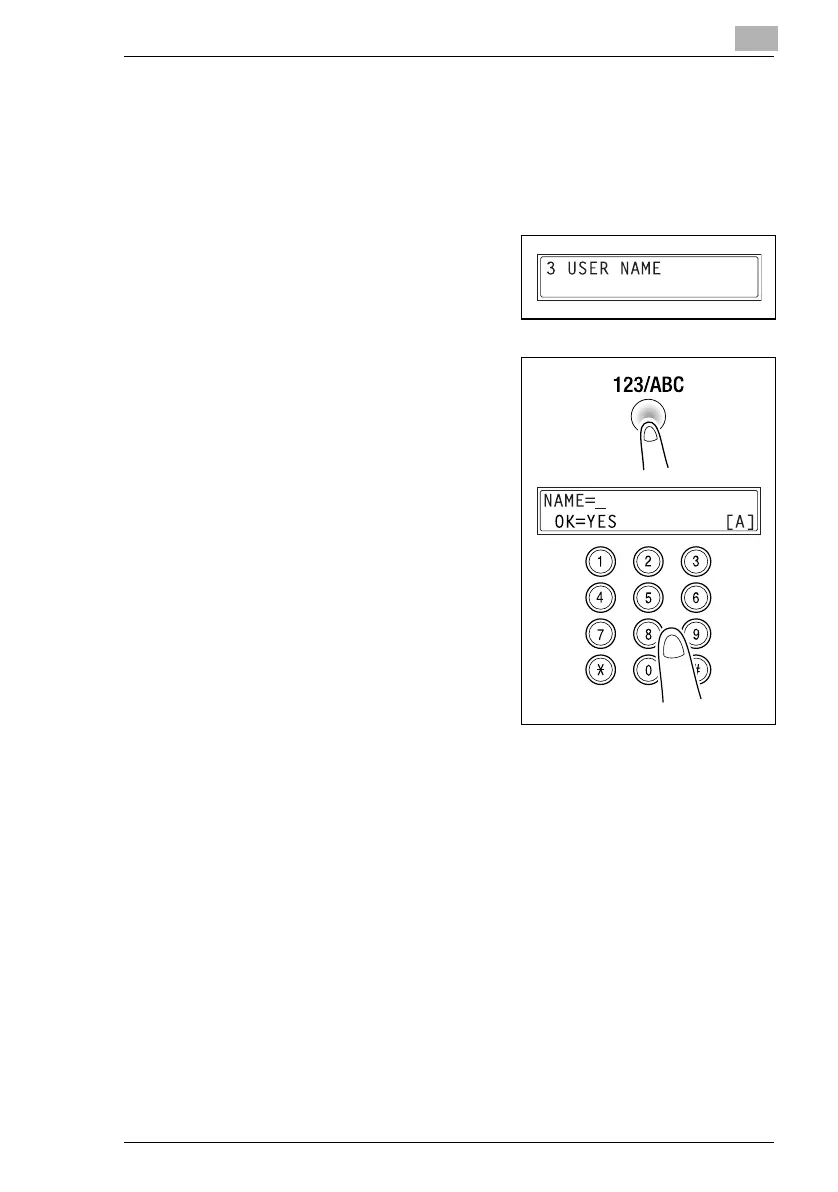
2 Press the [3] key from the 10-Key
Pad to select “USER NAME”.
3 Using the 10-Key Pad, enter the
user name for the machine.
H Each press of the [123/ABC] key
switches the input mode
between numbers and letters.
[1]: Numbers can be typed in.
[A]: Letters can be typed in.
4 Press the [Yes] key.






 To Next Page