5 Option Setup
27
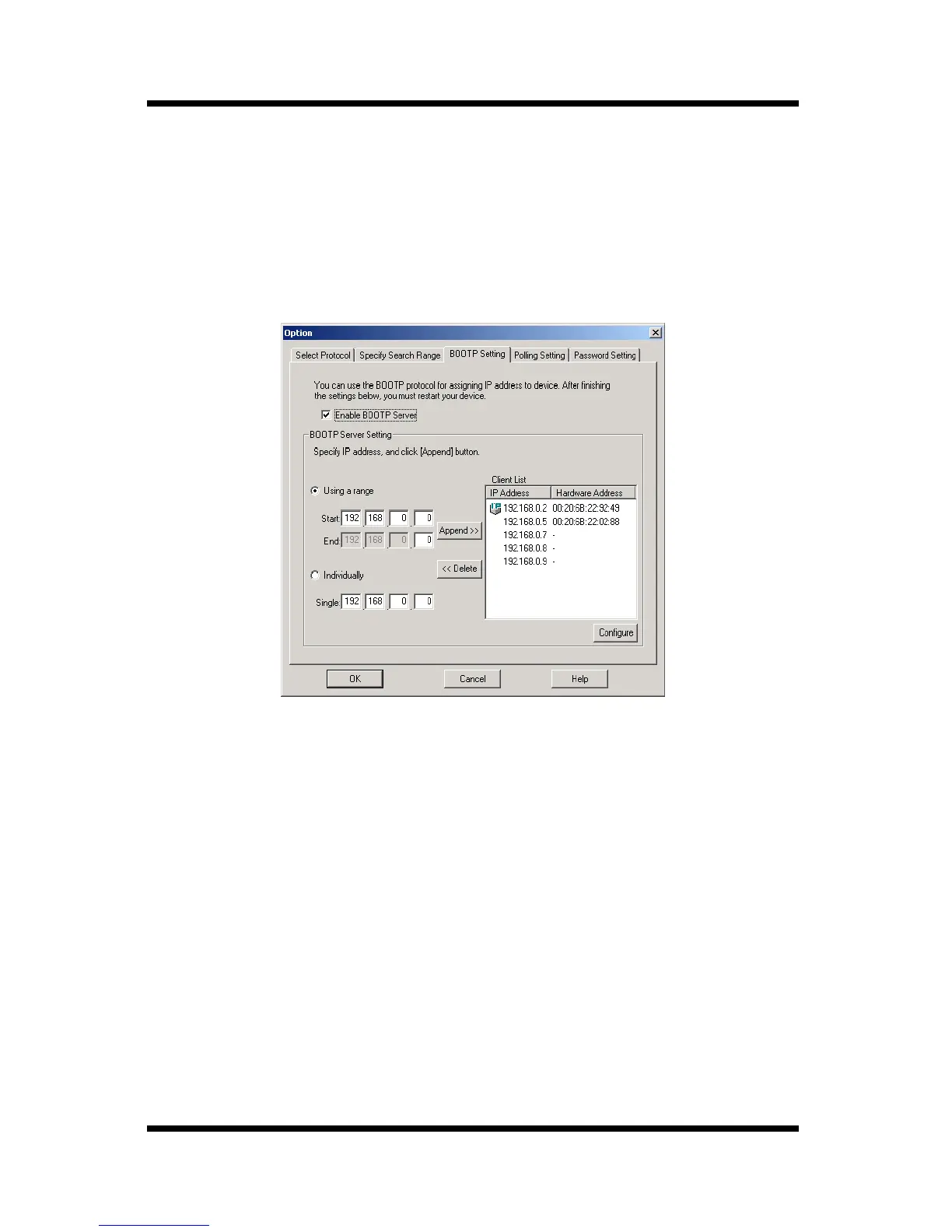
5.3 Specifying BOOTP
Perform the following steps to specify the settings for operation as a
BOOTP server.
1. Select
Option
on the
Setup
menu to display the
Option
dialog
box.
2. Click the
BOOTP Setting
tab.
3. To operate as a BOOTP server, put a check mark beside
Enable
BOOTP Server
, and then specify the following BOOTP server
settings.
To specify an IP address range for assigning the BOOTP server:
1. Select the
Using a range
option.
2. Enter IP addresses into the
Start
and
End
boxes, and then click the
Append
button.
The specified IP addresses are added to the
Client List
box.
To specify a single IP address for assigning the BOOTP server:
1. Select the
Individually
option.
2. Enter an IP address into the
Single
box, and then click the
Append
button.
The specified IP address is added to the
Client List
box.



 To Next Page