3 Browsing Network Devices
4
3 Browsing Network Devices
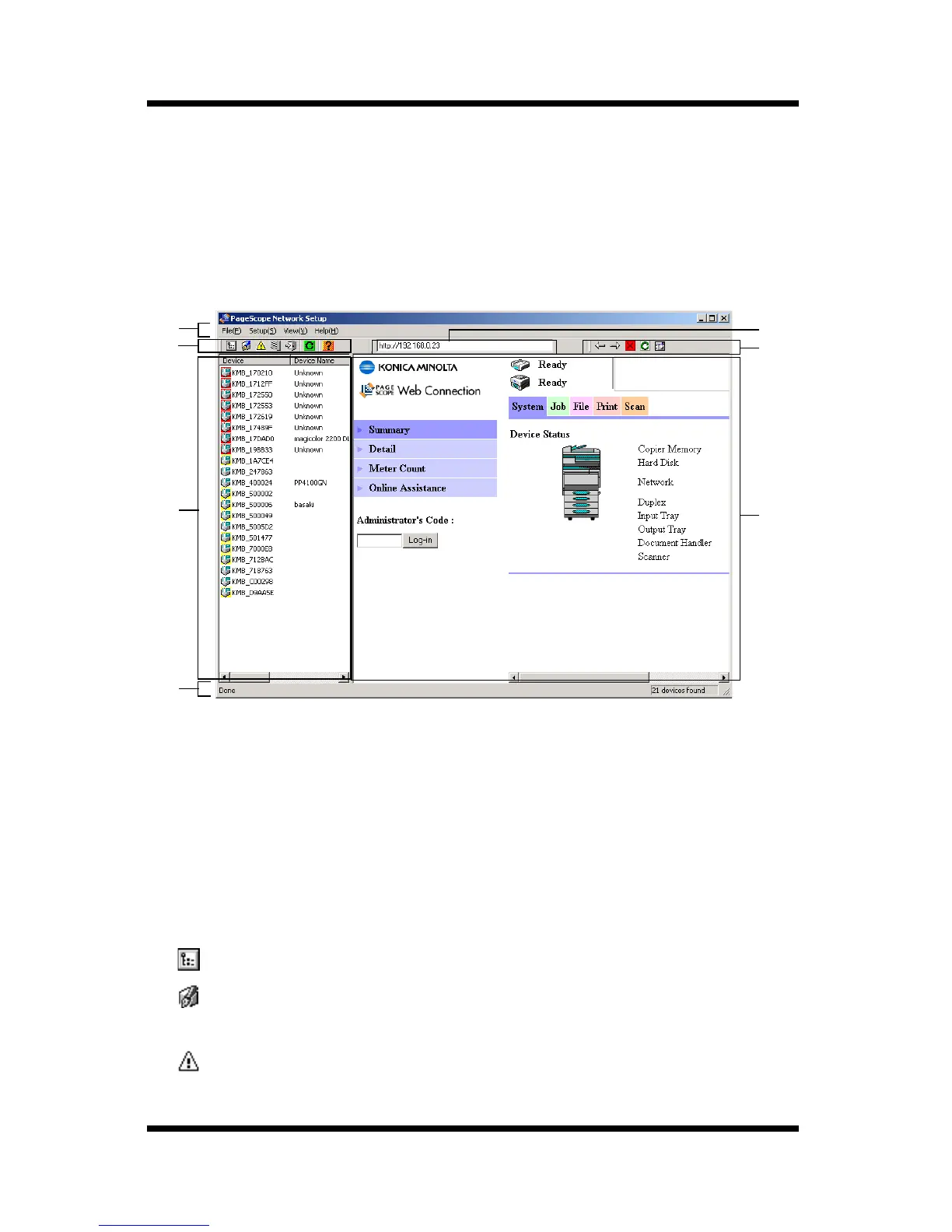
This section explains the contents of PageScope Network Setup
screens.
3.1 Screen Configuration
➀
Menu bar
Clicking on a menu pulls it down so you can access its commands.
➁
Toolbar (for the device list)
The toolbar provides one-click access to often-used PageScope
Network Setup operations.
If you cannot see the toolbar on the display, select
Toolbars
on the
View
menu.
...Displays the properties of the device selected in the device list.
...Displays a dialog box for changing the settings of the device
selected in the device list.
...Displays alert information for the device selected in the device
list.
➆
➀
➁
➂
➃
➄
➅



 To Next Page