47
Using the REC Menu (Cont’d)
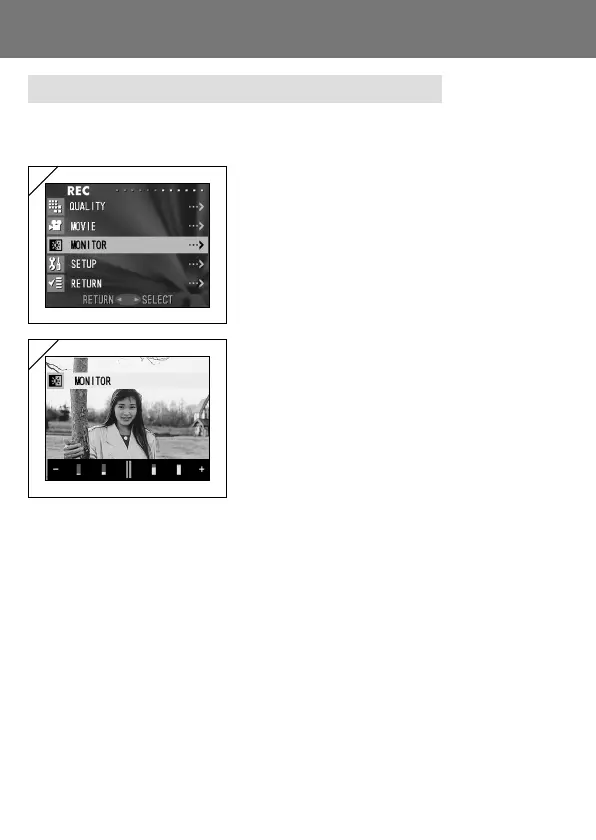
Adjusting the Brightness of the LCD Monitor
- You can adjust the brightness of the LCD monitor to suit your shooting
location.
1. Select “MONITOR” and press 왘.
2. The through image mode is entered and on
the bottom of the screen the brightness
adjustment bar appears.
If you press 왘, the cursor moves to the plus
side and the screen gets brighter. Pressing
왗 produces the opposite result—the cursor
moves toward the minus side and the screen
darkens. Choose the best brightness setting
for you and press the MENU/SET button.
You will then return to screen 1.
1
2



 To Next Page
 Loading...









