4.8.3 Connector and Flat Foil Cable
Connector and flat foil cable information for the SDVO connector (J9) located on the bottom side.
Flat Foil Cable
» YOUNGSHIN MCAB45x150B05
» 45pos,150 mm length, 0.5mm pitch, both ends opposite sides
Connector
» Hirose - FH12-45S-0.5SH
» 0.50mm (.020") Pitch FFC/FPC Connector, Horizontal Right Angle, SMT, 45 Circuits
4.8.4 Software Requirements
SDVO Output during bootup
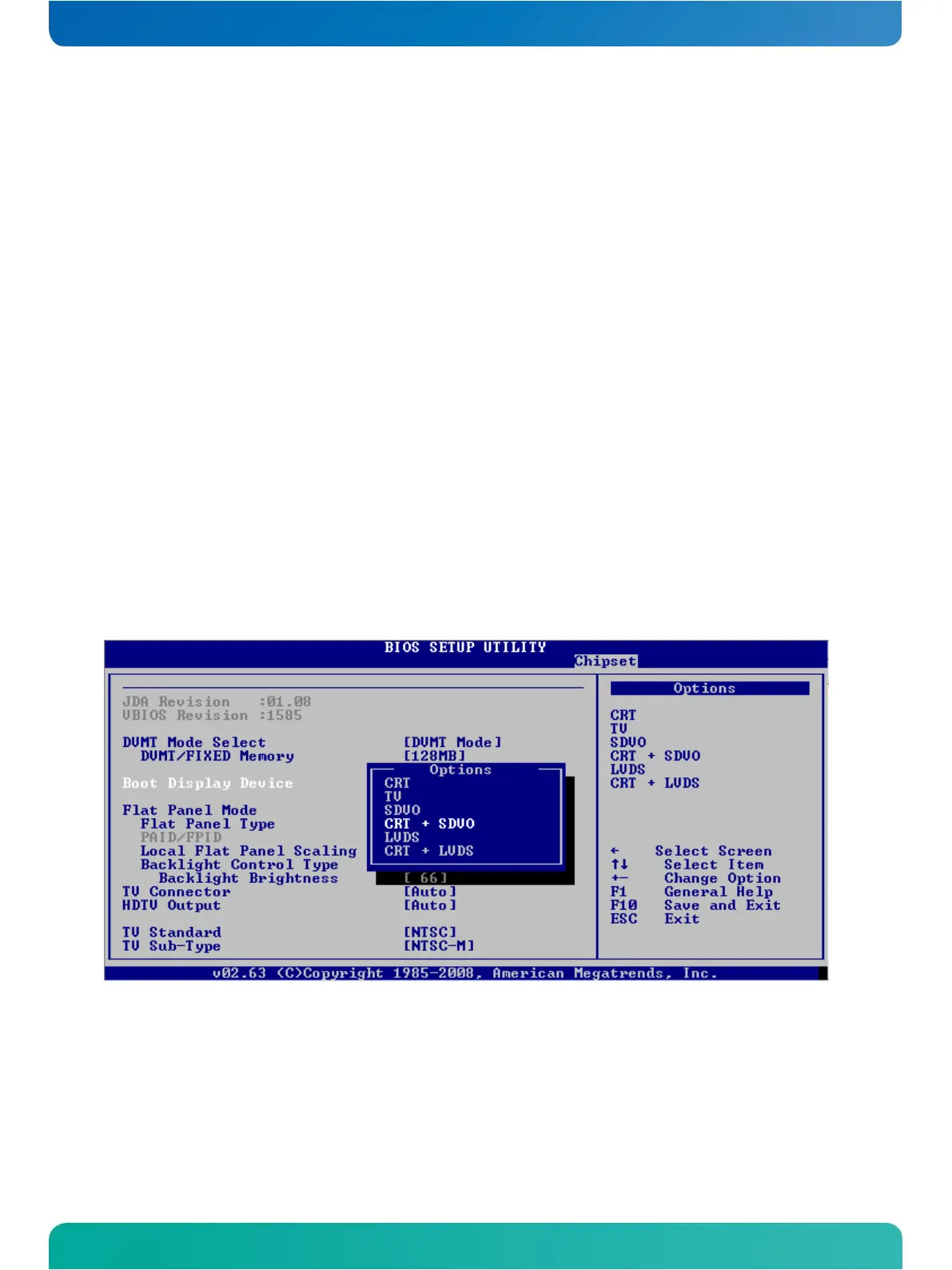
The BIOS must be set to enable the SDVO output during boot-up. Please enter the BIOS setup tool by pressing the
<del> button during boot-up and go into the menu
Chipset Control -> North Bridge Configuration -> Display Control
Please change the setting Boot Display Device to either "SDVO" or "CRT + SDVO".
SDVO Output during runtime
The regarding driver must enable the interface. This does not need an enabled boot up display set to SDVO.



 To Next Page