EasyManua.ls Logo

Kontron ETX-DC - South Bridge Configuration Menu

Kontron ETX-DC
84 pages
Print Icon
To Next Page IconTo Next Page
To Previous Page IconTo Previous Page
Loading...
ETX-DC®/ BIOS Operation
67
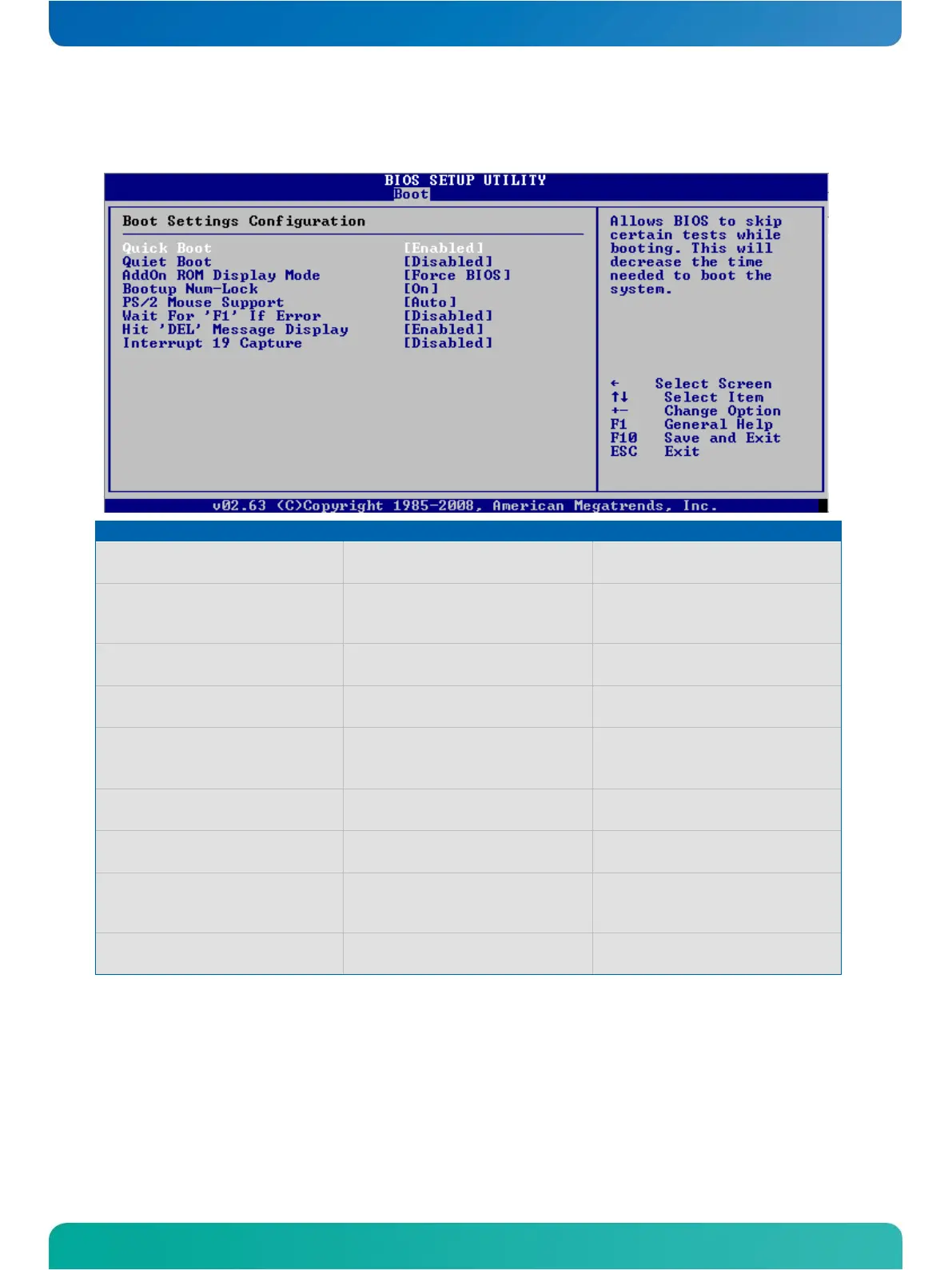
Boot Settings Configuration Menu
Feature
Option
Description
Quick Boot
Enabled
Disabled
Disables or enables the quick boot
feature
Quiet Boot
Disabled
Enabled
Disabled: Shows normal POST messages
Enabled: Shows OEM Logo during boot
up
AddOn ROM Display Mode
Force BIOS
Keep Current
Set Display Mode for Option ROM
Bootup Num-Lock
On
Off
Select Power-On state for Num-Lock
PS/2 Mouse Support
Auto
Disabled
Enabled
Disables and enables or auto selects
PS/2 Mouse Support
Wait For 'F1' If Error
Disabled
Enabled
Wait for F1 key to be pressed, if error
Hit 'DEL' Message Display
Enabled
Disabled
Displays: "Hit 'DEL' to run setup"
during POST, if enabled
Boot USB devices first
Disabled
Enabled
If enabled newly inserted USB devices
will be added on top of the boot device
list, if disabled in the end of the list.
Interrupt 19 Capture
Disabled
Enabled
Allows option ROMs to trap INT19h if
enabled

Table of Contents

Related product manuals