Not all CPU even of same type support all functions ex. i7 2600K and i5 2500K doesn’t support vPro.
All the CPUs in the list above, inclusive the Pentium Desktop processors, but except G440, are
supporting the Enhanced Intel® SpeedStep® which is improved SpeedStep technology for faster
transition between voltage (power saving states) and frequency states with the result of improved
power/performance balance.
Intel® Turbo Boost Technology 2.0 is supported by i5 and i7, as indicated in above list of processors,
and is enabling overclocking of all cores, when operated within the limits of thermal design power,
temperature and current.
Sufficient cooling must be applied to the CPU in order to remove the effect as listed in above table
(Thermal Guideline). The sufficient cooling is also depending on the maximum (worst-case) ambient
operating temperature and the actual load of processor.
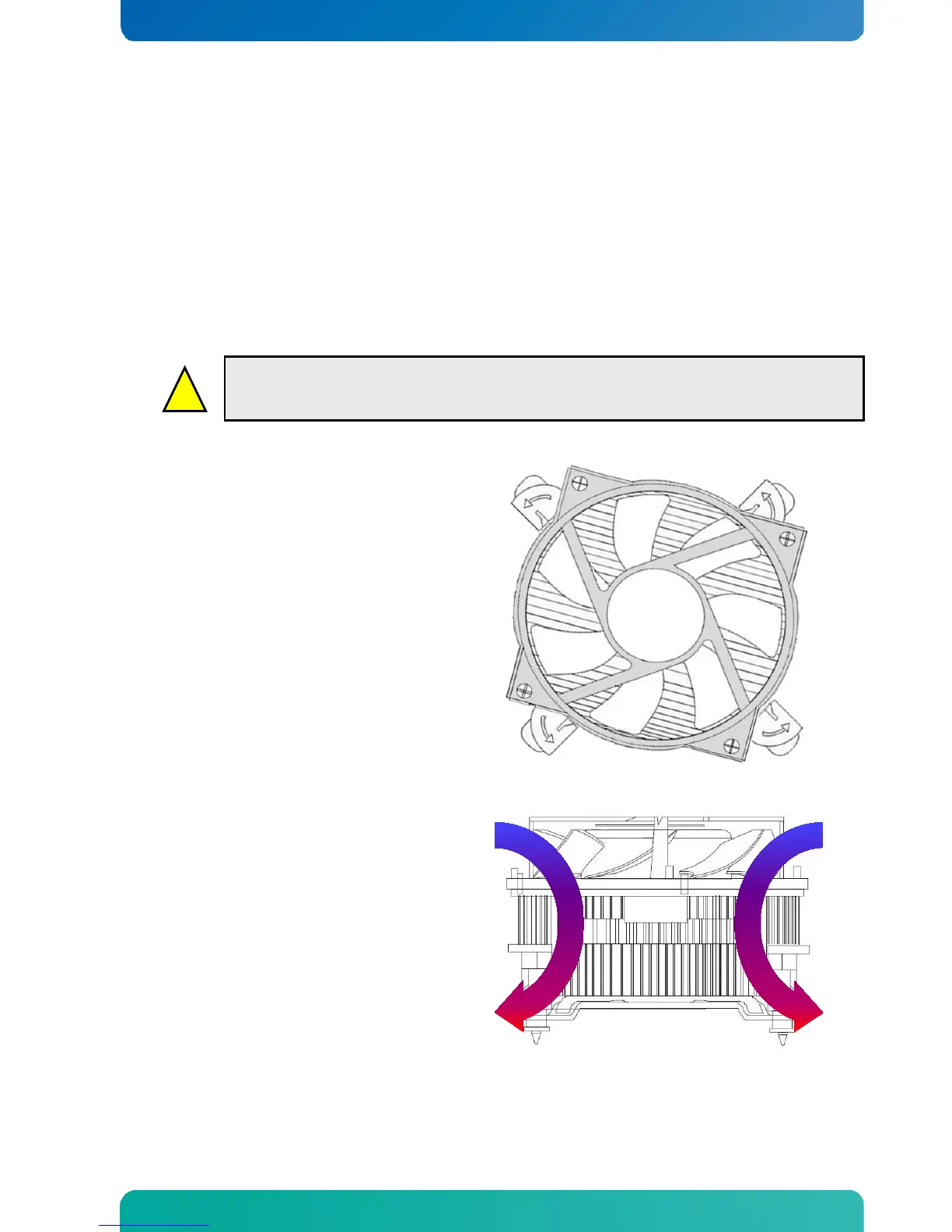
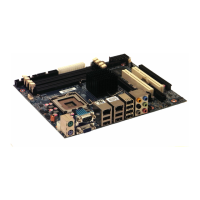
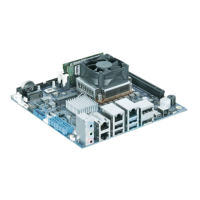
PN 1046-6305 “KTQ67 Cooler”.
The design of this cooler makes sure airflow is
always present around the components below the
cooler. Even if Fan is set to be off, it is still running
a minimum RPM (Rotation Per Minute).
Air sucked in to the cooler
Air blown out of the cooler


 To Next Page