EasyManua.ls Logo

Korg A5 - Error Messages; Troubleshooting

Korg A5
17 pages
Print Icon
To Next Page IconTo Next Page
To Previous Page IconTo Previous Page
Loading...
ERROR
MESSAGES
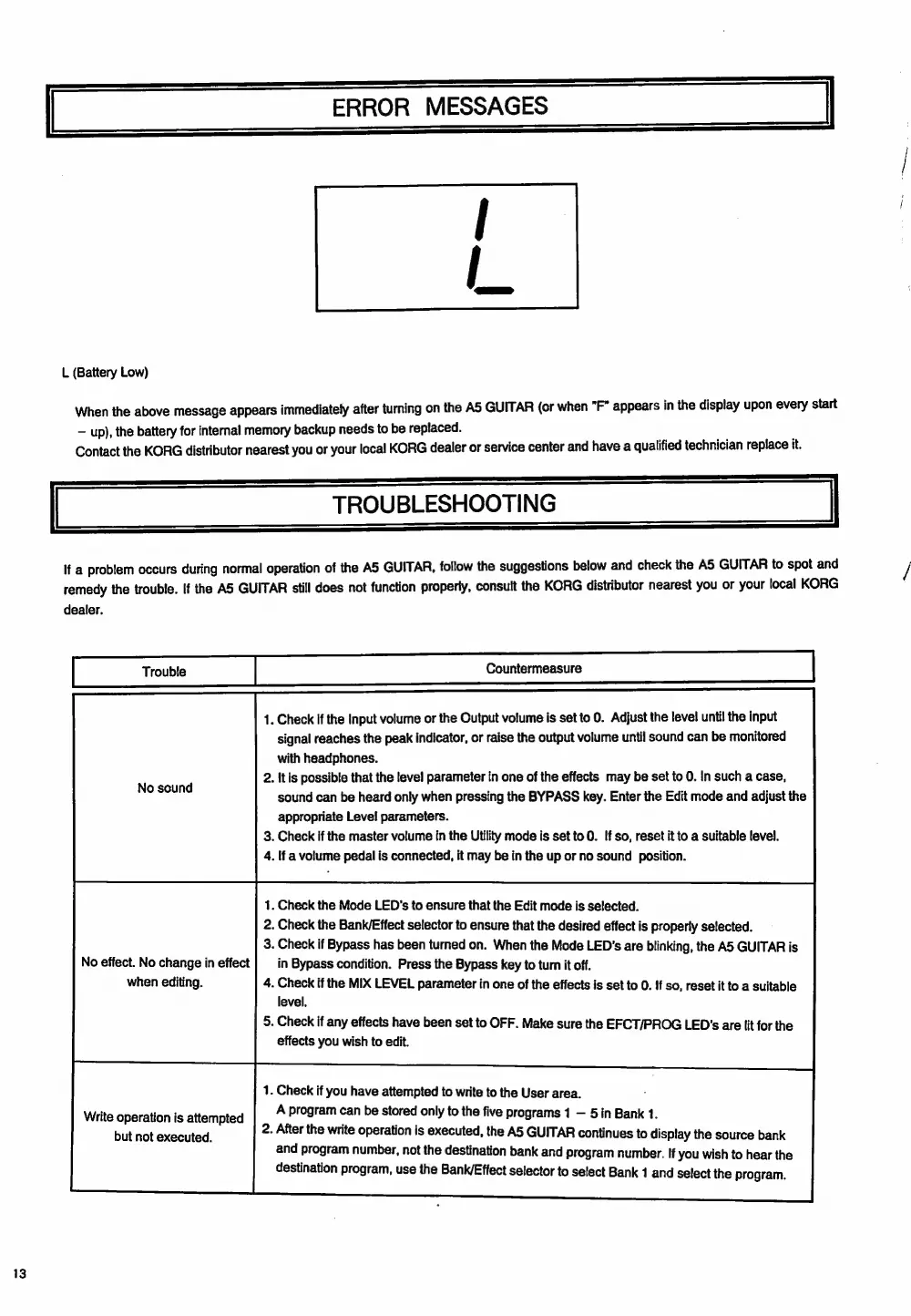
L
(Battery
Low)
When
the
above
message
appears
immediately
after
turning
on
the
AS
GUITAR
(or
when
"F"
appears
in
the
display
upon
every
start
up),
the
battery
for
internal
memory
backup
needs
to
be
replaced.
n
Contact
the
KORG
distributor
nearest
you
or
your
local
KORG
dealer
or
service
center
and
have
a
qualified
technician
replace
it.
TROUBLESHOOTING
If
a
problem
occurs
during
normal
operation
of
the
A5
GUITAR,
follow
the
suggestions
below
and
check
the
A5
GUITAR
to
spot
and
remedy
the
trouble.
If
the
A5
GUITAR
still
does
not
function
properly,
consult
the
KORG
distributor
nearest
you
or
your
local
KORG
dealer.
Trouble
Countermeasure
1.
Check
if
the
Input
volume
or
the
Output
volume
is
set
to
0.
Adjust
the
level
until
the
input
signal
reaches
the
peak
indicator,
or
raise
the
output
volume
until
sound
can
be
monitored
with
headphones.
2.
Itis
possible
that
the
level
parameter
in
one
of
the
effects
may
be
set
to
0.
In
such
a
case,
sound
can
be
heard
only
when
pressing
the
BYPASS
key.
Enter
the
Edit
mode
and
adjust
the
appropriate
Level
parameters.
3.
Check
if
the
master
volume
in
the
Utility
mode
is
setto
0.
If
so,
reset
it
to
a
suitable
level.
4.
If
a
volume
pedal
is
connected,
it
may
be
in
the
up
or
no
sound
position.
1.
Check
the
Mode
LED's
to
ensure
that
the
Edit
mode
is
selected.
2.
Check
the
Bank/Effect
selector
to
ensure
that
the
desired
effect
is
properiy
selected.
3.
Check
if
Bypass
has
been
turned
on.
When
the
Mode
LED's
are
blinking,
the
A5
GUITAR
is
No
effect.
No
change
in
effect
in
Bypass
condition.
Press
the
Bypass
key
to
tum
it
off.
when
editing.
4.
Check
if
the
MIX
LEVEL
parameter
in
one
of
the
effects
is
set
to
0.
If
so,
reset
it
to
a
suitable
level,
S.
Check
if
any
effects
have
been
set
to
OFF.
Make
sure
the
EFCT/PROG
LED's
are
lit
forthe
effects
you
wish
to
edit.
1.
Check
if
you
have
attempted
to
write
to
the
User
area.
Write
operation
is
attempted
A
program
sa
be
Lodi
only
to
the
five
programs
1
5in
Bank
1.
Hire
2.
After
the
write
operation
is
executed,
the
AS
GUITAR
continues
to
display
the
source
bank
and
program
number,
not
the
destination
bank
and
program
number.
lf
you
wish
to
hear
the
destination
program,
use
the
Bank/Effect
selector
to
select
Bank
1
and
select
the
program.

Related product manuals