14
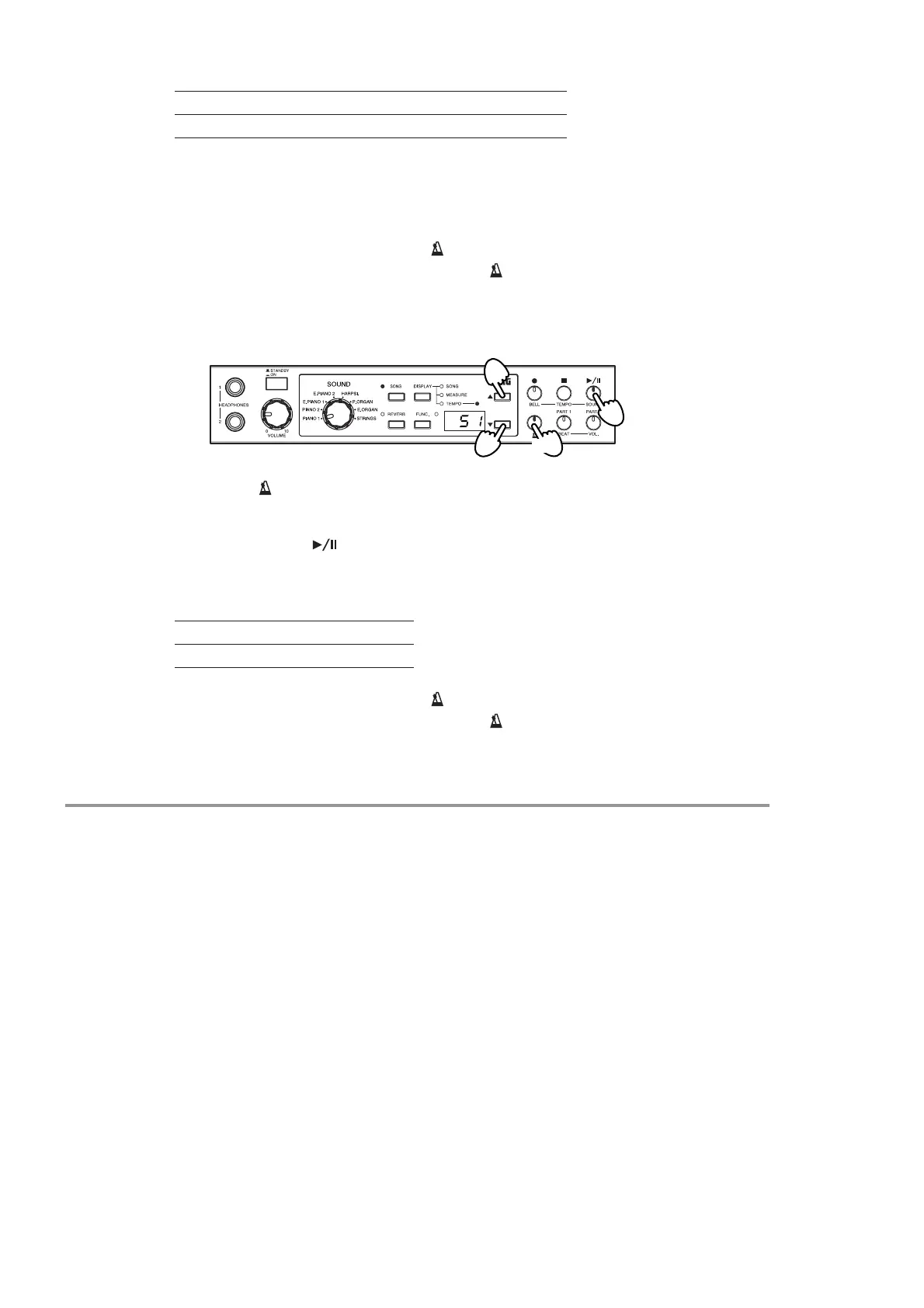
3. Use [▲] or [▼] to set the desired accent sound.
*A bell tone is produced if you have set the metronome to sound like a pendulum; a
digital tone is produced if you have set the metronome to have a digital sound (see
“Changing the Metronome Sound” on page 14, below).
4. When you have set the value, press [ ] again.
The HT-70 returns to its previous state. The [ ] switch stops flashing (either goes off
or else comes on solid).
Changing the Metronome Sound
1. Hold down [ ] for at least one second.
The switch begins flashing.
2. Press the [SOUND( )] switch.
The switch lights up, and the multidisplay shows the current sound.
3. Use [▲] or [▼] to set the desired sound.
4. When you have set the value, press [ ] again.
The HT-70 returns to its previous state. The [ ] switch stops flashing (either goes off
or else comes on solid).
Additional Features
In addition to the capabilities presented above, your HT-70 also provides a number of
other useful performance-related features. For information, refer to the indicated pages.
• Pitch control: refer to “Adjusting the Pitch” on page 18.
• Temperament: refer to “Choosing a temperament” on page 18.
• Brilliance: refer to “Adjusting the brightness of the sound (Brilliance)” on page 18.
• Touch Control: refer to “Changing the sensitivity of the keyboard” on page 19.
• Transpose: refer to “Changing the key (Transpose)” on page 19.
• Restoring the factory settings: refer to “Restoring the factory settings” on page 19.
Display oFF on1 on2
Accent sound None Standard Bell or digital tone*
Display S1 S2
Sound Pendulum Digital
1, 4
2
3
3


 To Next Page