8.2 User area
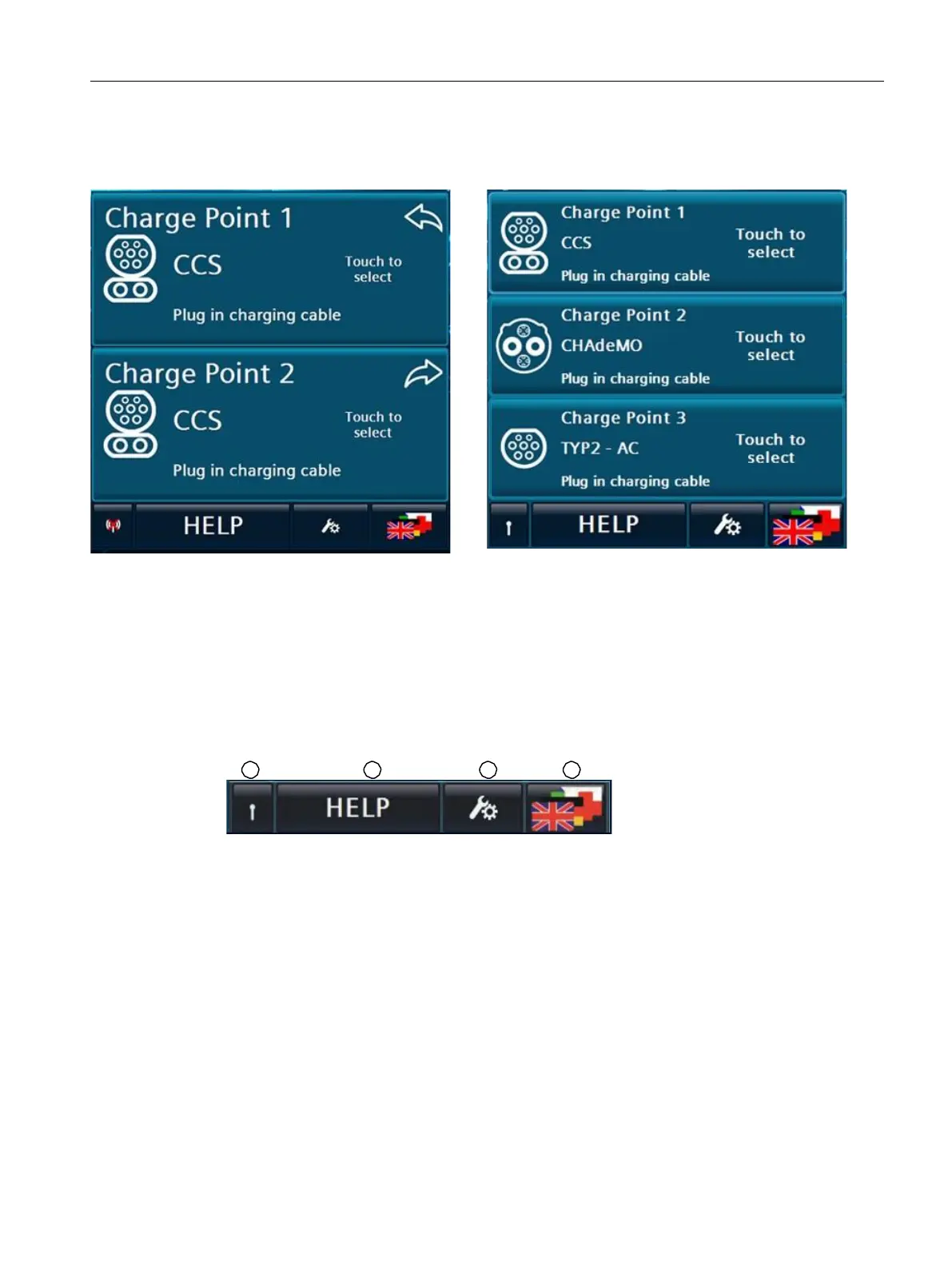
Depending on the configuration of the charging station, 2 or 3 areas with charging points are
displayed in the main view.
Main view: 2 charging pointsMain view : 3 charging points
The illustration on the left shows you the main view with 2 charging points with CCS2 charging
characteristics.
The illustration on the right shows you the main view with 3 charging points with CCS2, CHAdeMO
and AC charging characteristics.
The advertisements correspond to the variant you ordered with all options.
8.2.2.2 Menu bar
The menu bar is located at the bottom of the charging station HMI.
① Display: Antenna for ONLINE- (OCPP)
② Call for context-sensitive help texts
③ Service menu for authorised personnel
④ Language switching
Picture 8-1 Menu bar



 To Next Page