Setting the time
Accurate time shared by all devices is vital to successful network communications.
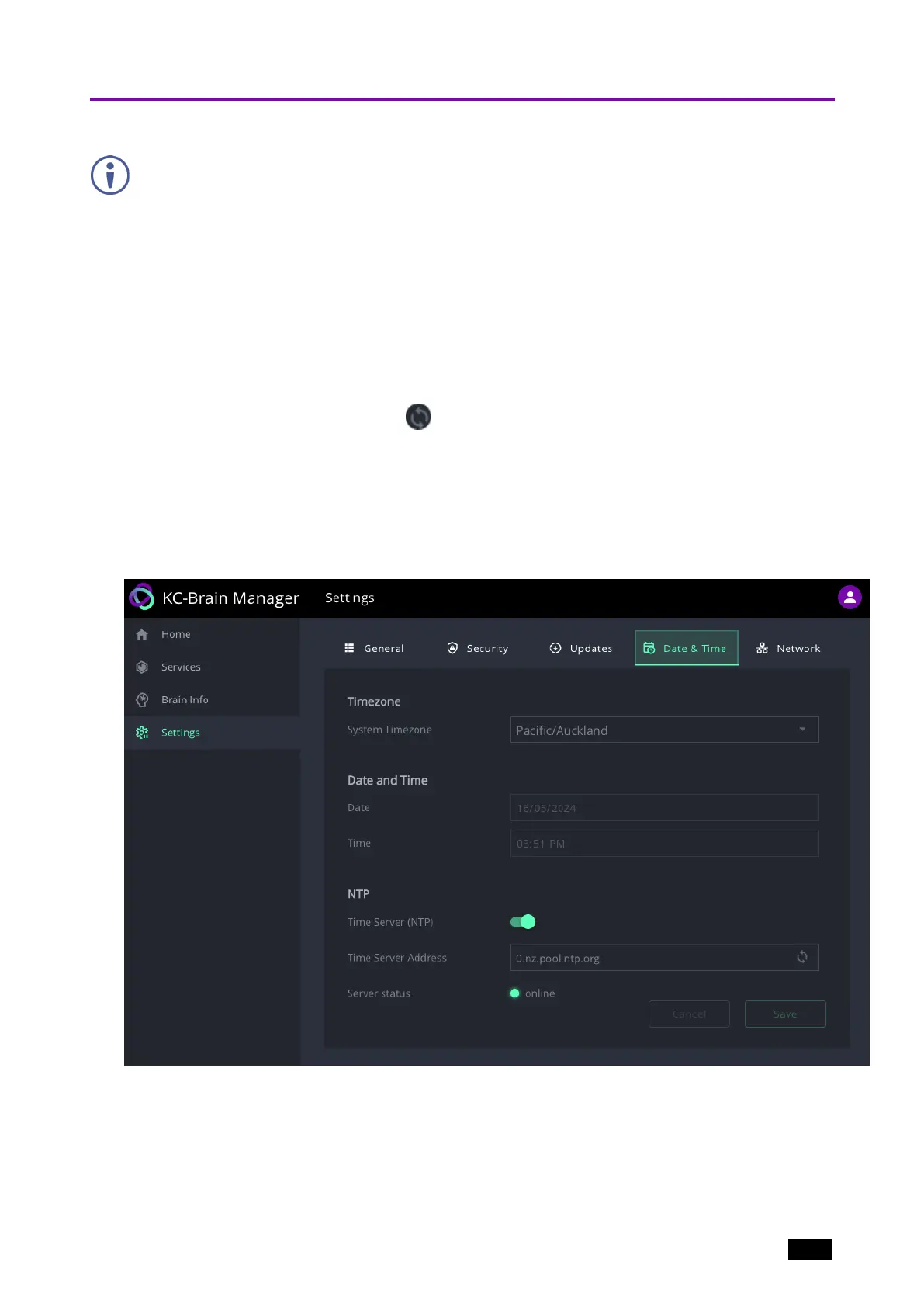
Navigate to Settings and open the Time & Date tab.
1.1. Set the Time zone.
To sync device time and date from a network time server:
2. Set Time Server (NTP), to On (this disables manual time and date entry).
3. Enter the Time Server Address IP.
4.
Click the refresh arrows to check that the server is available.
5. Click SAVE (button is enabled after a change is made).
The device date and time are synchronized to the server address entered.
6. If there is no NTP server on the network, make sure Time Server NTP is off and enter
the date and time manually.
Figure4: The Settings > Date & Time page.
Kramer Electronics Ltd.
KC-Virtual Brain1 - Essential First Steps 11



 To Next Page