The Settings Page
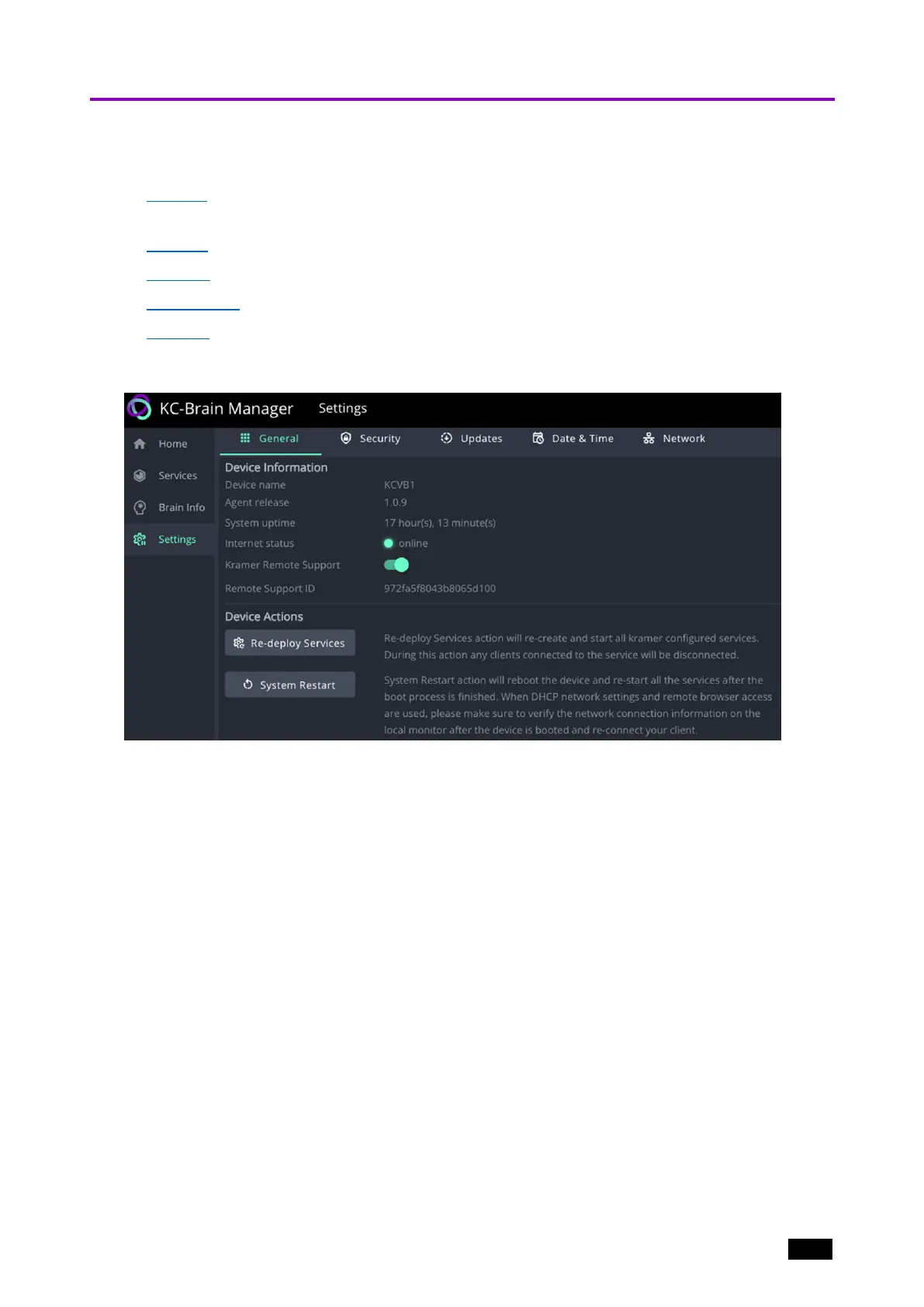
The Settings page has 5 tabs:
1. General – Opens by default when the Settings page opens. Provides device information
and restart actions.
2. Security – Password change and SSL settings.
3. Updates – Software updates and automated updates.
4. Date & Time – Set the timezone, date time or connect an NTP server.
5. Network - Set the Hostname, enable/disable DHCP and view or set the device IP address.
Settings – General tab
Figure17: The Settings page’s General tab
Device Information:
l
Device name – The type of device (KC-Virtual Brain1).
l
Agent release – The software version of the KC Agent.
l
System uptime – Amount of time that the device has been running.
l
Internet status – Offline or online.
l
Kramer Remote Support – Slide to the right to enable Kramer Remote Support.
When necessary, Kramer Remote Support personnel can set up a TCP secured tunnel
to the customer’s Kramer Control system. Requires the customer to share their unique
Remote Support ID with the Kramer Support person.
l
Remote Support ID – A code which is unique to the customer and enables Kramer
Support to connect securely to the customer’s Kramer Control Manager.
l
Device Actions:
l
Re-deploy Services – The device reinstalls and then restarts the services.
l
System Restart – The device will shut down the services, reboot itself and then restart the
services. If DHCP is active, verify that the device IP is unchanged.
Kramer Electronics Ltd.
KC-Virtual Brain1 - The Management Pages 23



 To Next Page