The Management Pages
For Management pages’ access instructions, see Logging in to the Management pages.
The Home Page
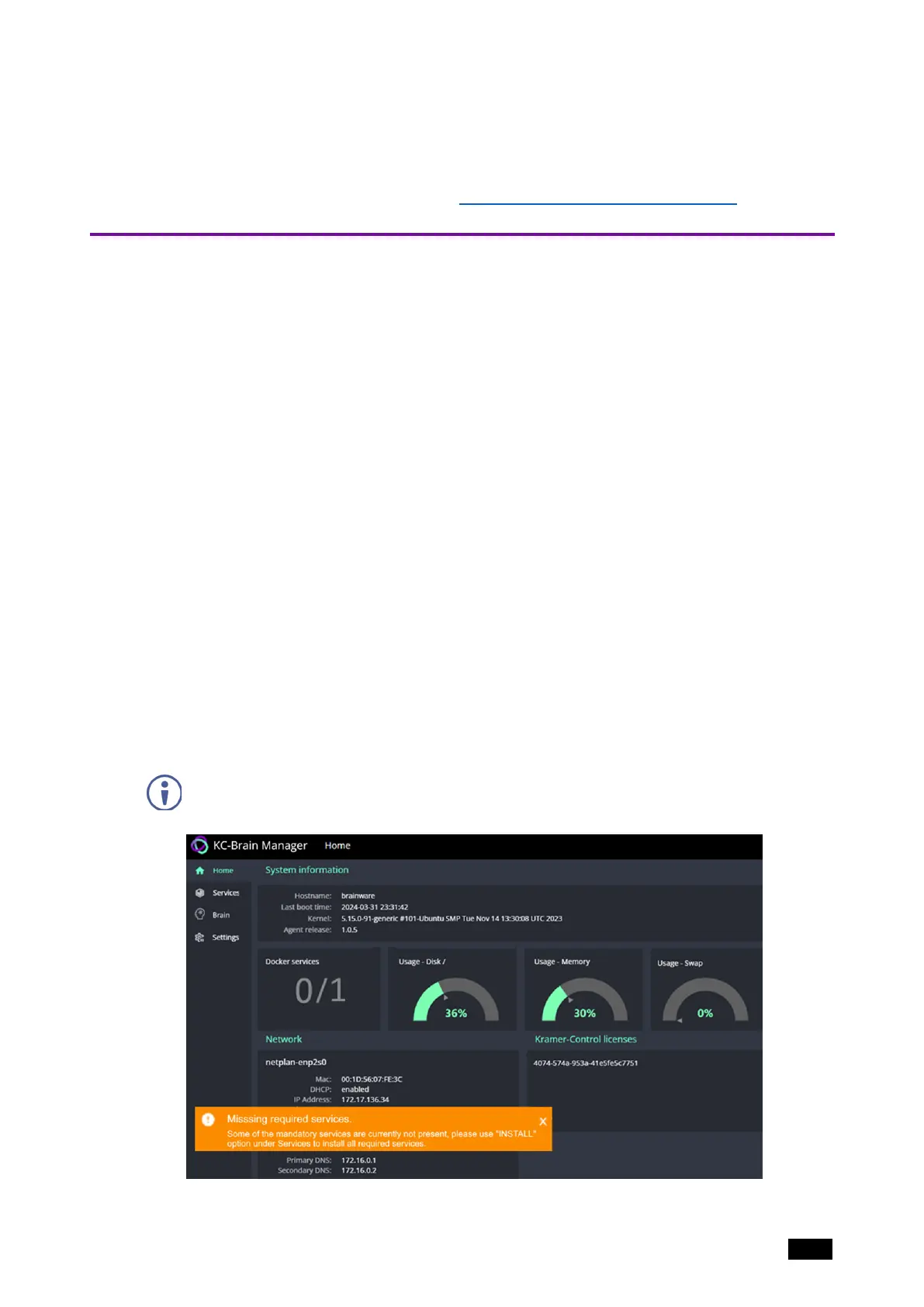
After you log in, the Home menu page opens automatically, showing a dashboard
overview of the device. The Home page is display-only: No updates can be made from
this page.
l
System Information
o
Hostname - The name used to identify the KC-Virtual Brain1 in the network.
o
Last boot time – The time KC-Virtual Brain1 last rebooted.
o
Kernel – The OS running inside the KC-Virtual Brain1.
o
Agent release - SW release version of the KC-Virtual Brain1.
o
Docker services (visual) – The left number is the number of active services and
the right number the maximum possible number of active services.
o
Usage-Disk – % Usage of the KC-Virtual Brain1's built-in HD.
o
Usage-Memory – % Usage of the KC-Virtual Brain1’s RAM.
o
Usage-Swap – % Usage of the KC-Virtual Brain1’s Swap Memory. Swap
Memory is RAM that is temporarily loaded into the HD.
l
Network – An overview of the device’s network status. If DHCP is enabled, KC-Virtual
Brain1’s network IP is provided by the network’s DHCP server.
l
Kramer Control licenses – The Kramer Control license stored in the device. KC-Virtual
Brain1 holds a single license.
Note: At first run, a “Missing required services" message warns that the Docker service is
not initialized. The Brain cannot be started until the Docker service is installed. See
Initializing the Services.
Figure12: The Home page
Kramer Electronics Ltd.
KC-Virtual Brain1 - The Management Pages 18



 To Next Page