Provisioning the Brains
Brains must be provisioned before they can control a meeting space touch panel or management
device. Each Brain controls a single Kramer Control instance (and one touch panel) – the Kramer
Control instance to which it was provisioned. Kramer Control instances must be unprovisioned
before they can be connected to another Brain.
Provisioning a Brain – Securely connects the Brain to a single Kramer Control activation (such
as a touch panel). No other Brain can be connected until it is unprovisioned.
Unprovisioning a Brain – Ends the connection between the Brain and the Kramer Control
activation, so that a different Brain can be connected.
Brain Online Brain Offline
Provisioning
Get a code from the Kramer Control
Manager and enter it in the Brain.
Download a “provisioning file” from the
Kramer Control Manager and upload it to the
Brain.
Unprovisioning
(Brain provisioned
online).
Unprovision in the Kramer Control
Manager. The Brain is unprovisioned
automatically.
Unprovision in the Kramer Control Manager.
The Brain remains provisioned until it
connects to the Internet.
Unprovisioning
(Brain provisioned
offline)
Get a code from the Kramer Control
Manager and enter it in the Brain.
Get a code from the Kramer Control Manager
and enter it in the Brain.
To provision one of the Brains:
1. Get an online provisioning code or an offline provisioning file from the Kramer
Control portal for the Brain (meeting space or room) you are connecting.
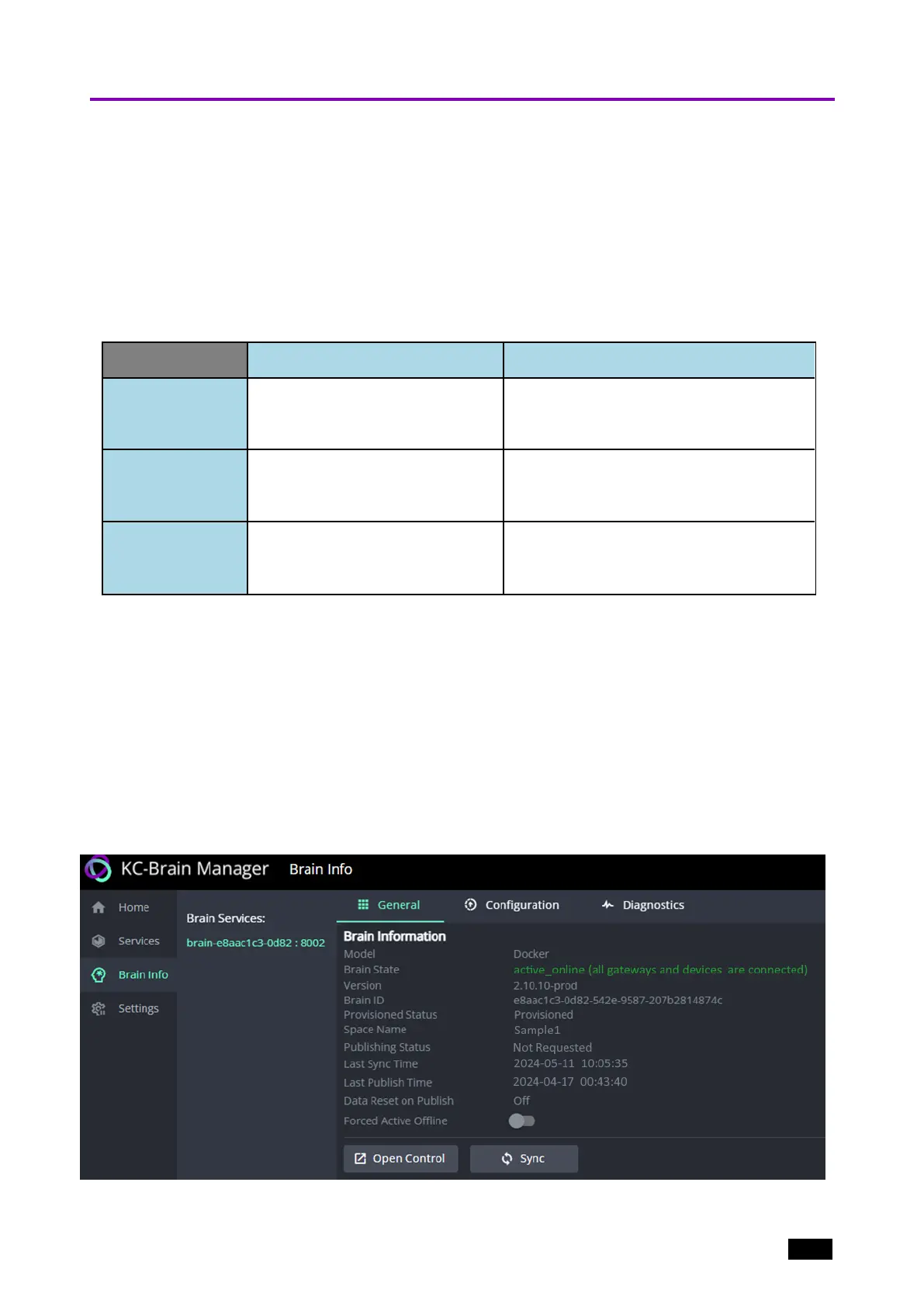
2. Navigate to Brain Info in the left menu, the available Brain Services are listed (see
the image below).
3. Select the Brain service you want to provision: If running, the Brain ID turns green
and the General tab opens, showing Brain Information, including the Brain State,
which will be Unprovisioned and will indicate if the Brain is online (it will be green if
online, red if offline).
The Brain State field is green if the Brain is already provisioned and red if it is not.
4.
Figure8: The Brain Info page’s General tab
Kramer Electronics Ltd.
KC-Virtual Brain1 - Essential First Steps 14



 To Next Page