EasyManua.ls Logo

Kramer VS-1211 - User Manual

Kramer VS-1211
26 pages
Print Icon
To Next Page IconTo Next Page
Loading...
KRAMER ELECTRONICS, Ltd.
USER MANUAL
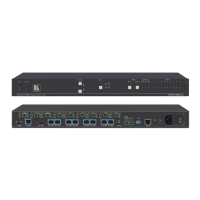
Vertical Interval Switchers
MODELS: VS-1211, VS-1011, VS-811, VS-611, VS-411
With Balanced Audio
VS-1201xl, VS-1001xlm, VS-801xlm, VS-601xlm, VS-401xlm
With Unbalanced Audio
IMPORTANT: Before proceeding, please read paragraph entitled
"Unpacking and Contents"

Questions and Answers

  • A
    Anthony MercerAug 19, 2025
    How to troubleshoot a Kramer Switch with no power?
    • R
      Rebecca BrownAug 19, 2025
      If your Kramer Switch has no power, first ensure the rocker switch is in the 'ON' position and the lamp is illuminated. Then, check that the power connections are secure both at the amplifier and the receptacle, making sure the receptacle is active and outputting the correct mains voltage. If there's still no power, remove the power cord and check the fuse located below the power connector. If the fuse wire is broken, replace it with one of the same value.
  • D
    David JohnsonAug 21, 2025
    Why are there noise bars rolling on my Kramer Switch output and how to fix it?
    • S
      Stephanie HoAug 21, 2025
      Hum bars (ground loop) in your Kramer Switch output signal are often due to differences in ground potential between connected devices. To resolve this, ensure all interconnected equipment is connected to the same power phase, if possible. Remove any equipment that might introduce noise, like motors or generators. Disconnect and reconnect interconnect cables one by one until the ground loop reappears, then replace the affected cable or insert an isolation transformer in the signal path.
  • M
    michaelfosterAug 25, 2025
    What to do if there is no video output from Kramer VS-1211?
    • E
      Eileen SanchezAug 25, 2025
      If you're getting no video at the output device of your Kramer Switch, first verify that your sources and output device are powered on and properly connected. Ensure video signals connected to the input of your switcher match the output format of your source, and that video signals at the output of your switcher match the input format of your display or recorder. Also, check that any other switchers in the signal path have the correct input or output selected. You may use the Video Tester to test the video path leading to/from your switcher.
  • R
    Robin HarrisAug 26, 2025
    Why is there no audio output from my Kramer Switch?
    • J
      Jim MartinezAug 26, 2025
      If there is no audio at the output device of your Kramer Switch, check that your sources and output device are powered on and connected correctly. Make sure the audio signals connected to the input of your switcher are properly wired to the output of your source, and that the audio signals connected to the output of your switcher are correctly wired to the input of your switcher or recorder. Also, confirm that any other switchers in the signal path have the appropriate input and/or output selected, especially any input switchers built into your switcher or recording device.
  • C
    Christine AdkinsAug 28, 2025
    What to do if Kramer VS-1211 Switch fails to switch one of the sources?
    • J
      Jeremy ArnoldAug 28, 2025
      If your Kramer Switch switches some sources but fails on others, it could indicate a malfunction in the specific source or its cable assembly. Try disconnecting the problematic source from its current channel and connecting it to a channel that is switching successfully. If the channel continues to work, the issue lies with the switcher or the initial connection of the source. If the channel fails, the problem is likely with the source or its cable assembly, so inspect those.
  • K
    Katie StevensAug 30, 2025
    Why can't I control my Kramer VS-1211 from PC software?
    • J
      Justin DominguezAug 30, 2025
      If you cannot control your Kramer Switch from PC software, first confirm the wiring of the connecting cable, ensuring it does not exceed 25 feet. Next, verify that all DIP switches on the switcher are set correctly, remembering that if you're controlling only one switcher on a specific port, it must be assigned the ID of '1'. If controlling multiple switchers, ensure they are all of the same type and powered on. Check that your computer's COM port baud rate matches the switcher's (9600-Baud) and that the correct COM port is selected in the software. Ensure bi-directional communication is enabled on all switchers. With custom software, avoid sending multiple commands simultaneously, and confirm your computer supports true RS-232C protocol.
  • D
    Diana Manning MDSep 1, 2025
    How do I fix a Kramer VS-1211 with video level that is too high or too dim?
    • K
      Kimberly LeachSep 1, 2025
      If the video level from your Kramer Switch is too high or too dim, first check that the video line is properly interfaced through 75ohm impedance. An incorrect impedance can cause these issues, especially when looping is performed and termination switches are not in the correct position. Also, ensure that the connecting cables are high quality, properly built, and terminated with 75ohm BNC connectors. Finally, check the level controls on your source input device, output display, or recorder.
  • J
    Jimmy PayneSep 3, 2025
    Why is the audio level too low on my Kramer VS-1211?
    • K
      Katherine SimmonsSep 3, 2025
      If the audio level from your Kramer Switch is too low, confirm that the connecting cables are of high quality and properly built. Pay close attention to the wiring configuration of balanced to unbalanced cables. Also, check the level controls located on your source input device or output display or recorder.
  • C
    Corey LarsonSep 5, 2025
    Why can't I control the Kramer VS-1211 Switch from VS-2000 control panel?
    • L
      Lawrence ClarkSep 6, 2025
      If you have no control of your Kramer Switch from the VS-2000 control panel, first confirm that the connecting cable is wired straight through for pins 1-9. Ensure that all DIP switches on the switcher are set correctly, noting that if you are controlling only one switcher on a port, its ID must be '1'. If controlling multiple switchers on a single port, all must be of the same type and powered on. Verify that you have the correct machine number and control port selected on the VS-2000; for example, both should be set to '1' if controlling a single machine on port 1. Finally, check that you have selected the proper switcher type on the VS-2000.
  • J
    johnsonsamanthaSep 7, 2025
    What to do if Kramer VS-1211 turns on but will not switch?
    • J
      Jessica HoweSep 7, 2025
      If your Kramer Switch turns on but does not switch, it might be due to one of the two flat cables leading from the main board to the control board being disconnected, preventing the switch command from reaching the switcher.

Kramer VS-1211 Specifications

General IconGeneral
BrandKramer
ModelVS-1211
CategorySwitch
LanguageEnglish

Related product manuals