EasyManua.ls Logo

Kramer VS-1211 - User Manual

Kramer VS-1211
26 pages
Print Icon
To Next Page IconTo Next Page
Loading...
KRAMER ELECTRONICS, Ltd.
USER MANUAL
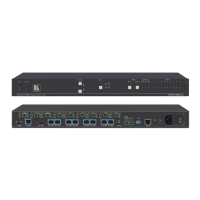
Vertical Interval Switchers
MODELS: VS-1211, VS-1011, VS-811, VS-611, VS-411
With Balanced Audio
VS-1201xl, VS-1001xlm, VS-801xlm, VS-601xlm, VS-401xlm
With Unbalanced Audio
IMPORTANT: Before proceeding, please read paragraph entitled
"Unpacking and Contents"

Questions and Answers

  • S
    Sean BrownSep 10, 2025
    Why Kramer VS-1211 Switch switches video but not audio?
    • B
      Brenda ThomasSep 10, 2025
      If your Kramer Switch switches video but not audio, it's possible that one of the audio cables leading to the main board is disconnected, preventing the switch command from being transferred to the audio components.
  • C
    Cody AdamsSep 12, 2025
    Why Kramer VS-1211 will not switch via the RS-485 control?
    • J
      Joshua RamirezSep 12, 2025
      If your Kramer Switch will not switch via the RS-485 control, the flat cable that feeds the RS-485 control from the upper audio board to a socket on the main board might be disconnected. Turn off the main switch, remove the power cord, and carefully remove the switcher's cover. Verify that all flat cables from the main board to the control board, from the audio board to the main board, and from the switchboard to the main board are undamaged and properly connected. Reinsert any loose connectors firmly but carefully.
  • K
    kennethmillerSep 14, 2025
    How to update software version on Kramer VS-1211 Switch?
    • D
      Diana ArnoldSep 14, 2025
      To update the software version of your Kramer Switch, carefully remove the switcher cover and locate the EPROM chip in the middle of the main board, identified by a white sticker. Use the appropriate tools to remove the old chip and carefully insert the new EPROM, ensuring correct polarity.
  • M
    Melissa AllenSep 16, 2025
    What to do if Kramer VS-1211 switches some sources but fails to switch on others?
    • N
      Nancy DavisSep 16, 2025
      If your Kramer Switch switches some sources but fails on others, it could indicate a malfunction in the specific source or its cable assembly. Try disconnecting the problematic source from its current channel and connecting it to a channel that is switching successfully. If the channel continues to work, the issue lies with the switcher or the initial connection of the source. If the channel fails, the problem is likely with the source or its cable assembly, so inspect those.

Kramer VS-1211 Specifications

General IconGeneral
BrandKramer
ModelVS-1211
CategorySwitch
LanguageEnglish

Related product manuals