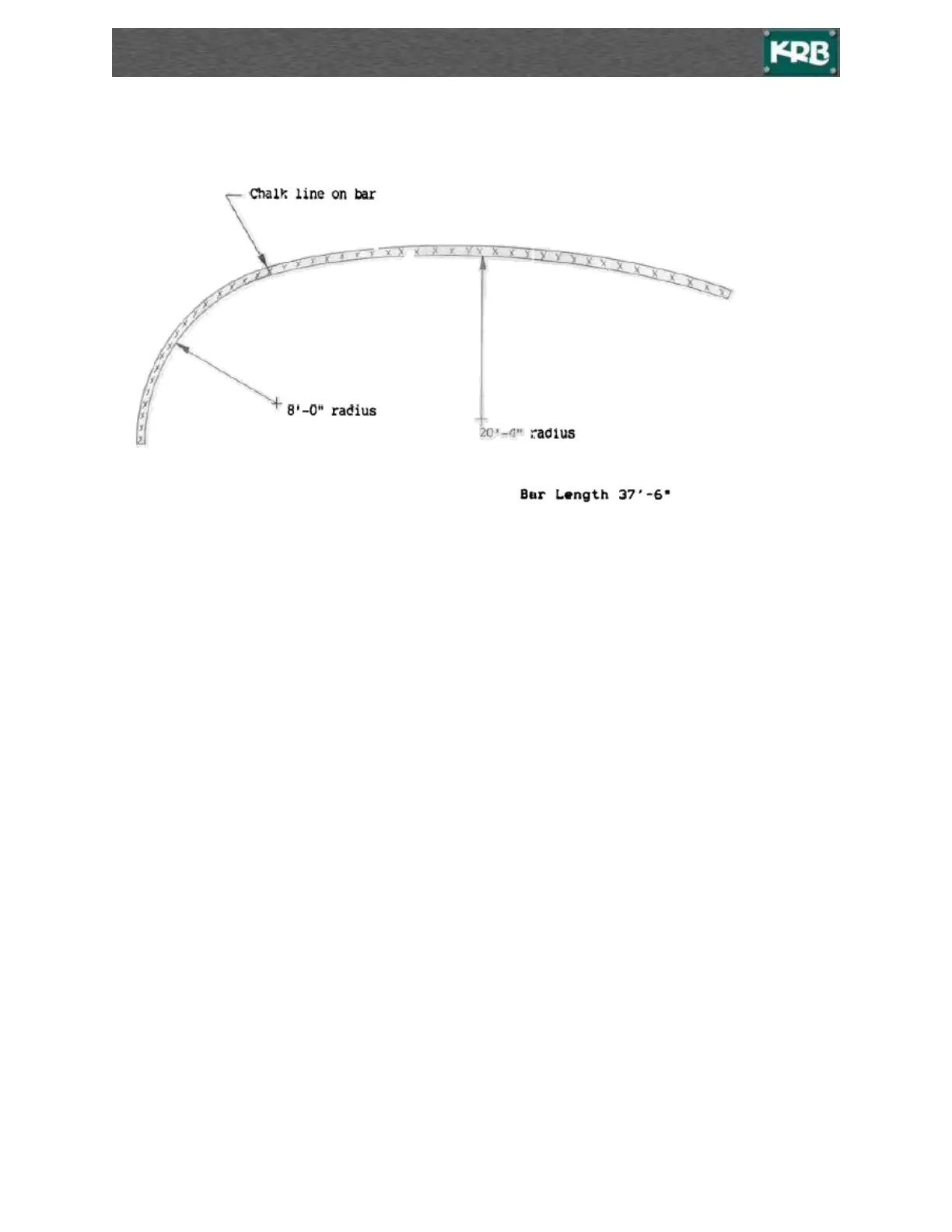
How to Accomplish Multiple-Radii on A Bar
Set-Up
1. Set Preset 1 to valve to get radius of A.
2. Set Preset 2 to valve to get radius of B. (only “turn on” Preset 1 and 2)
3. Select Active Preset 1 and position “Metering Roll” / Pressure Roll.
4. Run bar through machine at Preset 1 until chalk mark on bar is reached.
5. Stop drive roll.
6. Active preset 2 should now be ready, so move metering roll out to that position.
7. Finish running the bar through the machine.
8. Active Preset 1 is now ready, move the metering roll in to that position.
9. Repeat steps 4 through 7 as required.



 To Next Page