MAL-OPS-0969 Version 2.2 10
6. Connecting to a Smartphone
The D3M can be used in isolation as a PRD or can be used with a smartphone as a
part of the SIGMA network, using the SIGMA LE app. The detector is connected to a
smartphone using either Bluetooth connection or via USB cable.
6.1 Pairing via Bluetooth
When pairing a D3M to a smartphone
using Bluetooth, first ensure that the
D3M device is turned on. To turn the
D3M on in this instance, the central
button should be pressed and held until
the device LED illuminates with a purple
light.
The device LED will be purple if
Bluetooth connection is enabled on
CIRIS, illustrating that the device is in
Bluetooth pairing mode and will
therefore appear on the smartphone’s
list of Bluetooth devices. Going to the
smartphone’s Bluetooth settings will
allow the D3M device to be paired with
the phone.
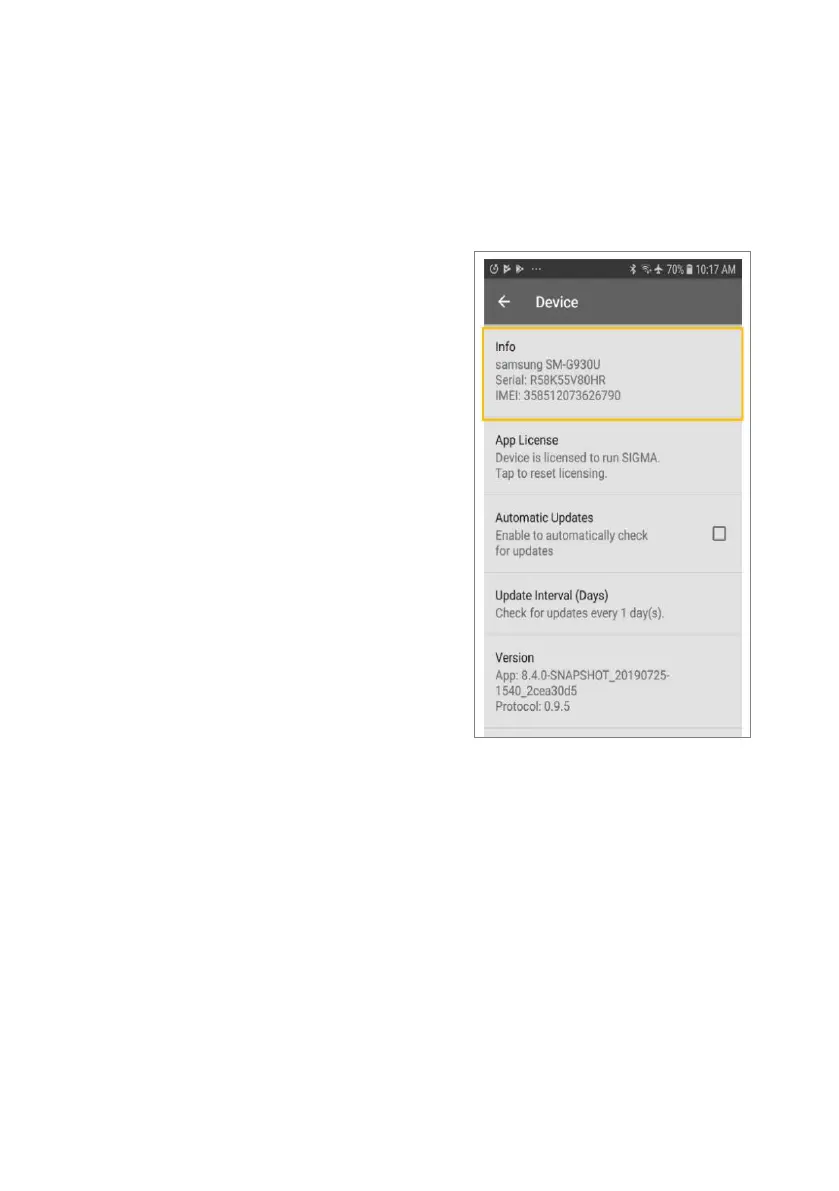
Next, go to the SIGMA LE application on
the smartphone. Go to the SIGMA
menu > Settings > Device. There is an
“Info” option on this menu. This should
be pressed seven times to enter
developer mode.



 To Next Page