EasyManua.ls Logo

Kroy K4452 - User Manual

Kroy K4452
48 pages
Print Icon
To Next Page IconTo Next Page
Loading...
USER’S
MANUAL
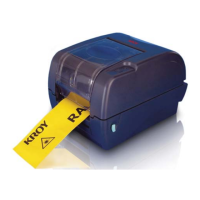
KROY K4452/K4453
THERMAL TRANSFER / DIRECT THERMAL
BAR CODE PRINTER

Questions and Answers

  • N
    nathansmithAug 13, 2025
    Why is the print quality poor on my Kroy K4452 Barcode Reader?
    • D
      Denise RussellAug 13, 2025
      Poor print quality on your Kroy Barcode Reader can stem from several causes. First, ensure the top cover is completely closed and that both the right and left levers are properly latched. Another potential cause is incorrect loading of supplies, so try reloading them. Incompatibility between the ribbon and media can also lead to poor print quality; consider changing the ribbon or label combination. Finally, accumulated dust or adhesives on the print head can be the culprit; cleaning the print head may resolve the issue.
  • E
    Elizabeth BarrettAug 17, 2025
    What to do if my Kroy K4452 is not printing?
    • R
      Robert NelsonAug 17, 2025
      If your Kroy Barcode Reader is not printing, there are several potential reasons. Ensure the interface cable is securely connected to the interface connector by reconnecting it. If using a serial port cable, it must be pin-to-pin connected; replace it if it isn't. The serial port settings between the host and printer must be consistent, so reset them if needed. Also, verify that the correct printer port is selected in the Windows driver. Lastly, if using Ethernet, confirm that the IP address, subnet mask, and gateway are properly configured.
  • C
    Chris HouseAug 20, 2025
    How to fix a Kroy Barcode Reader with no response?
    • J
      johntranAug 21, 2025
      If your Kroy Barcode Reader is not responding, first, ensure that the power switch is turned on. Check if the green LED is lit on the power supply; if not, the power supply may be broken. Also, verify that both power connections, from the power cord to the power supply and from the power supply to the printer power jack, are securely connected.
  • V
    Vanessa MunozAug 25, 2025
    How to resolve paper jam in Kroy K4452 Barcode Reader?
    • M
      Maria GarzaAug 25, 2025
      If your Kroy Barcode Reader is experiencing paper jams, several factors could be the cause. First, the gap/black mark sensor sensitivity might not be set properly; try calibrating the sensor. Ensure the label size is set correctly in the labeling software or program to match the installed paper. Lastly, check for any labels stuck inside the printer mechanism near the sensor area and remove them.
  • D
    Diane HollandAug 28, 2025
    What to do if my Kroy Barcode Reader shows an error?
    • H
      Heidi GomezAug 28, 2025
      An error with your Kroy Barcode Reader can occur if you are out of labels or ribbon, or if the printer setting is not correct. To solve this: * If you are out of labels, load a new roll, following the media loading instructions, and then press the FEED button to resume printing. * If you are out of ribbon, load a new roll, following the ribbon loading instructions, and then press the FEED button to resume printing. * If the printer setting is incorrect, initialize the printer using the instructions in “Power on Utility” or “Diagnostic Tool”.
  • M
    Ms. Amy GuzmanAug 31, 2025
    Why is my Kroy Barcode Reader continuously feeding labels?
    • A
      Austin MaynardAug 31, 2025
      If your Kroy Barcode Reader is continuously feeding labels, the printer setting may be incorrect. Please initialize the printer and perform gap/black mark calibration.
  • K
    Kristina MartinSep 4, 2025
    Why is my Kroy Barcode Reader not printing anything on the label?
    • W
      Walter RasmussenSep 4, 2025
      If there is no print on the label from your Kroy Barcode Reader, it could be due to a few reasons. Check that the label or ribbon is loaded correctly by following the loading instructions. Another reason could be that the ribbon has run out; in this case, load a new ribbon.
  • B
    Brian StricklandSep 8, 2025
    What does it mean when my Kroy Barcode Reader is paused and how do I resume it?
    • R
      roberthawkinsSep 8, 2025
      If your Kroy Barcode Reader is paused, the printer is paused. Press the FEED button to resume printing.

Summary

Product Introduction and Getting Started

Unpacking and Inspection

Inspect packaging and printer upon receiving the bar code printer.

Equipment Checklist

Lists all components included with the printer, such as the printer itself, CD disk, and guide.

Printer Parts Identification

Identifies and illustrates the external components and interfaces of the printer.

Printer Setup and Installation

Basic Setup and Loading Procedures

Covers initial setup, connecting power, loading ribbon, and label stock.

Optional Module Installation

Guides on installing optional peel-off or cutter modules and their loading procedures.

Top Cover Operation Safety

Instructions for safely opening and closing the printer's top cover.

Memory Card Installation

Steps for installing an SD memory card into the printer.

Advanced Features and Diagnostics

Diagnostic Tool Usage Guide

Explains the Diagnostic Utility for printer configuration, status, and troubleshooting.

Ethernet Network Configuration

Detailed steps for setting up the printer's Ethernet connection via USB, RS-232, or direct Ethernet.

Power-On Utilities and Maintenance

Power-On Utilities Overview

Describes utilities activated at power-on for testing and setting up printer hardware.

Printer Cleaning Procedures

Methods and intervals for cleaning printer parts like the print head and platen roller.

Troubleshooting and Operation

Troubleshooting Errors and Print Quality

Explains LED indicators, error causes, and solutions for print quality issues.

LED and Button Controls

Details LED meanings and the function of printer control buttons.

Kroy K4452 Specifications

General IconGeneral
Scanning TechnologyLaser
Operating Temperature0°C to 50°C (32°F to 122°F)
Storage Temperature-20°C to 60°C (-4°F to 140°F)
InterfaceUSB, RS-232, Keyboard Wedge
Supported BarcodesCode 39, Code 128, Interleaved 2 of 5
Humidity5% to 95% (non-condensing)
Drop Specification1.5 m (5 ft) to concrete
Voltage5 V DC