10
3.5 Peel-off Module Installation (Option)
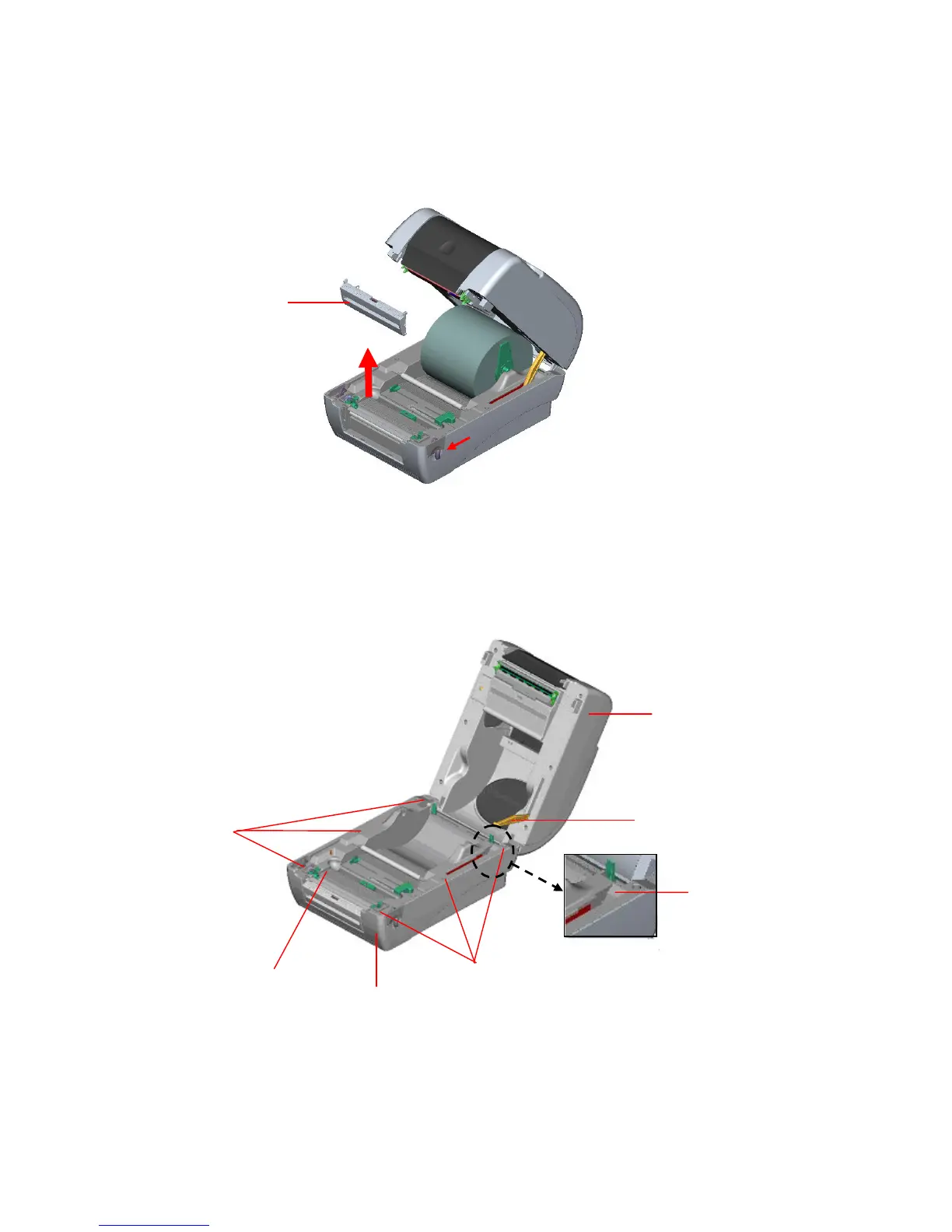
1. Open the top cover and remove the front panel from the printer.
Fig. 12 Remove the front panel
2. Open the top cover and hold it and push down and push backward the top cover
support then push backward the top cover.
3. Use a screwdriver to screw off 6 screws on the lower inner cover.
Fig. 13 Remove 6 screws from lower inner cover
4. Upside down the printer. Remove two screws at the hinge and remove one screw at
Front Panel
Lower Cover


 To Next Page