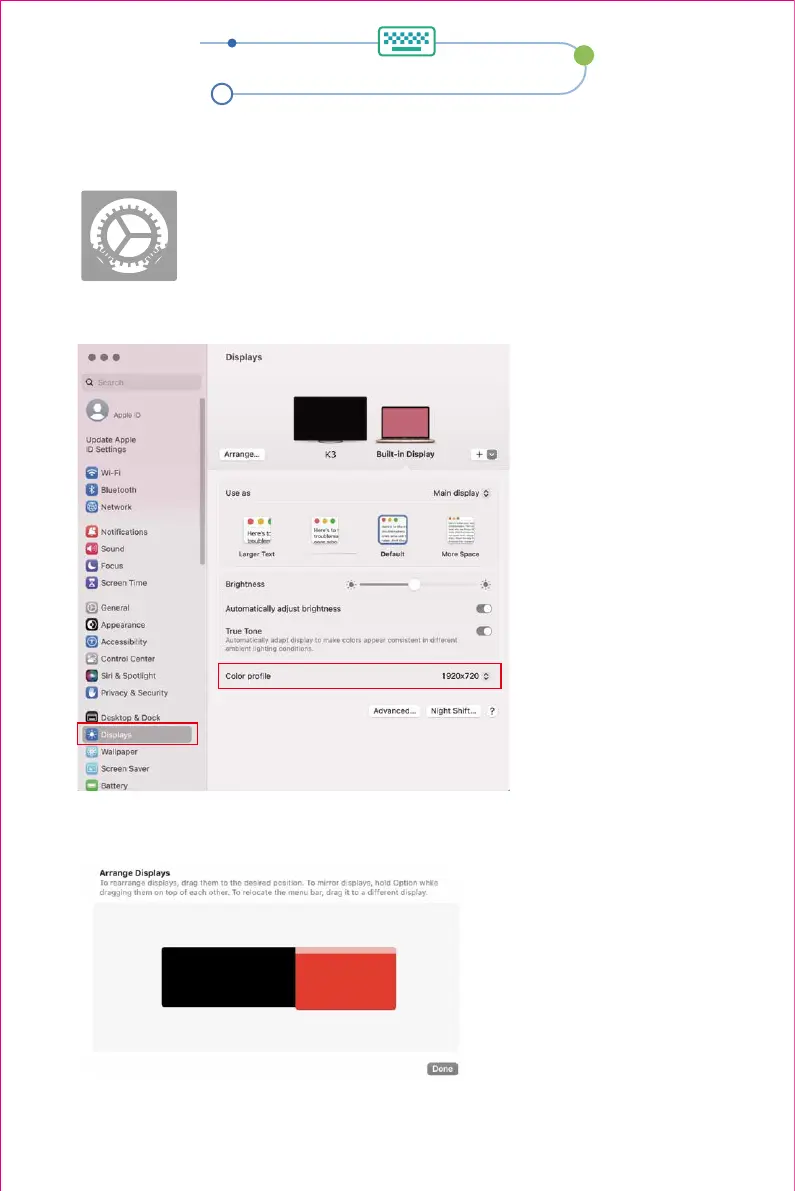
Display setting
2.1 Enter the “System Preferences” menu
2.2 The user can now configure their displays to their liking.
In this menu, the user can set the resolution and mirror/expand the display you want.
2.MacOS 13 Ventura Display Settings and Configuration
2.3 Arrange Displays
To rearrange displays, drag them to the desired position. To mirror displays, hold Option while
dragging them on top of each other. To relocate the menu bar, drag it to a different display.
8


 To Next Page