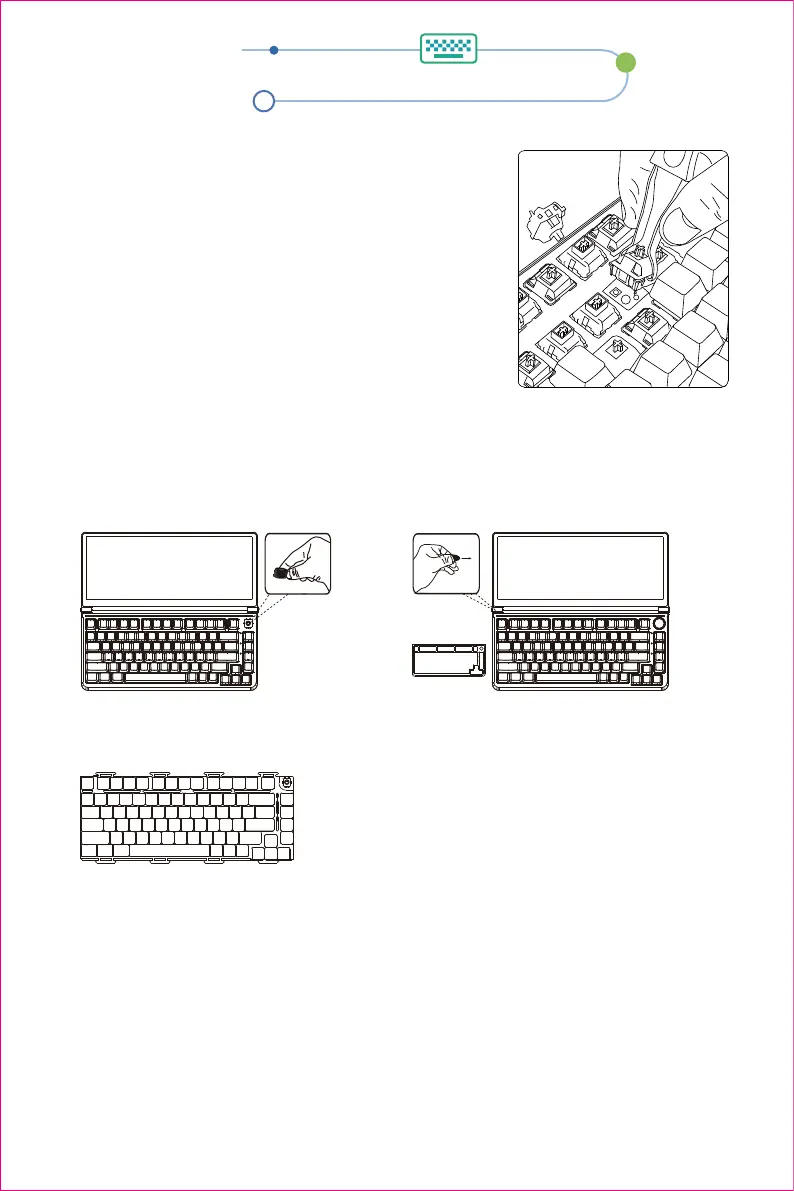
1.DIY key cap shaft body
2.Keyboard disassembly
R
F
D
S
X
A
T
Q
Remarks:You can refer to the following switch parameters to choose the switch that suits you
1. Remove the key cap with a key puller
2. Use a professional shaft puller to pull out the switch body
3. Check the installation position of the switch to be
replaced (note that the pins cannot be crooked)
4. Place the new switch on the card position
5. Tap the new axis to the card position
6. install the key cap
Keyboard DIY
Step 3: Pull out the keyboard line, remove the keyboard, and DIY the keyboard.
Step 2: Disassemble the keyboard shell
according to the figure.
Step 1: Unscrew the keyboard knob button.
3


 To Next Page